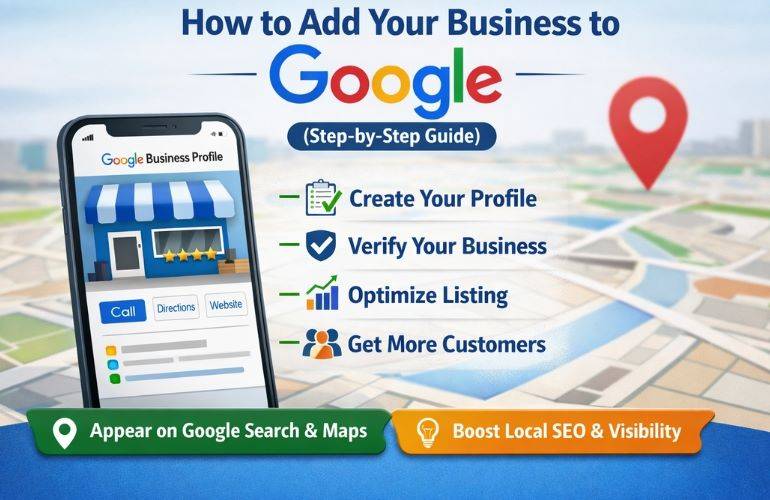
Learning how to add your business to Google is an important step for any local business that wants customers to find it on Google Search and Google Maps. A properly created Google Business Profile can display your business name, location, phone number, website, opening hours, services, photos, reviews, and other useful information directly in Google results.
The process starts by checking whether your business already has a Google listing. If no profile exists, you can create one through Google's Business Profile system. If a profile already exists but is not managed by you, you may need to claim it instead. After adding or claiming the profile, Google requires verification before you can fully manage the business information.
This guide explains how to add your business to Google, what information you need, how to choose the right business category, how to handle your address or service area, how verification works, and what to do after your Google Business Profile is created.
Why Should You Add Your Business To Google?
Adding your business to Google gives potential customers a convenient way to discover your company when they search for your products or services. Your Business Profile can appear across Google Search and Google Maps after it has been properly added and verified.
A complete profile can help customers quickly understand where your business is located, what you offer, when you are open, and how they can contact you.
Businesses commonly use Google Business Profile to provide:
- Business name and category information.
- Physical business address or service area.
- Business phone number.
- Website address.
- Opening hours.
- Business description.
- Photos and videos.
- Customer reviews and responses.
- Services and other business information.
Google states that businesses must add or claim their Business Profile and then verify it before they can control how their information appears on Google.
What Is A Google Business Profile?
A Google Business Profile is Google's platform for businesses that have a physical location customers can visit or businesses that travel to customers in a defined service area. It allows eligible businesses to manage how important business information appears on Google Search and Google Maps.
The profile acts as a central business listing where customers can find essential information without having to search through multiple websites.
For example, a local plumbing company may use its Business Profile to display its business name, service area, phone number, website, hours, services, photos, and customer reviews.
Google requires businesses to accurately represent themselves and follow its Business Profile guidelines. Businesses should use their real-world business name and provide accurate location or service-area information.
Before You Add Your Business To Google
Before starting the process, it is useful to prepare the information that Google will request. Having accurate information ready can make the setup process easier and reduce mistakes.
Prepare the following details:
- Business Name: Use the real-world name of your business.
- Business Category: Choose the category that most accurately represents what your business does.
- Business Address: Prepare your complete and accurate physical address if customers visit your location.
- Service Area: If you travel to customers, prepare the cities, postal codes, or areas you serve.
- Phone Number: Use a business phone number customers can use to contact you.
- Website: Have your official business website URL available.
- Business Hours: Prepare your normal operating hours.
- Business Description: Prepare a short description explaining what your business offers.
- Photos: Prepare genuine photos of your business, products, services, team, equipment, or location.
Accurate information is particularly important because Google reviews business information and may require verification before allowing you to fully manage the profile.
How To Add Your Business To Google Step By Step
The basic process for how to add your business to Google involves checking for an existing listing, creating or claiming the Business Profile, entering accurate business information, and completing Google's verification process.
Step 1: Sign In To Your Google Account
Start by signing in to the Google Account that you want to use to manage your business profile. You can use an existing Google Account or create one specifically for business management.
Google explains that a Google Account is required to sign up for a Business Profile. A company email address can also be connected to a Google Account, allowing the business to manage its profile without necessarily relying on a personal email address.
If multiple employees will eventually manage the profile, avoid sharing one password. Google provides owner and manager roles so authorized users can receive their own access.
Step 2: Check If Your Business Already Exists On Google
Before creating a new listing, search for your business name and location on Google Search and Google Maps.
This step is important because your business may already have a Business Profile created by another user, Google, or information collected from other sources.
If you find an existing profile that represents your business, you generally need to claim it instead of creating another profile.
Creating duplicate profiles for the same business can cause management and visibility problems. Google's guidelines state that there should generally be only one profile per business.
Step 3: Create Your Business Profile If It Does Not Exist
If you cannot find an existing profile for your business, you can create one through Google's Business Profile system.
Google currently directs businesses to:
- Go to Google's Business Profile add page.
- Select the option to add your business to Google.
- Follow the on-screen instructions.
- Enter your business information.
- Select an available verification method.
Google confirms that adding or claiming a Business Profile is free for eligible businesses.
Step 4: Enter Your Business Name Correctly
Enter your business name exactly as it is represented in the real world. This can include the name used on your storefront signage, stationery, website, and other legitimate business branding.
Avoid adding unnecessary keywords, locations, services, promotional phrases, phone numbers, or other information to the business name simply to influence local search visibility.
Google's guidelines specifically require businesses to represent their real-world name accurately. Unnecessary information in the business name can create quality or policy problems.
For example, if the actual business name is "ABC Dental Clinic," adding phrases such as "ABC Dental Clinic Best Dentist In City" would not accurately represent the real-world business name.
Step 5: Choose The Right Business Category
Selecting the correct primary category is one of the most important parts of setting up your Google Business Profile.
Your primary category should describe what your business is rather than simply listing one of the products or services you provide.
Google allows businesses to select additional categories when appropriate, but categories should be relevant to the business. Google's documentation advises businesses to choose the fewest categories needed to describe their core business accurately.
Do not select unrelated categories just because they contain popular keywords. The category should genuinely describe your business.
Step 6: Add Your Business Address
If customers visit your business location, enter the complete and accurate physical address.
Your address should match the actual location where the business operates. Google recommends providing a complete street address and accurate location information.
Depending on your business model, you may also need to adjust your map pin so customers can identify the correct location.
Accurate location information is particularly important for businesses that depend on local customers because incorrect address information can make it difficult for customers to find the business.
Step 7: Choose A Service Area If You Travel To Customers
Not every business serves customers at a storefront. Plumbers, electricians, cleaners, contractors, mobile repair companies, delivery businesses, and other service providers may travel directly to customers.
If customers do not visit your business address, Google allows eligible businesses to configure a service area instead of publicly displaying the address. Service areas can be based on cities, postal codes, or other areas the business serves.xryxfnj x1b2iylo xwgcxoh" data-assistant-supporting-count="">+1
Businesses should use accurate service areas rather than adding locations where they do not actually provide services.
Step 8: Add Your Business Phone Number
Add a phone number that customers can use to contact your business.
Google Business Profile supports primary phone information and may allow additional phone numbers depending on the profile. Businesses should keep their contact information accurate and updated.
If your business receives calls from customers, make sure the listed number is active and monitored regularly.
Step 9: Add Your Business Website
If your business has an official website, add it to the Business Profile. This gives customers another way to learn about your company, products, services, and contact options.
Google requires the website field to use a complete URL, including the appropriate HTTP or HTTPS prefix.
Before adding your website, make sure it represents the same business and provides useful information to customers.
Step 10: Add Your Business Hours
Business hours help customers understand when they can visit or contact your company.
Enter your normal operating hours accurately and remember to update special or holiday hours when necessary.
Incorrect opening hours can create a poor customer experience, particularly when someone travels to your location expecting the business to be open.
Google allows businesses to manage main hours and special hours through their Business Profile.
Step 11: Write A Useful Business Description
Your Business Profile description should explain what your business offers and help potential customers understand what makes the business relevant to them.
A useful description can include:
- The main products or services you provide.
- The type of customers you serve.
- Relevant business history.
- Important information about your company.
- What makes your business different.
Google currently limits the business description field to 750 characters and does not allow URLs or HTML code in the description.
Keep the description natural and customer-focused instead of filling it with repeated keywords.
Step 12: Add Photos And Videos
Photos can help customers understand what your business looks like and what products or services you provide.
Depending on the business, useful photos may include:
- Exterior photos.
- Interior photos.
- Products.
- Services being performed.
- Equipment.
- Team or staff.
- Branding and signage.
Google recommends business-specific photos that help customers recognize and understand the business.
Do You Need To Verify Your Business After Adding It To Google?
Yes. Creating a Business Profile is only part of the process. Google requires eligible businesses to complete verification before they can fully manage important profile information and establish control over the listing.
Verification methods are determined by Google and can vary according to factors such as business type, region, public information, and other profile signals. Available options may include methods such as phone or text, video verification, live video, or other methods shown directly in your profile.
If you need detailed assistance with the verification stage, you can also explore our Google Business Profile verification guide.
🚀 Need Help Adding Or Verifying Your Google Business Profile?
If you are having difficulty creating your Google Business Profile, claiming an existing listing, completing verification, resolving a verification issue, or getting your business profile ready for Google Search and Google Maps, our team can help. We have assisted businesses with Google Business Profile setup, verification, video verification, service-area profiles, and profile issues. If you need professional assistance, contact our experts to discuss your Google Business Profile requirements.
How To Claim A Business That Already Exists On Google
Sometimes you may search for your business and discover that a Google Business Profile already exists. In this situation, creating another listing is usually not the right approach.
Instead, you should look for the option to claim or request access to the existing profile.
Claiming the existing profile helps you maintain one accurate business listing rather than creating duplicate profiles.
Google provides separate guidance for businesses that need to claim an existing Business Profile or request ownership.
How To Add A Business To Google Without A Physical Store
Whether you can add a business without a traditional storefront depends on how the business operates and whether it meets Google's eligibility requirements.
Businesses that travel to customers can qualify for a Business Profile if they meet Google's requirements. These businesses may configure a service area instead of displaying a customer-facing address.
If your business does not have a physical customer location, read our detailed guide: Can you verify a Google Business Profile without a physical store?
It is important not to create a fictional address simply to obtain a Google listing. Google requires businesses to represent their real-world operations accurately.
Can A Service Area Business Be Added To Google?
Yes, eligible service-area businesses can use Google Business Profile to represent businesses that travel to customers.
Instead of displaying an address where customers do not visit, a service-area business can configure the geographic areas it serves.
Examples can include:
- Plumbing companies.
- Cleaning companies.
- Mobile mechanics.
- Electricians.
- Home repair businesses.
- Landscaping companies.
- Other businesses that travel to customers.
For more information about verification for this type of business, visit our service-area Google Business Profile verification guide.
How To Choose The Right Google Business Profile Category
Your primary category should accurately describe the core nature of your business. It should not simply be selected because it contains a keyword you want to rank for.
For example, a dental clinic should select an appropriate dental-related business category rather than choosing several unrelated categories because they contain high-volume search terms.
Google allows additional categories where they genuinely describe the business, but businesses should avoid excessive or irrelevant categories.
How To Add Multiple Business Locations To Google
Businesses with several branches, offices, stores, or qualifying locations can manage multiple Business Profiles. However, every location should represent a legitimate business presence and contain accurate information.
If your company operates several locations, it is important to organize your profiles correctly rather than creating duplicate listings for the same location.
Businesses managing many locations can also review Google's bulk management options when applicable.
Our guide on Google Business Profile verification can help if one or more of your locations requires additional verification support.
What Information Should Be Consistent When Adding Your Business?
Consistency is important when establishing your business presence online. Your Google Business Profile should accurately represent the same business customers see in the real world.
Pay particular attention to:
- Business name.
- Physical address where applicable.
- Phone number.
- Website.
- Business category.
- Opening hours.
- Service area.
Google specifically advises businesses to represent themselves consistently and accurately across real-world branding and profile information.
Common Mistakes When Adding A Business To Google
Businesses sometimes create problems during setup by trying to optimize the profile before establishing accurate basic information. Avoiding common mistakes can make profile management much easier.
Using Keywords In The Business Name
Adding extra keywords to your business name may appear attractive from an SEO perspective, but your profile name should reflect the actual real-world business name.
Creating Duplicate Profiles
If a profile already exists for your business, claim or request access to it instead of creating another listing for the same location.
Using An Incorrect Address
Never add an address where the business does not actually operate simply because you want to appear in a particular city or neighborhood.
Choosing Irrelevant Categories
Categories should describe the business. Selecting unrelated categories can create profile quality issues.
Entering Outdated Business Hours
Customers rely on opening hours when deciding whether to visit or contact a business. Keep your hours updated whenever they change.
Ignoring Verification
Adding business information does not eliminate the verification requirement. Google determines the available verification method for each profile.
How To Optimize Your Google Business Profile After Adding It
Creating your profile is the beginning rather than the end of the process. Once the profile is verified, keep your information accurate and continue improving the customer experience.
You can optimize your profile by:
- Keeping business information accurate.
- Adding relevant, genuine photos.
- Updating business hours.
- Maintaining accurate services.
- Responding to customer reviews.
- Keeping website information consistent.
- Updating the profile when your business changes.
You can learn more about improving your profile through our Google Business Profile optimization service.
How Long Does It Take To Add A Business To Google?
Creating the initial Business Profile can be completed through Google's online setup process, but the time required for verification and review can vary.
Google states that after verification steps are completed, its review can take up to five business days, although some profiles may be verified instantly and exceptional cases can take longer.
If you are specifically waiting for verification, our guide how long Google Business Profile verification takes explains the process in more detail.
How To Check If Your Business Is Live On Google
After adding and verifying your Business Profile, you may want to confirm whether customers can find it on Google Search and Google Maps.
Search for your business name together with its location and check whether the correct Business Profile appears.
If you are unsure about the status of your listing, you can use our guide: how to check if your Google Business Profile is live.
How To Check Your Google Business Verification Status
If you have completed the setup process but are unsure whether Google has finished reviewing your profile, checking the verification status can help you understand what action is required next.
Google may display different instructions depending on the verification method assigned to your profile.
For a step-by-step explanation, visit: how to check Google Business verification status.
What To Do If Google Requests Video Verification
Some businesses may be offered video verification as the available method. Google determines the verification options for each profile, so businesses cannot simply choose any method they prefer.
If video verification appears in your profile, follow the instructions shown by Google and provide the requested evidence of the business and its management.
For additional information, read: how to do Google Business Profile video verification.
Can You Use Google Meet For Business Verification?
Verification methods are controlled by Google and depend on the options presented inside your Business Profile. If you are specifically wondering whether Google Meet can be used for verification, the answer depends on the verification workflow Google provides to your profile.
Learn more about this specific situation in: Can you use Google Meet for Google Business verification?
Can A Virtual Office Be Used When Adding A Business To Google?
A virtual office does not automatically qualify as a legitimate business location for a Google Business Profile. Eligibility depends on how the business actually operates and whether the location meets Google's guidelines.
Businesses should not use an address simply because it provides a convenient location for appearing in local search.
If you are considering a virtual office address, review our detailed guide: Can you use a virtual office for a Google Business Profile?.
Google's guidelines emphasize accurately representing the business and using an accurate address or service area.
What Happens If Your Google Business Profile Is Suspended?
In some situations, a Business Profile can be suspended or restricted when Google determines that the profile does not comply with its guidelines or has information that requires further review.
If your profile becomes suspended, do not create multiple replacement profiles simply to bypass the restriction. Review the underlying issue and follow Google's available appeal or reinstatement process.
If you need professional assistance with a suspended listing, you can learn more about our Google Business Profile suspension service.
Best Practices For Adding Your Business To Google
A successful Google Business Profile setup starts with accurate information rather than aggressive SEO tactics. Follow these best practices when creating or claiming your listing.
- Use your genuine real-world business name.
- Choose the most accurate primary category.
- Use your real business address when customers visit that location.
- Use a service area when appropriate for a service-area business.
- Keep your phone number and website accurate.
- Use genuine business photos.
- Keep business hours updated.
- Complete Google's verification process.
- Avoid duplicate profiles.
- Follow Google's Business Profile guidelines.
These practices help create a Business Profile that accurately represents your company and gives customers useful information when they discover your business through Google.
Google Business Profile Setup Checklist
| Setup Area | What To Check |
|---|---|
| Google Account | Use an account that will be properly managed and maintained by the business. |
| Existing Listing | Search Google Search and Google Maps before creating a new profile. |
| Business Name | Use the genuine real-world business name without unnecessary keywords. |
| Primary Category | Select the category that most accurately describes the core business. |
| Address | Use an accurate physical address when customers visit the business. |
| Service Area | Use an accurate service area when the business travels to customers. |
| Phone | Add an active business contact number. |
| Website | Add the official business website using the complete URL. |
| Hours | Enter accurate operating hours and update special hours when necessary. |
| Photos | Add genuine photos that help customers understand and recognize the business. |
| Verification | Complete the verification method provided by Google. |
What To Do After Adding Your Business To Google
Once your Business Profile has been created and verified, continue monitoring the information shown to customers. Business details can change over time, including opening hours, services, phone numbers, websites, addresses, and other information.
Google allows verified businesses to edit their profile information through Google Search and Google Maps. Changes may be reviewed before they appear publicly.
You should also monitor customer reviews, add useful photos, keep services current, and ensure that your profile continues to accurately represent your business.
Can Employees Or Agencies Manage Your Google Business Profile?
Yes. Google allows Business Profile owners to invite additional owners and managers. This means businesses can give authorized employees or agencies access without sharing the primary account password.
Owners have broader control over the profile, while managers can handle many everyday profile tasks. Google recommends giving access through individual Google Accounts rather than sharing passwords.
This approach is especially useful when a business has an internal marketing team or works with a local SEO agency.
Why Accurate Information Matters After Adding Your Business
Adding a business to Google is not simply about getting a listing online. The information customers see needs to accurately reflect the business.
If your address, hours, phone number, category, or services are incorrect, customers may receive misleading information. Regular profile maintenance helps keep the listing useful and current.
Google also reviews changes made to Business Profiles, and some changes may require additional verification.
Final Checklist: How To Add Your Business To Google
- Sign in to the Google Account you will use for business management.
- Search Google Search and Google Maps for an existing business listing.
- Claim an existing profile if one already represents your business.
- Create a new Business Profile if no eligible listing exists.
- Enter your real-world business name.
- Select the most accurate primary business category.
- Add your accurate physical address or appropriate service area.
- Add your business phone number and website.
- Enter accurate operating hours.
- Write a useful and compliant business description.
- Add genuine business photos and videos.
- Complete the verification method Google provides.
- Review your profile after verification.
- Keep your business information updated over time.
Conclusion
Learning how to add your business to Google starts with creating or claiming an eligible Google Business Profile and providing accurate information about your company. Before creating a new listing, always check whether a profile already exists so you can avoid unnecessary duplicate listings.
Once your profile is created, provide your real business name, correct category, accurate address or service area, phone number, website, business hours, description, and relevant photos. You then need to complete the verification method provided by Google before you can fully manage important profile information.
After verification, treat your Google Business Profile as an ongoing business information channel. Keep your details accurate, respond to customer interactions, update your hours and services, and make sure your profile continues to reflect the business customers encounter in the real world.
A properly created and maintained Business Profile gives customers a reliable way to discover your business through Google Search and Google Maps while giving your company greater control over the information displayed about it.
Frequently Asked Questions (FAQs)
1. How do I add my business to Google?
To add your business to Google, sign in to a Google Account, check whether your business already has a Business Profile, and create a new profile if one does not exist. Enter accurate business information and complete the verification method provided by Google.
2. Is it free to add a business to Google?
Yes. Google states that eligible businesses can add or claim a Business Profile at no charge.
3. Do I need a Google Account to add my business?
Yes. Google requires a Google Account to sign up for a Business Profile. You can use an existing account or create a new one for business management.
4. Can I add my business to Google if it already appears on Maps?
If an existing profile represents your business, you should generally claim or request access to that profile instead of creating another listing for the same business location.
5. Do I have to verify my Google Business Profile?
Verification is required for businesses to fully manage important Business Profile information. Google determines which verification methods are available for each business.
6. Can I add my business to Google without a physical storefront?
Some businesses that travel to customers can qualify as service-area businesses. Eligibility depends on Google's Business Profile requirements, and qualifying businesses can configure an appropriate service area instead of displaying a customer-facing address.
7. Can I use a virtual office address for Google Business Profile?
A virtual office does not automatically qualify as a legitimate business location. Businesses should follow Google's location guidelines and accurately represent where and how they operate.
8. How long does Google Business Profile verification take?
Google says verification reviews can take up to five business days after the required verification steps are completed, although some profiles may be verified instantly and some cases may take longer.
9. Can I add multiple business locations to Google?
Businesses with multiple eligible locations can manage multiple Business Profiles. Each location should accurately represent a legitimate business location and should not be created as a duplicate of another listing.
10. Should I add keywords to my Google Business Profile name?
No. Your Business Profile name should reflect the real-world business name rather than being modified with unnecessary keywords or promotional phrases.
11. What category should I choose for my Google Business Profile?
Choose the category that most accurately describes what your business is. Google recommends selecting the fewest relevant categories needed to describe the core business rather than choosing unrelated categories for keyword purposes.
12. Can I add my website to my Google Business Profile?
Yes. Businesses can add their official website to their Business Profile using a complete website URL.
13. Can employees manage my Google Business Profile?
Yes. Owners can invite other users as owners or managers. Each user can use their own Google Account, so businesses do not need to share the main account password.
14. What should I do if my Google Business Profile is suspended?
Review Google's Business Profile guidelines and the reason associated with the restriction, then follow the appropriate appeal or reinstatement process. Avoid creating replacement profiles simply to bypass a suspension.
15. How can I improve my Google Business Profile after adding it?
Keep your business information accurate, add relevant photos, maintain current hours and services, respond to customer reviews, and regularly review your profile for outdated information.
.png)
.png)
.png)
.png)
.png)
.png)
.png)
.png)