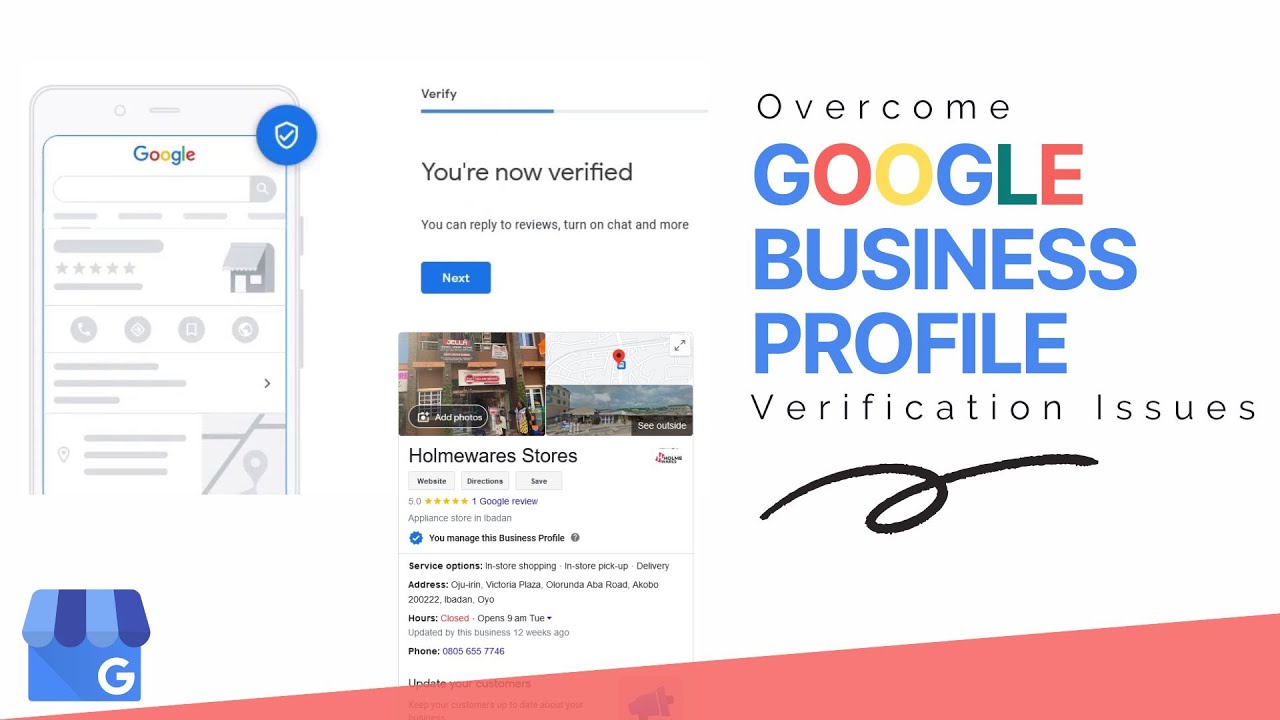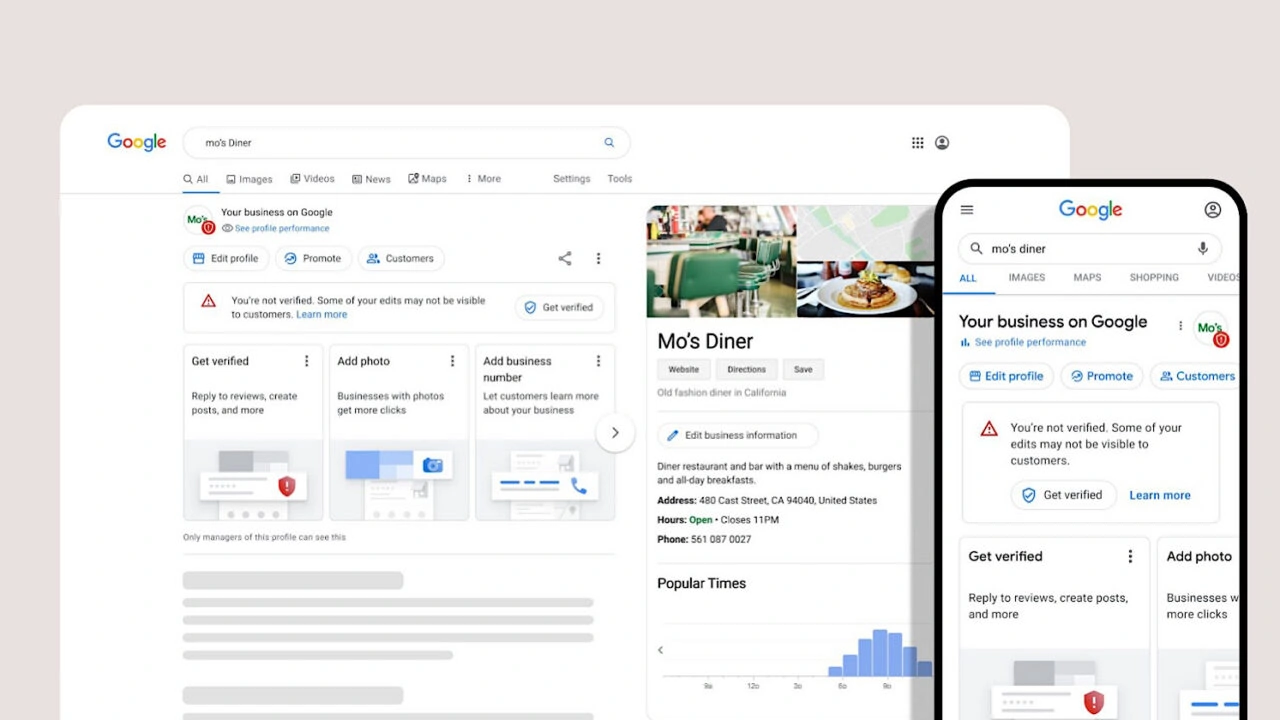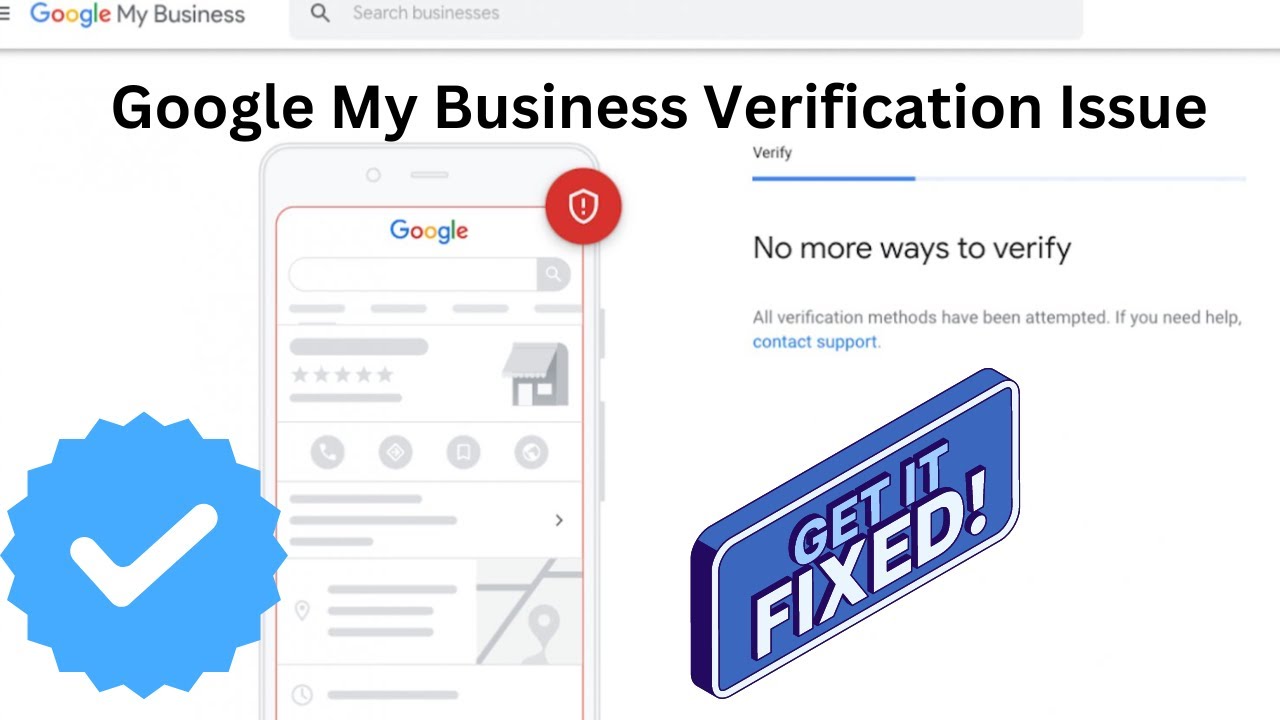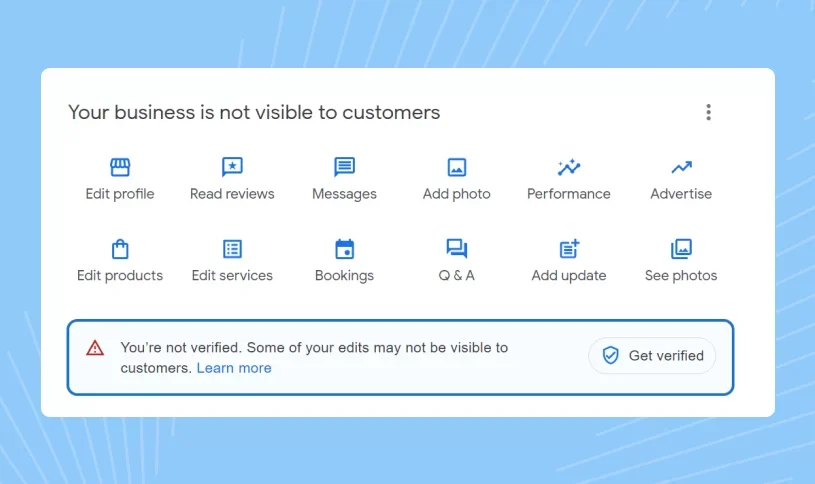
Verifying a Google Business Profile (GBP) is an essential step for businesses that want to establish an official presence on Google Search and Google Maps. A verified profile allows eligible businesses to manage important information such as their business name, category, hours, phone number, website, services, photos, and customer interactions. Although many people still use the term Google My Business (GMB), Google Business Profile is the current name for the platform.
If you are trying to understand how to verify a Google Business Profile, the process starts with creating or claiming the correct profile and then completing the verification method Google makes available for your business. The verification option can differ from one business to another, so it is important to follow the method shown inside your own Business Profile instead of relying on an old verification process.
This complete guide explains the major aspects of Google Business Profile verification, including how to verify a business on Google, available verification methods, video verification, postcard verification, phone and email options, verification without a postcard, common problems, preparation steps, and what to do after your profile has been verified.
What Is Google Business Profile Verification?
Google Business Profile verification is the process Google uses to confirm that a business is legitimate and that the person managing the profile has an appropriate connection with the business. Verification helps protect Google Search and Maps from inaccurate, misleading, duplicate, or unauthorized business listings.
When you create or claim a Business Profile, Google may ask you to complete one of several verification methods. The exact options depend on factors such as your business, location, profile information, account history, and the verification methods currently available to that profile.
Verification should not be confused with ranking. Completing verification does not automatically guarantee a top position in Google Search or Google Maps. Instead, it establishes the foundation that allows an eligible business to manage its profile and then work on local SEO, profile completeness, customer reviews, services, photos, and other optimization factors.
Why Is Google Business Profile Verification Important?
Verification is important because Google needs to distinguish genuine businesses from listings that have been created without authorization or accurate business information. A properly verified profile gives the business greater control over the information displayed to potential customers across Google's services.
For local businesses, a verified profile can become an important part of their online presence. Customers may use Google to find a nearby service provider, check opening hours, view photos, read reviews, call the business, visit its website, or request directions. Keeping this information accurate makes the profile more useful to both customers and Google.
After successful verification, eligible businesses can generally manage areas of their profile such as:
- Business name and category information.
- Business hours and special hours.
- Phone number and website details.
- Business description and services.
- Photos and other visual content.
- Customer reviews and responses.
- Products or other profile features available to the business.
- Updates and other customer-facing information.
How To Verify A Google Business Profile
The process for verifying a Google Business Profile begins with accessing the profile using the Google account that manages the business. If the business already has an existing listing, you may need to claim it before verification. If you are creating a new profile, enter the business information carefully and make sure it represents the real business.
After your business information has been entered, Google will determine which verification options are available. The verification screen may show one method or several methods. Select the option available to your business and complete the instructions provided by Google.
The general process is:
- Sign in to the Google account that manages the business.
- Create or claim the correct Google Business Profile.
- Enter accurate business information.
- Review your business name, category, address, service area, phone number, and website.
- Open the verification option provided by Google.
- Complete the available verification method.
- Provide any additional information requested during the process.
- Wait for Google's verification or review process to finish when required.
Google's verification system can change over time, so older instructions about verification codes or specific methods may not apply to every business today. The options displayed inside your Business Profile should always be treated as the most relevant instructions for your listing.
Google Business Profile Verification Methods
One of the most common questions businesses ask is which Google Business Profile verification methods are available. There is no single verification method that is guaranteed for every business. Google determines the available options based on the profile and other relevant signals.
Depending on eligibility, businesses may encounter methods such as video verification, postcard verification, phone verification, email verification, or live video verification. Some profiles may also receive other verification flows or options within their account.
The most commonly discussed verification methods include:
- Video verification.
- Postcard verification.
- Phone verification.
- Email verification.
- Live video verification.
- Other verification options provided directly by Google.
The important point is that businesses cannot simply choose any verification method they want. Google determines which options are available, and the correct approach is to complete the method shown for your particular profile.
Google Business Profile Video Verification
Video verification has become an important part of the Google Business Profile verification process for many businesses. Instead of relying only on a mailed code, Google may ask a business to provide video evidence that demonstrates the business is genuine and that the person managing the profile has a legitimate connection to it.
The information Google asks you to show can depend on the type of business and the circumstances of the verification. A video may need to demonstrate the location, business signage, equipment, products, workspace, tools, or other evidence that helps establish the authenticity of the business.
When preparing for video verification, make sure the video is clear and shows genuine business evidence. Avoid presenting unrelated material or information that does not establish a connection between you and the business. The objective is to provide useful evidence rather than simply recording a long video.
Businesses that need additional help understanding the video process can also review our dedicated Google Business Profile video verification guide for more information about this verification method.
What Should You Show During Video Verification?
The exact evidence requested can vary, but businesses should be prepared to demonstrate genuine details related to their operations. Depending on the business model, this may include the business entrance, permanent signage, workspace, equipment, inventory, tools, branded materials, or evidence that the person completing verification can access and operate the business.
Service-area businesses may have different circumstances from businesses that receive customers at a physical location. The evidence you provide should accurately represent how your business operates and should follow the instructions Google displays during the verification process.
Google Business Profile Postcard Verification
Postcard verification is a traditional verification method that has historically been used by Google to confirm a business location. When this option is available, Google sends a verification code to the address associated with the business profile.
After receiving the postcard, the business owner enters the code through the appropriate Business Profile verification process. The code is intended for the business and should not be shared with people who are not authorized to manage the listing.
If postcard verification is offered to you, check your business address carefully before requesting the code. Avoid unnecessary changes to important profile information while waiting for verification, as changes can sometimes affect the verification process.
Businesses should also remember that postcard verification is not automatically available to every profile. If Google provides another verification option, follow the method shown in your account rather than trying to force postcard verification.
How To Verify Google Business Profile Without A Postcard
Many businesses search for how to verify Google Business Profile without a postcard because they cannot receive mail at the listed location or because Google has provided another verification option. In many situations, a postcard is not the only possible verification route.
If Google offers video, phone, email, or another verification method for your profile, you can complete that method instead of waiting for a postcard. The available option depends on the profile and Google's verification system.
If you do not see the verification method you expected, do not rely on outdated guides that promise a specific alternative. Review the verification options available inside your Business Profile and follow Google's current instructions.
For businesses dealing specifically with verification without a postcard, our Google Business Profile verification guidance can also help explain situations where a traditional physical-store setup is different from other business models.
Google Business Profile Phone Verification
Phone verification may be offered to eligible businesses when Google determines that this method is appropriate for the profile. If available, the verification process may involve receiving a code through an eligible phone number associated with the business.
Phone verification can be convenient because it does not require waiting for physical mail. However, businesses should not assume that phone verification will be available simply because another business received it. Google controls which methods appear for each profile.
If phone verification is available, make sure you have access to the number shown during the verification process. Complete the process using the instructions provided by Google and keep any verification code private.
Google Business Profile Email Verification
Email verification may also be available for certain businesses. When Google provides this option, the business may receive instructions or a verification code through an eligible email address associated with the profile.
This method can be convenient for businesses that have reliable access to their business email. However, as with phone verification, email verification is not guaranteed for every profile.
If email verification appears as an option, follow the instructions provided by Google and make sure the email account is secure. Never share verification credentials or codes with unauthorized individuals.
Google Business Profile Live Video Verification
Live video verification is different from uploading a pre-recorded verification video. In a live verification process, Google may require real-time evidence that helps confirm the business location, operations, and connection between the business and the person requesting verification.
Depending on the business, you may need to demonstrate access to the premises, business equipment, signage, inventory, work area, or other genuine evidence. The instructions provided during the live verification process should guide exactly what needs to be shown.
Businesses should prepare before starting a live verification session. Make sure the location or relevant business evidence is accessible, the internet connection is reliable, and the person completing the verification has appropriate authority and access.
If your profile specifically requires video or live verification, our Google Business Profile video verification service guide provides additional information about the process.
How Google Determines Your Verification Method
Google does not provide the same verification method to every business. The available options can depend on the profile, business information, location, category, account history, and other signals used by Google's systems.
This is why two businesses in the same industry may see different verification options. One profile may receive a video verification request while another may see a different verification flow.
Businesses should therefore avoid changing their information simply to obtain a particular verification method. The best approach is to keep the profile accurate, follow Google's instructions, and complete the verification method that is actually offered.
Google Business Profile Verification Requirements
Before starting verification, make sure the information in your Business Profile accurately represents the real business. Inaccurate information can create unnecessary complications and may require additional review.
Your preparation should include reviewing the business name, category, location or service area, phone number, website, business hours, and other profile details. The information should be consistent with the way the business actually operates.
Depending on the verification method, Google may also require evidence connected with the business. This could include location-related evidence, business equipment, signage, access to a workspace, or other information requested during the verification flow.
Google Business Profile Verification Checklist
A simple checklist can make the verification process easier. Before submitting verification, review your profile carefully instead of rushing through the setup. Correct information gives you a better foundation for verification and future profile management.
- Use the correct business name.
- Select an accurate primary business category.
- Enter the correct business address when applicable.
- Set the appropriate service area if your business serves customers at their locations.
- Add an accurate business phone number.
- Use the correct website URL.
- Check your business hours.
- Make sure you have appropriate access to the business account.
- Prepare any genuine business evidence that may be required.
- Review the profile for duplicate or incorrect information.
Completing these checks before verification can help reduce avoidable problems and gives you a stronger foundation for managing the profile after approval.
How To Verify A Business On Google Correctly
When businesses search for how to verify a business on Google, they are usually looking for a straightforward process that explains what needs to be done from start to finish. The key is to begin with the correct Business Profile and use accurate information throughout the setup.
First, make sure the business is eligible for a Google Business Profile and that you are using the appropriate Google account. If a profile already exists, claim the correct listing rather than creating unnecessary duplicates.
Next, review the business information and complete the verification process shown by Google. If Google requests additional evidence, provide genuine information that clearly demonstrates the connection between you and the business.
After verification, continue managing the profile rather than treating verification as the end of the process. Profile completeness, accurate information, customer reviews, photos, services, and ongoing updates can all contribute to a stronger local presence.
How To Verify A Google Business Account
People often search for how to verify a Google Business account, but it is important to distinguish the Google account from the Google Business Profile. Your Google account is used to access the Business Profile, while the Business Profile represents the business on Google's services.
The verification process applies to the Business Profile rather than simply verifying your personal Google account. You need appropriate access to the business profile and must complete the verification method Google provides.
If you are unsure whether you have access to the correct profile, check the business listing before creating another one. Duplicate profiles can create additional complications and should be avoided whenever possible.
How To Check Google Business Profile Verification Status
After submitting verification, businesses often want to know whether their profile is verified, pending, or still requires action. The best place to check is the Google Business Profile interface associated with the account managing the listing.
If the profile shows a verification request, follow the instructions provided there. If Google is reviewing the information, allow the review process to continue and check for additional messages or requests for information.
For a more detailed explanation of checking verification status, see our Google Business verification status guide.
Why Is Google Business Profile Verification Pending?
A pending verification status generally means the verification process has not been completed or Google is still reviewing information associated with the profile. The exact reason can vary depending on the business and verification method.
Common situations that may contribute to additional review include incomplete business information, recent changes, unclear evidence, duplicate listings, or information that requires further checking.
While waiting, avoid repeatedly submitting new verification requests or making unnecessary changes to important profile information. Instead, review the instructions provided by Google and respond to any request for additional information.
Common Google Business Profile Verification Problems
Businesses can encounter different problems during the verification process. Some issues are related to profile information, while others are caused by the verification method or additional checks required by Google.
Common issues include:
- Verification options are not available as expected.
- Video verification is requested but the evidence is unclear.
- The business address does not accurately represent the business.
- The profile contains duplicate information.
- Business details have recently been changed.
- The verification process remains pending.
- The profile has been restricted or suspended.
The right solution depends on the specific issue. Businesses should first identify the reason for the verification problem instead of repeatedly attempting the same process.
How To Fix Google Business Profile Verification Issues
When verification is unsuccessful, start by reviewing every major piece of business information. Make sure the name, category, location, service area, phone number, website, and other details accurately represent the real business.
Next, review the verification instructions and determine whether Google is asking for additional evidence. If video verification is required, prepare clear evidence before submitting it. If a review is pending, avoid unnecessary changes while Google processes the information.
For businesses experiencing more complicated verification problems, professional assistance may help identify profile issues and organize the information required for the appropriate verification process.
Google Business Profile Verification For Businesses Without A Physical Store
Not every business operates from a traditional storefront. Service-area businesses, mobile businesses, and other eligible business models can have different requirements from businesses that welcome customers at a physical location.
The important point is to represent the business accurately. Do not create a fictional storefront or use an address that does not legitimately represent the business. Your profile should reflect how the business actually operates.
If your business does not have a traditional physical store, you can review our guide on verifying a Google Business Profile without a physical store for additional guidance.
Google Business Profile Verification For Multiple Locations
Businesses with several branches or service locations need to manage each eligible location carefully. Every profile should represent a genuine business location and contain accurate information for that specific location.
When managing multiple locations, avoid copying incorrect information across profiles. Each location should have appropriate business details, and duplicate listings should be identified and resolved rather than left active.
Businesses with multiple eligible locations can learn more through our guide on how to verify multiple business locations on Google.
Google Business Profile Verification And Duplicate Listings
Duplicate listings can create confusion for customers and can make profile management more difficult. Before creating a new listing, search Google to determine whether the business already has an existing profile.
If an existing profile belongs to your business, the appropriate approach is generally to claim or manage the existing listing rather than creating another profile for the same business.
Keeping your Google Business Profile structure clean is important for both verification and long-term local search management.
How Long Does Google Business Profile Verification Take?
The time required for Google Business Profile verification can vary depending on the verification method and whether Google needs to review additional information. Some verification processes may be completed quickly, while other profiles may require additional checks.
Businesses should not assume that every verification request will be approved within the same amount of time. A postcard process can naturally involve delivery time, while video or other digital verification processes may involve a review after information is submitted.
If your verification has been pending longer than expected, review the status shown in your profile and check whether Google has requested additional information. You can also learn more about the verification timeline through our guide on how long Google Business Profile verification takes.
Instant Google Business Profile Verification
The phrase Google My Business instant verification is still commonly searched by business owners who want to verify a listing immediately. However, businesses should understand that there is no universal instant verification option that is guaranteed for every profile.
Google determines which verification process is available based on the individual profile. Some businesses may experience a faster verification flow, while others may be required to provide video evidence, receive a postcard, or complete another review process.
If you see a verification option in your account, follow that process rather than relying on third-party claims that promise instant approval regardless of eligibility.
What To Do After Your Google Business Profile Is Verified
Verification is the beginning of your Google Business Profile strategy rather than the final step. Once the profile is verified, review every customer-facing section and make sure the information is complete and accurate.
Start by checking the business name, category, description, hours, contact information, services, website, and photos. Make sure customers can quickly understand what the business does and how they can contact you.
You should also begin monitoring reviews, customer questions, profile interactions, and other available performance information. Regular maintenance helps prevent outdated information from remaining on your listing.
Google Business Profile Verification And Local SEO
Verification and local SEO are related but different parts of managing a Google Business Profile. Verification confirms the business and gives the appropriate account access to manage the listing, while local SEO focuses on improving relevance, completeness, visibility, and customer engagement.
A verified profile can still have poor visibility if it contains incomplete information or does not accurately represent the business. Businesses should therefore treat verification as the technical foundation and optimization as the ongoing process.
After verification, focus on accurate business information, relevant categories, useful services, quality photos, genuine customer reviews, and consistent business details across your online presence.
How Reviews Help A Verified Google Business Profile
Customer reviews are an important part of a business's online reputation. After your profile has been verified, customers can interact with your listing and, where applicable, leave reviews based on their experiences.
Businesses should encourage genuine feedback without attempting to manipulate or fabricate reviews. Responding professionally to both positive and negative feedback can demonstrate that the business actively listens to its customers.
Verification does not guarantee positive reviews or higher rankings, but maintaining a trustworthy profile and delivering a good customer experience can help build a stronger online reputation over time.
How Business Information Consistency Supports Verification
Accurate and consistent business information helps create a clearer online identity. Your business name, phone number, website, address or service area, and other important details should accurately represent the business wherever they are published.
Inconsistencies can create confusion for customers and may require additional attention during profile management. Before requesting verification, review your website and other major online business references to ensure that your core information is correct.
Consistency should not mean creating artificial listings or placing the same information on irrelevant websites. It means maintaining genuine, accurate business information wherever your business is legitimately represented.
Google Business Profile Verification Best Practices
The most reliable approach to verification is to keep your information genuine, accurate, and complete. Avoid shortcuts that involve false addresses, fake documents, misleading business information, or attempts to bypass Google's verification requirements.
Use the verification method Google provides, prepare the evidence requested, and make sure the person completing verification has legitimate access to the business.
After approval, continue maintaining the profile. A verified listing that contains outdated hours, incorrect services, poor-quality images, or inaccurate contact information can still create a poor customer experience.
What If Your Google Business Profile Is Suspended?
A suspended Business Profile requires a different approach from a normal verification problem. If Google restricts or suspends a profile, first review the profile information and applicable guidelines to identify possible problems.
Do not immediately create another profile to replace a suspended listing. This can create additional complications. Instead, identify the issue, correct inaccurate information where appropriate, and follow the relevant Google process for addressing the restriction.
Businesses dealing with profile recovery can also review our Google Business Profile recovery guide for information about recovering access to a lost or inaccessible profile.
Google Business Profile Verification Support
Some businesses can complete verification themselves without assistance, while others may encounter complicated verification requirements, repeated failures, profile access issues, or unusual verification flows. In those situations, professional guidance can help organize the process and identify potential profile problems.
Webo Creators provides support related to Google Business Profile and GMB verification for businesses dealing with verification challenges. Our Google Business Profile service can be reviewed if you need professional assistance with your profile.
Businesses looking specifically for verification assistance can also explore our Google Business Profile and GMB service to understand the available support options.
🚀 Need Help With Google Business Profile Verification?
If your Google Business Profile requires video verification, live video verification, additional verification support, or you are facing difficulties completing the verification process, our team can help you understand the requirements and prepare your profile correctly. Webo Creators provides Google Business Profile verification assistance for businesses dealing with verification challenges, profile access issues, and related Google Business Profile problems.
Google Business Profile Verification: Final Checklist
Before considering your verification process complete, review the profile from both the business owner's and customer's perspective. Your profile should accurately represent the business and contain enough information for customers to understand what you offer.
Use this final checklist:
- The correct business profile has been claimed.
- Your business information is accurate.
- The correct verification method has been completed.
- Any requested evidence has been submitted correctly.
- Your business category is relevant.
- Your contact information is current.
- Your website information is correct.
- Your business hours are accurate.
- Your profile contains useful photos and services.
- You have a plan for monitoring reviews and profile updates.
Conclusion
How to verify a Google Business Profile depends on the verification method Google makes available for your specific business. The process may involve video verification, postcard verification, phone, email, live video, or another verification flow. The most important step is to provide genuine and accurate business information and follow the instructions displayed by Google.
Verification is not the same as ranking, but it is an important foundation for businesses that want to manage their presence on Google Search and Google Maps. Once your profile is verified, continue improving it with accurate business information, relevant services, high-quality photos, genuine customer reviews, and regular updates.
If you encounter verification problems, do not rely on outdated shortcuts or attempt to bypass Google's requirements. Review your profile information, understand the verification method provided, and address the specific issue affecting your listing. For businesses that need professional assistance, Webo Creators can provide guidance with Google Business Profile verification and related profile challenges.
Frequently Asked Questions
1. How do I verify a Google Business Profile?
Sign in to the Google account that manages your Business Profile, open the correct business listing, review the available verification option, and follow Google's instructions. Depending on your profile, Google may offer video, postcard, phone, email, live video, or another verification method.
2. What are the Google Business Profile verification methods?
Google may provide different verification methods depending on the business and profile. Common methods include video verification, postcard verification, phone verification, email verification, and live video verification. The available method is determined by Google.
3. How can I verify Google Business Profile without a postcard?
If Google offers another verification method for your profile, such as video, phone, email, or another available option, you can use that method instead of a postcard. Not every business receives the same verification options.
4. Can I verify a Google Business Profile instantly?
There is no universal instant verification method that is guaranteed for every business. Google determines the verification process for each profile, and some businesses may complete verification faster than others depending on the method and review requirements.
5. How long does Google Business Profile verification take?
Verification time depends on the method used and whether Google needs to review additional information. Digital verification methods may follow a different timeline from postcard verification, which can also depend on mail delivery.
6. How do I know if my Google Business Profile is verified?
Sign in to the Google account that manages your Business Profile and check the status shown for the listing. If Google requires additional verification or information, the profile should provide instructions for the next step.
7. Why is my Google Business Profile verification pending?
A pending status can mean that Google is reviewing the submitted information or that the verification process has not yet been completed. Check your profile for additional instructions and avoid unnecessary changes while the review is in progress.
8. What are the Google Business Profile verification requirements?
Your business information should accurately represent your real business. Depending on the verification method, Google may request evidence related to your location, operations, equipment, signage, or your connection with the business.
9. Can I verify a Google Business Profile without a physical store?
Some eligible businesses operate without a traditional storefront, including certain service-area businesses. The profile should accurately represent how the business operates and must follow Google's eligibility and representation requirements.
10. Can I verify multiple business locations on Google?
Businesses with multiple eligible locations can manage multiple Google Business Profiles. Each location should represent a genuine business location and contain accurate information. Avoid creating duplicate profiles for the same location.
11. What should I do if Google Business Profile verification is not working?
Review your business information, check the verification instructions, confirm that you are managing the correct profile, and look for any requests for additional evidence. If the problem continues, use the appropriate Google support process or seek professional guidance.
12. What happens after Google Business Profile verification?
After verification, eligible businesses can manage their profile information and continue optimizing their presence on Google. Review your business details, services, photos, hours, website, and customer interactions to keep the profile accurate and useful.
Related Google Business Profile Resources
Businesses dealing with Google Business Profile verification can also explore these related resources for specific verification and profile management situations.
- How Long Does Google Business Profile Verification Take?
- How To Check Google Business Verification Status
- How To Do Google Business Profile Video Verification
- How To Verify Multiple Business Locations On Google
- Can You Verify Google Business Profile Without A Physical Store?
- How To Transfer Ownership Of Google Business Profile
- How To Recover A Lost Google Business Profile
- Why Is Google Business Profile Not Showing On Google Maps?
- Google Business Profile Service
- Google Business Profile GMB Service
.png)
.png)
.png)
.png)
.png)
.png)
.png)
.png)