A Google Business Profile can be an important source of local visibility for businesses that want to reach customers through Google Search and Google Maps. When a business profile does not appear on Google Maps, customers may have difficulty finding the company, checking its location, viewing business information, or contacting the business. The problem can be especially concerning when the profile was recently created, verified, or updated.
Google Business Profile visibility depends on several elements working together. Verification is important, but it is only one part of establishing a healthy business listing. Google also considers the accuracy of business information, location signals, relevance, profile quality, eligibility, and the overall consistency of information associated with the business.
This guide explains the most common reasons a Google Business Profile is not showing on Google Maps and provides practical steps for identifying and resolving visibility problems. It also covers verification, business information, location settings, duplicate listings, profile restrictions, local relevance, and other factors that can influence Google Maps visibility.
Why Google Business Profile Is Not Showing On Google Maps
A missing Google Business Profile does not always indicate that the listing has been permanently removed. In many situations, the profile may still exist but have limited visibility because Google is processing information, reviewing changes, or evaluating whether the listing meets eligibility and quality requirements.
Businesses should first determine whether the profile is completely unavailable or simply difficult to find for particular searches. Google Maps results can vary according to the searcher's location, search phrase, business category, competition, and local relevance. A profile may therefore appear for the exact business name while remaining difficult to find for broader service related searches.
Several common issues can contribute to poor or missing visibility. These include incomplete verification, incorrect business information, inaccurate location details, duplicate profiles, profile restrictions, unsuitable categories, and insufficient local relevance. Identifying the actual cause is more effective than repeatedly changing the listing without a clear reason.
Google Business Profile Verification And Google Maps Visibility
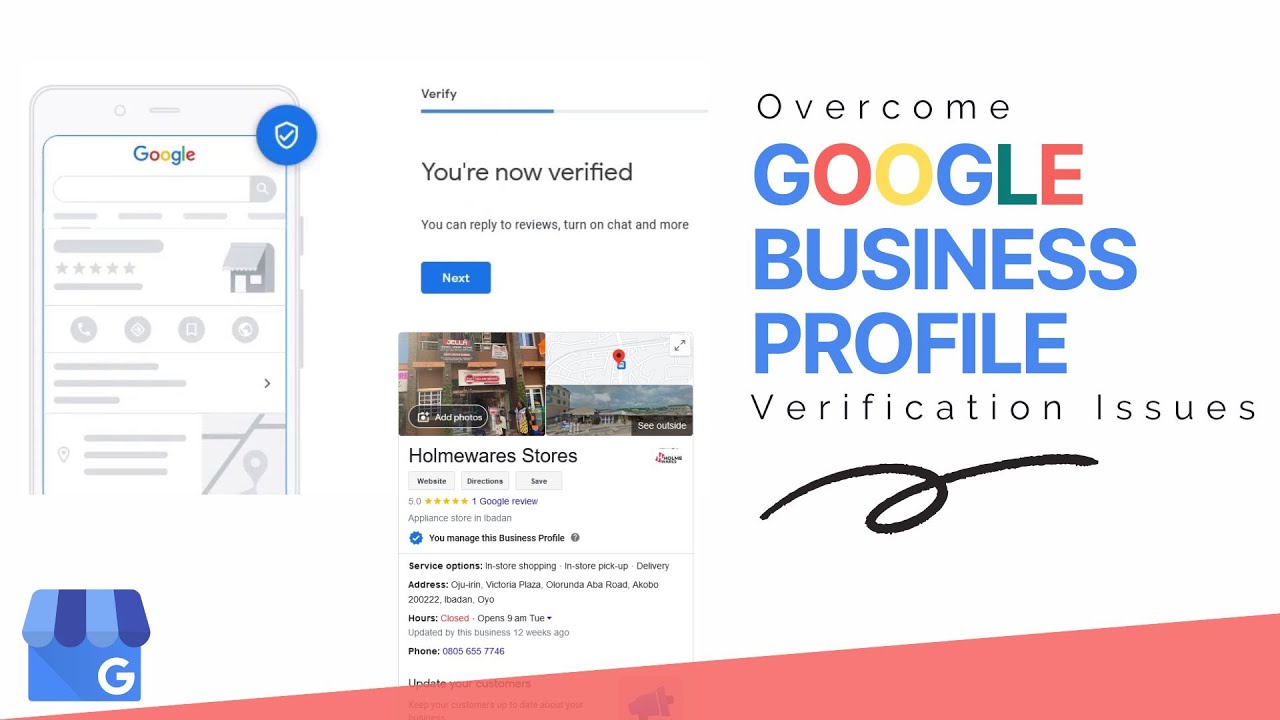
Verification plays an important role in establishing a legitimate Google Business Profile. Google uses verification methods to confirm that the business exists and that the person managing the profile is authorized to represent the business. Depending on the business and Google's systems, different verification options may be available.
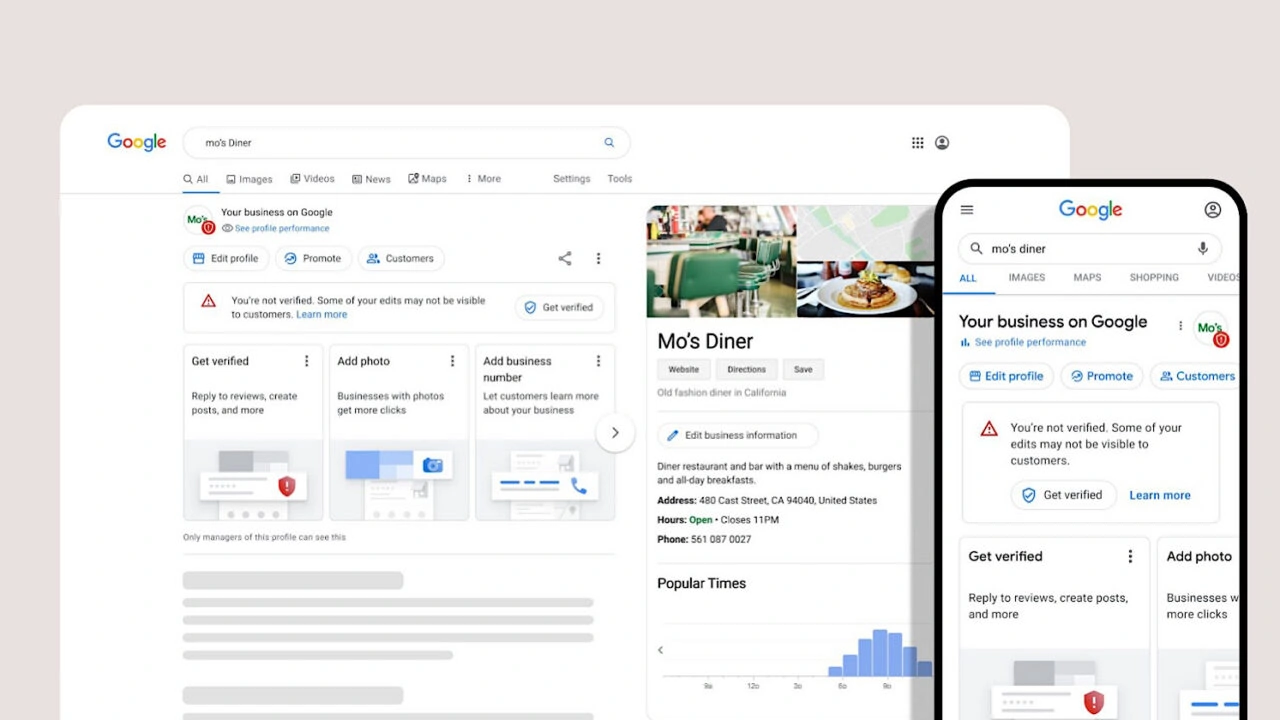
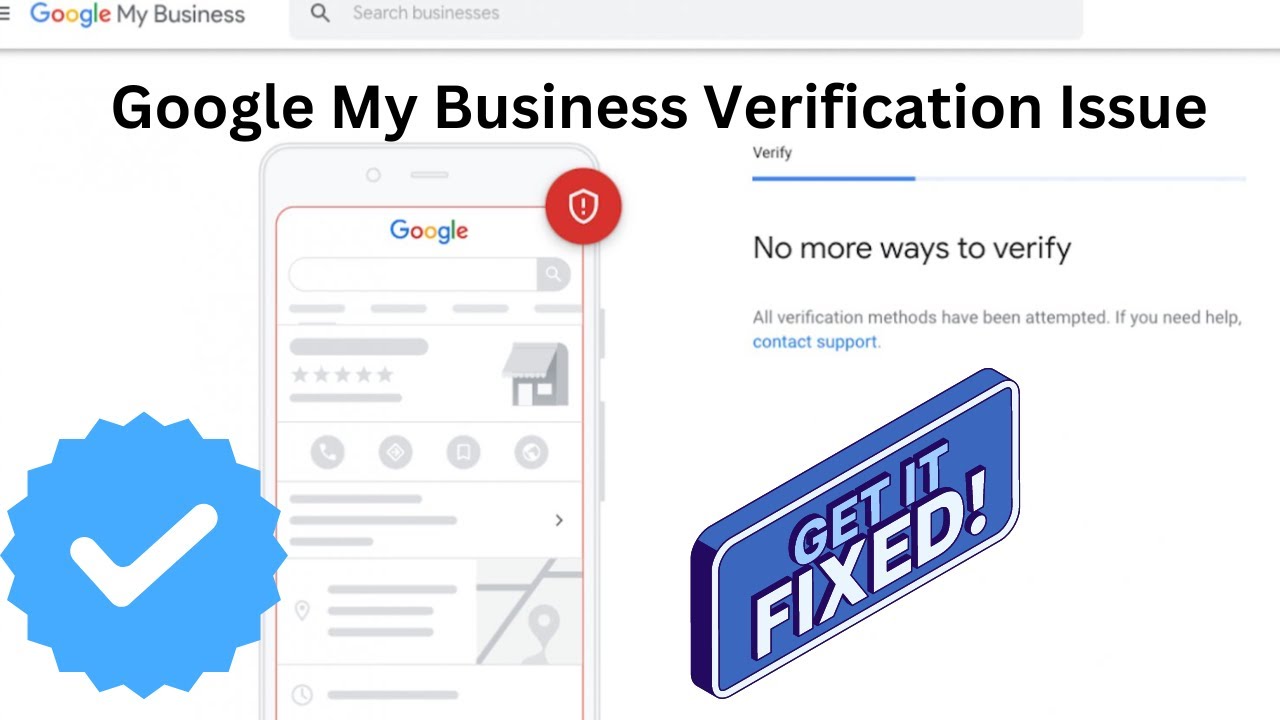
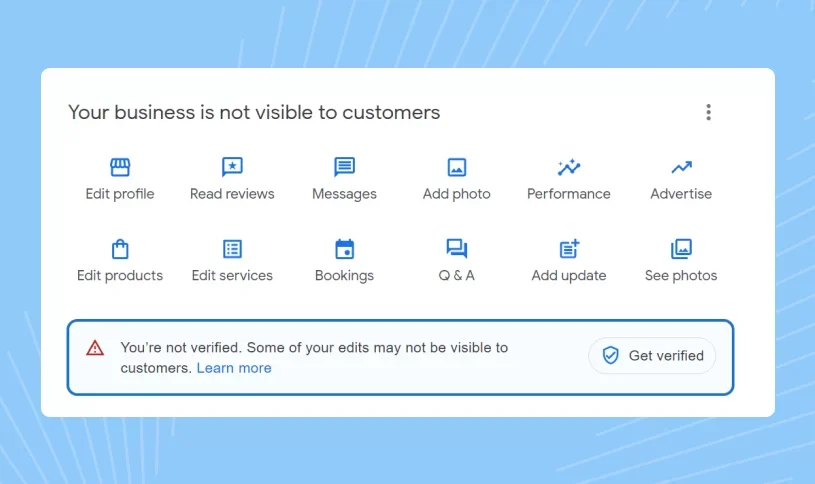
A profile that has not completed the required verification process may have limited visibility. Businesses should review the current verification status and follow the verification instructions presented within their Google Business Profile account. Providing accurate information and completing the requested process can help prevent unnecessary delays.
Businesses dealing with verification difficulties can also review our Google Business Profile verification guide for additional information about the verification process and preparation requirements.For businesses facing more complicated verification situations, our Google Business Profile service provides professional support for profile verification and related visibility concerns.
Incomplete Google Business Profile Information
Profile completeness is another important consideration when a business is struggling to establish visibility on Google Maps. Google needs reliable information to understand what a business does, where it operates, and which customers may find its services relevant.
A strong business profile should contain accurate information about the business name, primary category, address or service area, telephone number, website, business hours, services, products, and other relevant profile details. The information should reflect the actual business rather than being created only for search engine optimization.
Completing the profile also improves the customer experience. People using Google Maps often want immediate access to essential information before deciding whether to visit, call, request directions, or contact a company. Accurate and complete information therefore benefits both search visibility and potential customers.
New Google Business Profile Not Showing On Maps
New business profiles may require time before their information becomes consistently visible across Google Search and Google Maps. Google processes newly submitted information and may review different aspects of a listing before displaying it more broadly.
During the early stage of a profile, business owners should avoid making unnecessary changes simply because the listing cannot immediately be found for every search. Frequent changes to important information can create inconsistencies and make it harder to determine whether the original visibility problem has been resolved.
A better approach is to verify the business information, complete the available profile fields, confirm the appropriate category, use accurate location information, and allow Google's systems time to process legitimate updates.Businesses that need help understanding the verification process can also review our guide on how long Google Business Profile verification takes.
Incorrect Business Information Can Affect Google Maps Visibility
Google relies on business information from multiple sources when evaluating local businesses. Significant differences between your Google Business Profile and other reliable business information can create uncertainty about the accuracy of the listing.
Business owners should carefully review their name, address, telephone number, website, operating hours, category, and service information. The profile should accurately represent the business customers will encounter in the real world.
Incorrect information can also create a poor customer experience. A customer who receives outdated opening hours or incorrect directions may lose confidence in the business. Keeping the profile accurate therefore supports both visibility and customer trust.
Google Maps Ranking Factors And Business Visibility
Google Maps visibility is influenced by local search signals rather than by verification alone. Google generally considers factors connected with relevance, distance, and prominence when determining which businesses are useful for a particular local search.
Relevance describes how closely the business matches the searcher's intent. Distance relates to the relationship between the searcher's location and the business location. Prominence reflects how established and well recognized a business appears through information and signals available to Google.
These factors explain why two verified businesses in the same industry can receive very different visibility. Verification establishes an important foundation, but it does not guarantee prominent placement for every keyword or location.
Business Location Problems On Google Maps
Location accuracy is particularly important for Google Maps. Google needs to understand where an eligible business operates so that it can provide useful results to people searching in a specific area.
Problems can occur when the address is incorrect, the map marker is positioned inaccurately, the service area does not represent the actual operation of the business, or the profile contains location information that does not meet Google's requirements.
Service area businesses should pay particular attention to how their operating area is represented. Businesses that do not receive customers at a physical location should use the profile settings that accurately reflect how the business serves customers instead of adding an unsuitable address merely to gain local visibility.Businesses that need to understand eligibility for profiles without a traditional storefront can review our guide about verifying a Google Business Profile without a physical store.
Why A Verified Google Business Profile May Still Not Appear
Verification confirms that a business has completed an important ownership or eligibility step, but it does not guarantee that the profile will immediately rank prominently on Google Maps. A verified listing can still experience limited visibility because of relevance, location, profile quality, competition, or other issues.
Businesses sometimes expect verification to make their profile instantly visible for searches such as their main service plus city. Local search does not work that way. Google evaluates each search according to the context and available local signals.
A verified profile should therefore be treated as the foundation of a local search presence rather than the final optimization step. Accurate information, appropriate categories, useful services, genuine reviews, relevant photographs, and consistent management can all contribute to a stronger profile.
How To Check Google Business Profile Verification Status
Checking the current verification status is one of the first steps when diagnosing a Google Maps visibility problem. The status can provide useful information about whether the profile has completed verification or whether Google requires another action.
Business owners should also pay attention to notifications or messages connected with the profile. A requested verification step, pending review, or account issue can explain why a listing is not appearing as expected.Our guide on checking Google Business verification status provides additional information for businesses reviewing their profile status.
Google Business Profile Quality And Local Relevance
Local relevance helps Google connect businesses with searches that are genuinely related to their products and services. A profile with a clear business category and accurate service information gives Google stronger context about what the business offers.
The primary category should describe the core business as accurately as possible. Additional categories should only be selected when they genuinely represent services or activities provided by the business.
Business descriptions and service information should also be written for customers. Natural language that clearly explains what the business does is generally more useful than repeating keywords unnecessarily. Strong local optimization comes from clarity and accuracy rather than excessive keyword placement.
Google Business Profile Categories And Maps Visibility
The selected business category can influence which searches Google considers relevant to the profile. Choosing an inaccurate category may cause the listing to appear for unsuitable searches while reducing its relevance for searches that matter to the business.
Businesses should select the category that most accurately represents their main activity. Secondary categories can provide additional context when they genuinely apply to the business.
Category optimization should always reflect the actual business. Adding unrelated categories solely because they contain valuable keywords can create an inaccurate profile and may work against long term visibility.
Google Business Profile Suspension And Maps Visibility
A suspended profile can stop appearing normally on Google Search and Google Maps. Suspensions can occur when Google identifies issues involving eligibility, information accuracy, policy compliance, or other profile concerns.
When a profile disappears suddenly after previously being visible, businesses should review the profile status rather than immediately creating a replacement listing. Creating another profile without understanding the original issue can lead to additional complications.Businesses dealing with profile recovery problems can review our Google Business Profile recovery guide for information about recovering a lost or inaccessible profile.
Duplicate Google Business Profiles And Maps Problems
Duplicate profiles can create confusion about which listing represents the actual business. This can become particularly complicated when an old profile, a newly created profile, and another profile created by a different account contain overlapping business information.
Businesses should avoid creating multiple profiles for the same eligible location simply because the original listing is difficult to find. The correct approach is to identify the existing profile, determine its status, and resolve ownership or visibility problems through the appropriate process.
Businesses managing several locations should also use an organized approach to profile management. Our guide on verifying multiple business locations on Google explains important considerations for businesses with more than one location.
Google Maps Visibility And Customer Reviews
Customer reviews are an important part of a business's online reputation. Genuine reviews provide customers with useful information about their experiences and can contribute to the overall prominence and credibility of a local business.
Businesses should focus on delivering a strong customer experience and encouraging genuine customers to leave honest feedback. Reviews should never be manipulated through fabricated experiences or misleading practices.
Responding professionally to reviews can also demonstrate that the business actively manages its customer relationships. However, reviews should be viewed as part of a broader local presence rather than as a shortcut to Maps rankings.
Business Photos And Google Maps Presence
Relevant business photographs can make a Google Business Profile more useful to customers. Photos can show the exterior of a location, interior areas, products, services, staff, equipment, or other elements that help customers understand the business.
High quality and authentic photographs can strengthen the overall presentation of the profile. Businesses should keep their visual content current and ensure that uploaded images accurately represent the company.
Photos should support the customer journey rather than simply exist for keyword purposes. A useful profile gives visitors confidence that the business is legitimate, active, and relevant to their needs.
Why Business Name Changes Can Affect Visibility
The business name shown on a Google Business Profile should represent the actual business name used in the real world. Adding unnecessary keywords, locations, or services to the name can create policy concerns and may affect profile trust.
Business owners should use the genuine business name instead of attempting to manipulate local rankings through keyword stuffing. Local SEO should be built through relevant categories, useful profile information, strong customer experiences, and legitimate business signals.
How To Fix Google Business Profile Not Showing On Google Maps
Resolving a missing Google Maps listing starts with identifying the underlying cause. A structured review is more effective than repeatedly editing the profile without knowing what is wrong.
Begin by checking the profile verification status and reviewing any messages or actions requested by Google. Next, confirm that the business name, address, service area, category, telephone number, website, and business hours are accurate.
After that, review the profile for duplicate listings, incorrect location information, policy concerns, or unusual changes. Complete important profile sections and ensure that the business information accurately reflects the real operation.
Businesses should then maintain the profile consistently by keeping information current, adding relevant photographs, managing customer reviews, and monitoring visibility over time.
How To Check Whether Your Business Is Actually Missing From Google Maps
Not finding a business for one search does not necessarily mean that the Google Business Profile is missing. Google Maps results are personalized and can change according to search location, query wording, competition, and other local factors.
Start by searching the exact business name. Then check the profile directly through the Google Business Profile account. Search Google Maps using relevant service terms and consider how results change from different locations.
This approach helps distinguish between a completely missing profile and a profile that exists but has limited local ranking visibility. The distinction is important because the appropriate solution can be very different in each situation.
Google Business Profile Not Showing After A Profile Update
Changes to important profile information can sometimes require processing before they are reflected consistently across Google systems. Businesses should therefore allow reasonable processing time after legitimate updates and avoid repeatedly changing the same information.
Large changes to business names, categories, locations, ownership information, or other important profile elements deserve particular attention. Keeping a clear record of changes can also make troubleshooting easier when visibility changes unexpectedly.
Google Business Profile Ownership Problems And Maps Visibility
Ownership problems can make it difficult for a business to manage or verify an existing profile. This situation can occur when a previous employee, agency, owner, or another account controls the listing.
Businesses should use Google's ownership and access processes rather than creating another profile for the same business. Correct ownership helps ensure that profile information can be maintained accurately over time.Businesses that need to change control of an existing profile can review our guide on transferring Google Business Profile ownership.
Google Business Profile Video Verification And Visibility
Some businesses may be asked to complete video verification as part of Google's verification process. Video verification can require the business owner or authorized representative to demonstrate evidence that supports the business location, operations, or management of the business.
The exact verification experience can vary between businesses. It is important to follow the instructions shown by Google and provide genuine information that represents the business accurately.For businesses that have been asked to complete this process, our Google Business Profile video verification guide provides further information about preparing for video verification.
Google Business Profile Without A Physical Store
Not every legitimate business operates from a traditional storefront. Service area businesses can serve customers at their locations without receiving customers at a publicly accessible business address. However, the profile must accurately represent the way the business operates.
Using a virtual office, rented address, or other location that does not meet Google's requirements simply to obtain Maps visibility can create serious profile problems. Businesses should use accurate information and follow Google's eligibility requirements.
Understanding the difference between a storefront business and a service area business is important when creating and verifying a profile. Accurate setup at the beginning can prevent many visibility and verification problems later.
Google Business Profile Visibility And Local Search Competition
A business can have a completely valid and verified profile while still appearing below competitors on Google Maps. Local visibility depends partly on how well the business matches the search and how strong its local presence is compared with other eligible businesses.
Competition can be particularly strong in major cities and popular service categories. A profile should therefore provide clear and accurate information that helps Google understand the business while also giving customers useful reasons to choose the company.
Local visibility is normally developed over time through consistent profile management, genuine customer experiences, relevant business information, and a trustworthy online presence.
Google Business Profile Management For Better Maps Visibility
Ongoing profile management is important because business information changes over time. Operating hours can change, services can expand, locations can move, telephone numbers can be updated, and new photographs or customer reviews can become available.
A neglected profile can contain outdated information that creates confusion for customers and reduces the usefulness of the listing. Regularly reviewing important profile information helps maintain accuracy and supports a stronger customer experience.Businesses looking for professional assistance can explore our Google Business Profile service for support with profile management and related local visibility concerns.
Google Maps Visibility Check
| Review Area | What To Check |
|---|---|
| Verification | Confirm that the Google Business Profile has completed the required verification process. |
| Business Information | Review the business name, category, contact information, website, hours, and other important profile details. |
| Location | Check the address, map placement, service area, and eligibility of the business location. |
| Profile Quality | Review profile completeness, relevant services, photographs, customer information, and overall accuracy. |
| Duplicates | Look for additional profiles representing the same business and resolve unnecessary duplicate listings. |
| Restrictions | Check for suspension notices, policy concerns, ownership problems, or verification requests. |
Why Consistent Google Business Profile Information Matters
Consistency helps customers and search engines understand the business more clearly. Important business details should remain accurate across the Google profile, website, and other legitimate business references.
When customers see different names, addresses, telephone numbers, or operating details across online sources, confidence can decrease. Consistent information creates a clearer digital identity and supports reliable local business discovery.
Businesses should therefore treat profile information as an important part of their broader online presence rather than as an isolated Maps listing.
What To Do When Google Business Profile Still Does Not Show On Maps
Persistent visibility problems require a more detailed review of the profile rather than continuous edits. Check whether the profile is verified, whether the business is eligible, whether the location is accurate, and whether Google has placed any restrictions on the listing.
Next, review the profile for duplicate information, inaccurate categories, inappropriate business name formatting, incorrect service areas, and other issues that could affect the listing. It is also useful to determine whether the profile is genuinely missing or simply ranking outside the visible results for particular searches.
When the underlying issue is difficult to identify, professional Google Business Profile support can help businesses review the profile and determine which areas require attention.
Professional Support For Google Business Profile Visibility
Google Business Profile problems can become complicated when verification, ownership, suspension, location eligibility, or duplicate listings are involved. A structured review can help identify the issue before additional changes are made.
Webo Creators provides support related to Google Business Profile verification, profile management, visibility problems, and related Google Maps concerns. Businesses can review the available Google Business Profile verification service when professional assistance is required.Businesses that have lost access to a listing can also review the Google Business Profile recovery information before taking further action.
Final Steps To Improve Google Maps Visibility
Improving Google Maps visibility begins with an accurate and eligible Google Business Profile. Verification should be completed correctly, business information should remain accurate, and location details should represent the real way the business operates.
Businesses should also maintain appropriate categories, useful service information, genuine customer reviews, relevant photographs, and consistent profile management. These actions help create a more complete business presence and make it easier for Google and customers to understand the company.
Most importantly, businesses should avoid shortcuts that attempt to manipulate local search results. Accurate information, legitimate business activity, policy compliance, and a strong customer experience provide a more sustainable foundation for Google Maps visibility.
Conclusion
A Google Business Profile not showing on Google Maps can result from several different issues, including verification problems, incomplete information, inaccurate location settings, duplicate profiles, profile restrictions, low local relevance, or normal processing after an update. The correct solution depends on identifying the specific reason the listing is not appearing.
Start by reviewing verification status, business eligibility, profile information, location settings, categories, ownership, and possible restrictions. Once the underlying problem has been identified, make accurate changes and maintain the profile consistently rather than repeatedly editing information without a clear strategy.
A complete, accurate, legitimate, and well managed Google Business Profile gives a business a stronger foundation for local discovery. With proper profile management and attention to Google's requirements, businesses can improve the quality of their Maps presence and make it easier for potential customers to find accurate information about their company.
Frequently Asked Questions
1. Why is my Google Business Profile not showing on Google Maps?
A Google Business Profile may not appear because verification is incomplete, business information is inaccurate, the profile has a restriction, the location is not properly configured, or Google is still processing recent changes.
2. How long does it take for a Google Business Profile to appear on Google Maps?
The timing can vary depending on verification, profile information, business eligibility, recent changes, and Google's review and processing systems. New or updated profiles may require additional processing time.
3. Does verification guarantee Google Maps visibility?
Verification establishes an important foundation for a business profile, but it does not guarantee prominent visibility for every local search. Relevance, distance, prominence, profile quality, and other local signals also influence visibility.
4. Why is my verified Google Business Profile still not showing?
A verified profile can still have limited visibility because of incorrect information, location issues, duplicate listings, profile restrictions, low local relevance, or limited visibility for particular searches.
5. Can an incomplete profile affect Google Maps visibility?
Incomplete business information can make it harder for Google to understand the business and match it with relevant searches. Completing important profile details helps provide clearer information to Google and customers.
6. Can the wrong business category affect Google Maps rankings?
Yes. The primary business category helps Google understand the main purpose of a business. An inaccurate category can reduce relevance for searches that are actually related to the company's services.
7. Can a wrong address prevent a business from appearing on Google Maps?
Incorrect or unsuitable location information can create visibility and eligibility problems. Businesses should use accurate location details that reflect how the business genuinely operates.
8. Why did my Google Business Profile disappear from Google Maps?
A profile may disappear because of suspension, policy concerns, duplicate listings, ownership problems, inaccurate information, significant profile changes, or other issues that require review.
9. Can duplicate Google Business Profiles affect visibility?
Duplicate listings can create confusion about which profile represents the business. Businesses should identify the correct profile and resolve unnecessary duplicates instead of creating additional listings.
10. Can customer reviews improve Google Maps visibility?
Genuine customer reviews contribute to the overall reputation and customer trust associated with a business. Businesses should focus on authentic customer experiences rather than attempting to manipulate reviews.
11. Can a business without a physical store appear on Google Maps?
Eligible service area businesses can have Google Business Profiles without operating a traditional customer facing storefront. The profile must accurately represent the business and follow Google's eligibility requirements.
12. How can I check my Google Business Profile visibility?
Search for the exact business name, review the profile through the Google Business Profile account, check Google Maps using relevant searches, and review the profile for verification notices or restrictions.
13. Does changing my Google Business Profile repeatedly hurt visibility?
Frequent unnecessary changes can make troubleshooting more difficult and may introduce inconsistencies. Businesses should make accurate changes based on a clear reason and allow Google time to process important updates.
14. Can profile suspension remove a business from Google Maps?
Yes. A suspended profile may lose normal visibility until the underlying issue is addressed through the appropriate Google process.
15. What is the best way to fix a Google Business Profile not showing on Google Maps?
The best approach is to identify the specific cause first. Review verification, eligibility, business information, location settings, categories, duplicates, ownership, and profile restrictions before making targeted corrections.
.png)
.png)
.png)
.png)
.png)
.png)
.png)
.png)