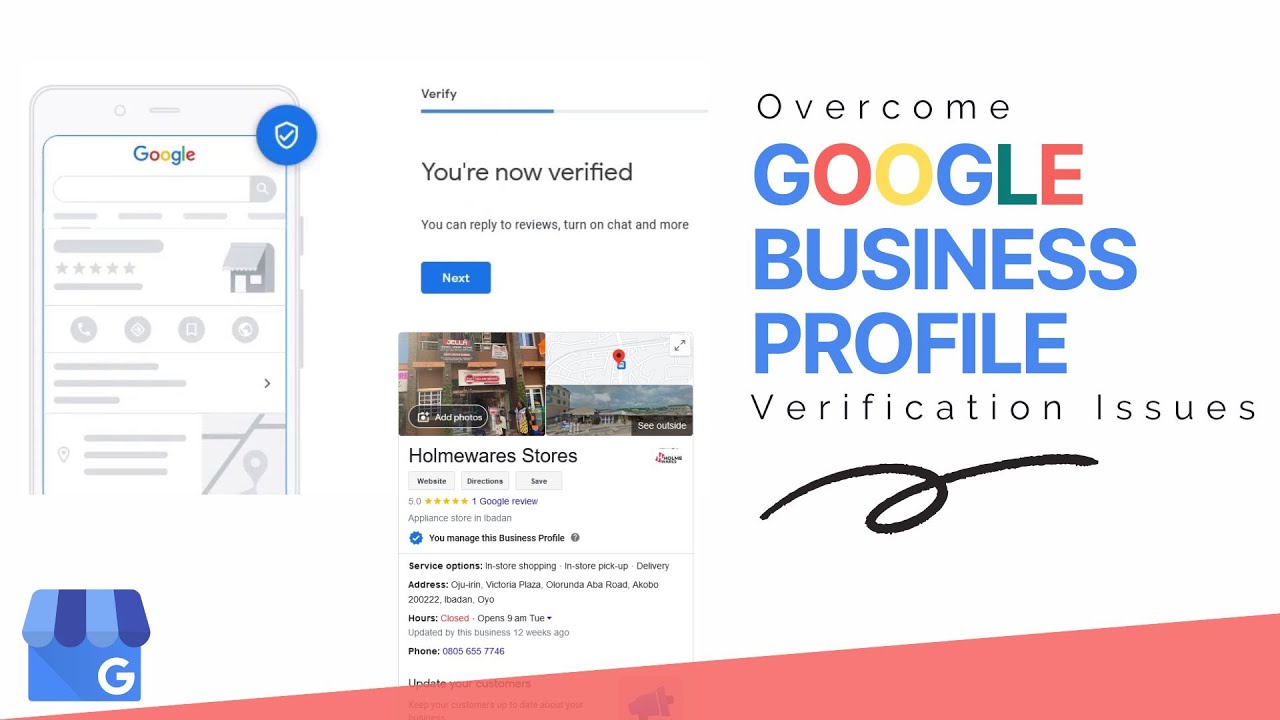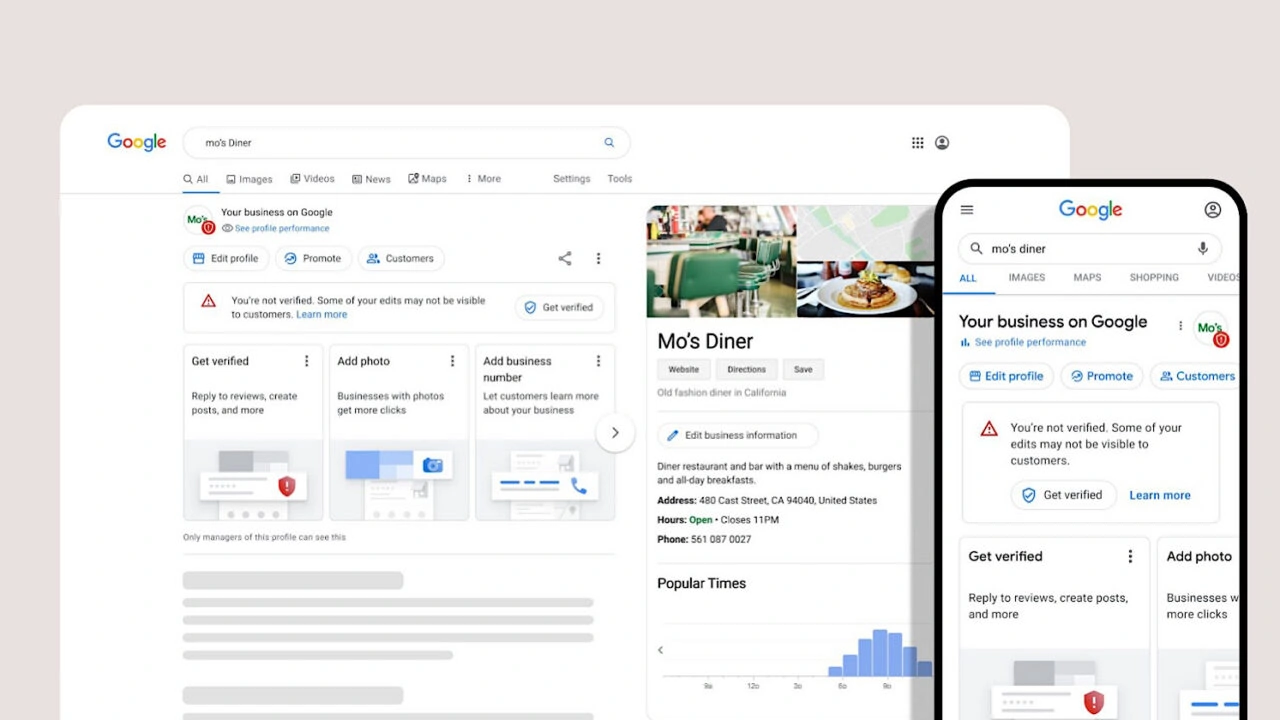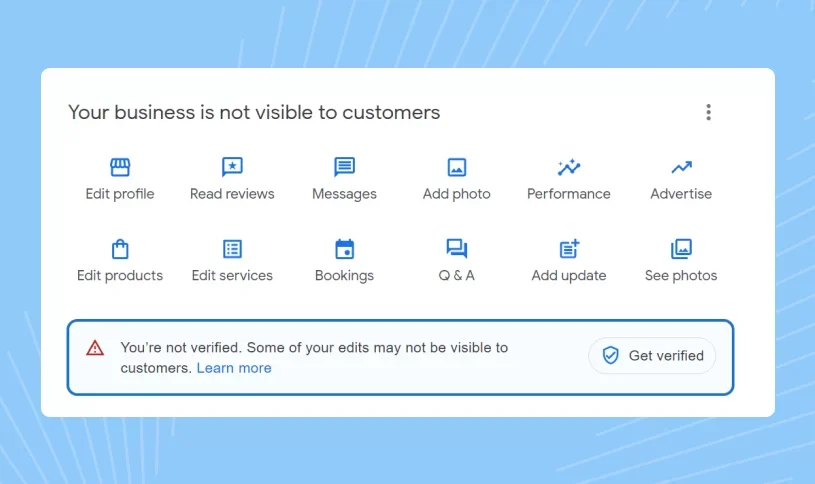
If you have recently created a Google Business Profile, one of the first questions you may have is: how long does Google Business Profile verification take? Verification is an important step because Google needs to confirm that the business information you submitted represents a legitimate business. Depending on the verification method available for your profile, the process may take only a few minutes or several business days. In some cases, Google may require additional checks before completing verification.
The exact Google Business Profile verification time is different for every business. Some profiles can be verified quickly through phone, SMS, or email when those options are available, while others may require video verification or a physical postcard. Business type, location, profile history, submitted information, and the quality of verification evidence can all affect the process. This guide explains the different verification methods, expected timelines, common delays, and what you should do if your verification is taking longer than expected.
How Long Does Google Business Profile Verification Take?
There is no single verification timeframe that applies to every Google Business Profile. When Google offers an immediate verification method such as phone, SMS, or email, the process can sometimes be completed within minutes. However, businesses that are asked to complete video verification, postcard verification, or an additional review may need to wait longer while Google processes the submitted information.
It is also important to understand that Google decides which verification methods are available for each profile. You cannot always select the fastest option yourself, and two businesses in the same industry may receive completely different verification methods. For that reason, the instructions shown inside your own Google Business Profile should always be treated as the most relevant guidance for your particular verification process.
As a general guide, phone or SMS verification can often be completed quickly, while video verification may require several business days for review. Postcard verification depends on physical mail delivery and can therefore take several days or longer. If Google requires additional checks, the timeframe may vary considerably depending on what information or evidence needs to be reviewed.
- Phone or SMS: Often completed within minutes when available.
- Email: Can often be completed quickly when offered by Google.
- Video verification: May take several business days for review.
- Postcard verification: Can take several days or longer because delivery is required.
- Additional review: The timeframe varies depending on the individual case.
If your profile is still pending, a delay does not automatically mean that Google has rejected your business. In many situations, Google may simply be reviewing the information or evidence you submitted. The best approach is to monitor the existing profile for additional instructions and avoid creating another listing for the same business while the verification process is still underway.
Google Business Profile Verification Time at a Glance
The following table provides a practical overview of the main verification methods and what can influence their processing time. These timeframes should be treated as general expectations rather than guaranteed deadlines because Google determines the verification process for each individual profile. Your location, business type, profile information, and additional review requirements can all affect how quickly verification is completed.
| Verification Method | Typical Experience | What Can Affect the Time? |
|---|---|---|
| Phone / SMS | Often minutes | Code delivery and successful confirmation |
| Often quick | Email delivery and account eligibility | |
| Video | Several business days may be required | Quality and relevance of verification evidence |
| Postcard | Several days or longer | Mail delivery and business location |
| Additional Review | Variable | Further checks or information requested by Google |
Why Does Google Business Profile Verification Take So Long?
If your Google Business Profile verification is taking longer than expected, Google may still be reviewing your business information or the evidence submitted during the verification process. A longer review period does not necessarily mean that something is wrong with your business. Google may need additional time to establish that the information on the profile accurately represents a real and eligible business.
Delays can also happen when the information associated with a profile is incomplete, inconsistent, or recently changed. Duplicate listings, unclear verification evidence, changes to important business details, and additional checks can all make the process more complicated. If Google has requested something from you, completing that request accurately is generally more useful than repeatedly submitting the same information.
- Incomplete or inconsistent business information.
- Changes to important profile information during verification.
- Duplicate business listings.
- Unclear or insufficient verification evidence.
- A business model that requires additional verification.
- Additional checks related to the business or location.
- Problems receiving a verification code or postcard.
Before assuming that verification has failed, sign in to the Google account connected to the profile and check whether Google has provided a new instruction, verification option, or request for additional information. Keeping the existing profile intact and following the instructions shown by Google is usually a better approach than creating a second profile or repeatedly changing the original listing.
How Long Does It Take Google to Verify My Business?
If you are searching for “how long does it take Google to verify my business?”, the most accurate answer is that the timeframe depends on the verification method Google has assigned to your profile. A business that receives phone or SMS verification may be able to complete the process very quickly, while another business may need to submit a video and wait for Google to review it.
The verification experience can also differ between businesses that appear to be very similar. Google may provide different verification options based on business information, location, account history, business type, and other signals used during the verification process. This means that another business being verified quickly does not necessarily mean your profile should follow exactly the same timeline.
Rather than relying on a fixed number of hours or days, focus on completing the verification method Google has provided accurately. Make sure your business information is correct, provide genuine evidence when requested, and monitor the profile for additional instructions. This approach helps prevent avoidable problems while Google processes the verification request.
How Long Does Google My Business Verification Take?
Many business owners still search for Google My Business verification, GMB verification, or GMB listing verification, even though Google now uses the name Google Business Profile. The terminology has changed, but the underlying concern is the same: business owners want to know how long Google takes to confirm their business and activate the profile.
There is no separate verification timeline for something called “GMB verification.” The process depends on the verification method Google makes available for the current Google Business Profile. Phone, SMS, email, video, postcard, and additional review can all have different processing experiences, so the method displayed in your account is more important than the terminology used to describe the service.
If you need professional assistance with your profile, you can also learn more about our Google Business Profile service, which covers different profile and verification-related requirements.
How Long Does Google Business Profile Video Verification Take?
Google Business Profile video verification can take several business days because the submitted video needs to be reviewed. Unlike a simple verification code, video verification requires Google to evaluate visual evidence and determine whether it supports the business information associated with the profile. The actual processing time can vary depending on the business and the information Google needs to confirm.
A verification video is not intended to be a promotional video or advertisement. Its purpose is to provide evidence that helps Google understand the business, its location or operating environment, and the relationship between the person requesting verification and the business. Depending on the business type, useful evidence may include signage, equipment, products, workspace, access to the premises, or other details requested by Google.
Before submitting a verification video, carefully read the instructions Google provides inside your profile. Make sure the video is clear, genuine, and relevant to the requirements shown to you. If the submitted evidence does not adequately address Google's requirements, another verification step may be necessary, which can increase the overall time needed to complete verification.
What Should You Show in a Google Verification Video?
The exact requirements can vary according to the business and the instructions displayed by Google. In general, the purpose of the video is to help demonstrate that the business exists and that the person managing the profile has an appropriate connection to it. Your video should therefore focus on genuine evidence rather than promotional material or edited marketing footage.
- The business location or entrance where applicable.
- Permanent business signage when available.
- Relevant equipment, products, tools, or workspace.
- Evidence that you can access or operate the business.
- Information that connects the real business with the profile details.
If you want a more detailed explanation of the process, read our guide on how to do Google Business Profile video verification. Following the required steps correctly the first time can help reduce the risk of having to repeat the verification process.
How Long Does Google Business Profile Postcard Verification Take?
When postcard verification is available, Google sends a verification code to the business address associated with the profile. Because the code must physically reach the location, postcard verification naturally takes longer than digital methods such as SMS or email. Delivery time can vary depending on the business location and the postal service handling the mail.
While waiting for the postcard, make sure the business address shown in the profile is accurate and that the location can receive mail. Avoid making unnecessary changes to important profile information while you are waiting because changes to significant details may affect the verification process or result in additional verification requirements.
If Google provides another verification option within your profile, follow the option Google has made available instead of creating a new listing. Creating duplicate profiles will not make the original postcard arrive faster and can create additional management or verification problems.
How Long Does Phone or SMS Verification Take?
Phone or SMS verification can be one of the fastest Google Business Profile verification methods when it is available. Google may send a verification code to the phone number associated with the business, and the code can then be entered into the verification process. When everything works correctly, this type of verification can often be completed within minutes rather than several days.
However, phone or SMS verification is not available for every business or every profile. Google decides which methods are offered based on its verification systems and the circumstances of the business. If you do not see a phone or SMS option, repeatedly attempting to force that method will not make the profile verify faster.
If another verification method is displayed, use the method Google provides and follow its instructions carefully. Completing the available method accurately is generally the most practical way to move the verification process forward without creating unnecessary delays.
How Long Does Email Verification Take?
Email verification can also be relatively quick when Google makes it available for a business profile. In many cases, the verification email can arrive within a short period, allowing the business owner to complete the required confirmation. However, delivery time can vary, so a delayed email does not necessarily indicate that the verification request has failed.
If you are waiting for an email, check the primary inbox as well as spam, junk, promotions, and other filtered folders. Also make sure you are checking the email account associated with the Google Business Profile. If the option is no longer available or Google provides another verification method, follow the current instructions displayed in your profile.
It is important to remember that not every business can use email verification. Google determines the verification options available for each profile, so another business receiving an email option does not mean that the same option will necessarily be offered to you.
How Long Does It Take for Google to Approve Your Business?
The words verification and approval are often used interchangeably by business owners, but they can refer to different stages of the Google Business Profile process. Verification is primarily about confirming the business and the information associated with the profile, while visibility and processing of individual profile information can involve additional systems.
This means that completing verification does not necessarily mean every change will appear everywhere instantly. Your profile may be verified while certain information is still being processed or updated across Google Search and Maps. If this happens, avoid immediately creating another listing because duplicate profiles can create more problems than they solve.
If your profile is verified but something still appears to be missing, first confirm the verification status and review the information in your profile. Give Google reasonable time to process newly submitted information and follow any official instructions that appear in your account.
How Long Does It Take for a Business to Show Up on Google?
Creating and verifying a Google Business Profile does not necessarily mean that every part of the listing will become visible across Google at exactly the same moment. Search and Maps systems may need additional time to process a newly verified profile or recently updated business information. This is especially important for businesses that have just completed verification.
If your business does not immediately appear when you search for it, first confirm that the profile has actually been verified. Check the business name, address or service area, category, and other important information for accuracy. Avoid creating another profile simply because the existing listing is not immediately visible, as this can create duplicate listing issues.
If your business has been verified but is still not appearing correctly on Maps, you can read our detailed guide on why a Google Business Profile is not showing on Google Maps.
How to Check Google Business Profile Verification Status
If you are unsure whether your business has been successfully verified, the first step is to sign in to the Google account associated with the profile and review the current status. Google may show that the profile is verified, still processing, or requires another action. Pay close attention to any message or instruction because it can tell you what needs to happen next.
Checking the status is especially useful when you have already submitted video evidence, requested postcard verification, or completed another verification method but have not received a clear result. Rather than repeatedly submitting the same information, use the status shown in the profile to determine whether Google needs additional action from you.
For a detailed walkthrough, visit our guide on how to check Google Business verification status. Understanding the current status can help you avoid unnecessary changes and duplicate verification attempts.
What Causes Google Business Profile Verification Delays?
There are several reasons why Google Business Profile verification may take longer than expected. Some delays are caused by the verification method itself, such as waiting for a physical postcard or waiting for a video to be reviewed. Other delays may occur because Google needs additional information to establish that the business and the submitted profile details are legitimate and accurate.
Inconsistent information can also make the process more complicated. For example, incorrect business details, duplicate profiles, unclear evidence, or frequent changes to the profile can result in additional review. This is why it is important to prepare the profile carefully before beginning verification rather than trying to fix major issues after the process has already started.
- Incomplete or inaccurate business information.
- Different business details across important online properties.
- Duplicate Google Business Profiles.
- Unclear or insufficient verification evidence.
- Frequent changes while verification is pending.
- Business types that require additional verification.
- Additional checks requested by Google.
What Should I Do If My Google Business Profile Verification Is Pending?
If your Google Business Profile verification is pending, the first thing you should do is check the profile for additional instructions. A pending status does not necessarily mean that your business has failed verification. Google may still be reviewing the information or evidence you submitted, especially if you completed a verification method that requires manual or additional processing.
While the verification is pending, avoid creating another Google Business Profile for the same business. Duplicate listings can create additional verification and management problems. You should also avoid unnecessary changes to important business information because significant changes can sometimes require Google to reassess the updated details.
- Check the profile for new verification instructions.
- Review your submitted business information for accuracy.
- Do not create a duplicate listing.
- Avoid unnecessary major profile changes.
- Keep verification evidence available if Google requests it again.
If Google provides a support, review, or appeal option for your specific situation, use the official process associated with the existing profile. This is generally safer than starting over with a new listing because your original profile already contains the business information and verification history.
What Happens After 7 Days of Google Business Verification?
If your Google Business Profile verification has remained pending for more than seven days, do not immediately assume that Google has rejected the business. The appropriate next step depends on the verification method you used and the instructions currently displayed in your account. A longer waiting period can occur when additional checks are required or when the selected verification method naturally takes more time.
Start by checking the profile for a new message, request for additional information, or another verification option. If Google provides an official support or appeal process, use that option for the existing profile. Avoid creating a second listing simply because the first one has not been verified yet, as duplicate listings can make the overall situation more complicated.
Can You Speed Up Google Business Profile Verification?
There is no reliable method that can guarantee faster Google Business Profile verification. Google controls the verification process, and the timeframe depends on the method and checks associated with your particular profile. Be cautious of services or individuals who promise guaranteed approval within a fixed number of hours because no third party can reliably control Google's internal verification process.
What you can do is reduce avoidable delays by preparing the profile carefully before submitting verification. Use accurate business information, follow the verification instructions exactly, provide genuine evidence when requested, and avoid creating duplicate profiles. These steps do not guarantee instant verification, but they can help prevent problems caused by incorrect or incomplete submissions.
Does Business Type Affect Google Business Profile Verification Time?
Yes, the way your business operates can affect the verification experience because Google may need different types of evidence depending on the business model. A storefront business, service-area business, home-based operation, or business operating from another type of location may not receive the same verification options or requirements.
This is one reason why there is no universal rule saying that every business will be verified in exactly one, three, or seven days. The verification process is based on the circumstances of the individual profile. Businesses should therefore focus on accurately representing how they operate and following the verification instructions Google provides rather than trying to match another company's timeline.
Can You Verify a Google Business Profile Without a Physical Store?
A business does not necessarily need a traditional customer-facing storefront to have a Google Business Profile. Some businesses operate as service-area businesses or use other legitimate business models where customers do not visit a public storefront. However, eligibility and verification requirements depend on how the business actually operates and what information Google needs to confirm.
If you operate without a traditional physical store, make sure the profile accurately represents your business model and service area. Do not create a fictional address or use a location that does not genuinely represent the business. For more information, read our guide on how to verify a Google Business Profile without a physical store.
How to Prepare Before Google Business Profile Verification
Preparing your profile before starting verification can help you avoid common mistakes and unnecessary delays. Start by checking that the business name, category, address or service area, phone number, website, and other important information accurately describe the real business. If something is incorrect, it is better to fix it before verification rather than making major changes while Google is already reviewing the profile.
You should also check whether another Google Business Profile already exists for the same business. Duplicate listings can create confusion and may result in additional verification issues. If you operate multiple locations, each location should be managed carefully and represented accurately rather than creating duplicate profiles for convenience.
- Use the correct real-world business name.
- Select an appropriate primary business category.
- Provide accurate location or service-area information.
- Use a valid business phone number where applicable.
- Add the correct website.
- Prepare genuine business photos and verification evidence.
- Check for duplicate profiles before starting verification.
- Follow Google's verification instructions carefully.
If you manage several locations, the process may require additional planning. You can learn more in our guide on how to verify multiple business locations on Google.
Google Business Profile Verification Checklist
Before submitting a verification request, use a simple checklist to make sure your profile is ready. A few minutes spent checking the information can help you avoid mistakes that may result in additional questions or verification steps later. The goal is to make sure Google receives a clear and accurate representation of the real business.
- Business name is accurate.
- Business category is relevant.
- Address or service area is correct.
- Phone number is accurate.
- Website information is correct.
- There is no duplicate profile.
- Photos and verification evidence are genuine.
- Important business information is consistent.
- You understand the verification method Google has provided.
Once the profile is ready, complete the verification method shown by Google. After submitting the request, avoid unnecessary changes to important information and monitor the profile for any new instructions. This makes it easier to respond quickly if Google asks for additional information during the verification process.
Common Google Business Profile Verification Mistakes
One of the most common mistakes businesses make is treating verification as a simple formality and submitting information without carefully reviewing it first. Incorrect business names, inaccurate addresses, duplicate listings, unclear evidence, and inconsistent information can all create unnecessary complications. A careful setup before verification is usually much better than trying to correct several problems after submission.
Another common mistake is repeatedly changing major profile details while Google is reviewing the business. If important information changes during verification, Google may need to evaluate the updated information again. Businesses should therefore prepare the profile properly, submit accurate information, and make only necessary changes while the verification process is underway.
Using an Incorrect Business Name
Your Google Business Profile should accurately represent the real-world business name. Adding unnecessary keywords, locations, or promotional phrases to the business name simply to improve rankings can create problems and does not replace the need for legitimate business information. Use the name customers actually know the business by and keep the profile information accurate.
Creating Duplicate Listings
Creating another profile because the original verification is taking too long is rarely a good solution. Duplicate listings can create confusion about which profile represents the business and may introduce additional verification or management problems. If the original profile already exists, focus on resolving the verification issue associated with that profile.
Changing Major Details During Verification
Frequent changes to the business address, name, category, or other important information while verification is pending can complicate the review process. If a genuine business change is necessary, update the information accurately, but avoid making changes simply because you think they will make verification happen faster.
Submitting Weak Verification Evidence
When Google requests video or another form of evidence, make sure your submission follows the instructions shown in your profile. Evidence should be genuine, clear, and relevant to the verification requirement. A promotional video or unclear footage may not provide the information Google needs to confirm the business.
Google Business Profile Verification and Local SEO
Verification is an important foundation for managing a business presence on Google, but it should not be confused with ranking in local search. A verified profile does not automatically guarantee a top position in Google Search or Google Maps. After verification, businesses still need to maintain accurate information and build a useful, trustworthy local presence.
Local visibility can be influenced by several factors, including relevance, distance, prominence, business information, customer reviews, and the overall quality of the profile. Businesses should therefore treat verification as the beginning of their local SEO work rather than the final step. Keeping the profile accurate and useful can provide a stronger foundation for long-term local search visibility.
How Long Should You Wait Before Taking Action?
The appropriate waiting period depends on the verification method Google has provided. A phone or SMS verification may be completed within minutes, while video verification can require several business days for review. Postcard verification naturally requires additional time because the verification code must travel through the postal system.
If the process has clearly taken longer than expected for your verification method, check your Google Business Profile for additional instructions before taking further action. Look for requests for evidence, another verification option, or an official support process. Avoid creating another listing simply because the current verification is delayed.
What Happens After Google Business Profile Verification?
Once your Google Business Profile has been verified, take some time to review the profile and make sure the information customers see is accurate. Check the business name, category, hours, phone number, website, services, photos, and other available profile details. Verification gives you a stronger foundation for managing your business presence, but the profile still needs ongoing attention.
After verification, continue maintaining the listing whenever genuine business information changes. Add useful and authentic photos, keep opening hours accurate, respond professionally to customer reviews, and make sure customers can easily find the information they need. A well-maintained profile can provide a much better experience than a listing that is simply verified and then abandoned.
- Confirm your business name and category.
- Check your phone number and website.
- Review business hours.
- Add authentic and useful photos.
- Review available services and attributes.
- Monitor customer interactions and reviews.
What If You Lose Access to Your Google Business Profile?
Verification and ownership are separate issues. A profile can already be verified while the business owner later loses access to the Google account that manages it. If this happens, creating another profile is usually not the best solution because the existing listing may already have valuable information, reviews, history, and visibility associated with it.
Instead, focus on recovering access to the existing profile and following the appropriate ownership or management process. If you are dealing with a lost listing, our guide on how to recover a lost Google Business Profile provides additional information about the available approach.
What If You Need to Transfer Google Business Profile Ownership?
Ownership transfer is another process that should not be confused with verification. If a business changes hands, a new person takes responsibility for the profile, or another manager needs access, you should use the appropriate ownership-management process rather than creating a completely new listing.
Keeping the existing profile can help preserve its established business presence and customer information. If you need to transfer control of an existing listing, see our guide on how to transfer ownership of a Google Business Profile.
Frequently Asked Questions About Google Business Profile Verification
How long does Google Business Profile verification take?
Google Business Profile verification can take anywhere from a few minutes to several business days or longer. The timeframe mainly depends on the verification method Google provides for your business. Phone, SMS, or email verification can be relatively quick, while video, postcard, or additional review can require more time.
How long does it take for Google to verify your business?
There is no universal verification timeframe for every business. Some profiles can be verified quickly through an available digital method, while others may need video verification, postcard verification, or additional review. The method and instructions shown in your own Google Business Profile are the most relevant indicators of what to expect.
How long does Google My Business verification take?
Google My Business is the former name of Google Business Profile, so the terms are often used interchangeably. The current verification process depends on the method Google makes available for your profile. Depending on the method, verification may take minutes, several business days, or longer if additional review is required.
How long does Google Business Profile video verification take?
Video verification may take several business days because Google needs to review the evidence submitted in the video. The exact processing time can vary depending on the business and what Google needs to confirm. Make sure your video follows the instructions displayed inside your profile to avoid unnecessary additional steps.
How long does Google postcard verification take?
Postcard verification depends on physical delivery, so it can take several days or longer depending on the business location and postal service. Make sure the address in your profile is accurate and avoid unnecessary changes while waiting. If another verification option is provided by Google, follow the option shown in your account.
How long does phone verification take?
When phone or SMS verification is available, the code can often be received and entered within minutes. However, this method is not available for every Google Business Profile. Google determines which verification options are available, so businesses should use the method displayed in their own profile.
Why is my Google Business Profile taking so long to verify?
Google may still be reviewing your business information or the evidence submitted during verification. Inconsistent information, duplicate listings, unclear evidence, changes made during the review, and additional checks can all contribute to a longer process. Check your profile for instructions before taking further action.
What happens if Google Business Profile verification takes more than 7 days?
If verification remains pending for more than seven days, check your profile for additional instructions or requests from Google. The correct next step depends on the verification method and the status shown in your account. If Google provides a support or appeal option, use that official process instead of creating a duplicate listing.
Can I speed up Google Business Profile verification?
You cannot guarantee that Google will review or verify your profile faster. However, you can reduce avoidable delays by providing accurate business information, submitting genuine verification evidence, avoiding duplicate listings, and following the instructions displayed in your account. Be cautious of anyone promising guaranteed verification within a fixed timeframe.
Does changing my business address affect verification?
Changing an important detail such as the business address can affect the verification process because Google may need to confirm the updated information. It is therefore better to provide the correct business information before starting verification whenever possible. If a genuine business change is necessary, make sure the updated information accurately represents the real business.
Does every business get the same verification method?
No. Google determines which verification methods are available for each individual profile. Different businesses can therefore receive different options depending on factors associated with the business and profile. You should follow the verification method Google displays for your own business rather than expecting the same option another business received.
Can I verify a Google Business Profile without a physical store?
Some legitimate businesses operate without a traditional customer-facing storefront, including certain service-area businesses. However, eligibility and verification requirements depend on the business model and information Google requires. Your profile should accurately describe how the business operates, and you should not use a location that does not genuinely represent the business.
Why is my verified business not showing on Google Maps?
A newly verified profile or recently updated information may require additional processing before everything appears consistently on Google Maps. First confirm that the profile is actually verified and that the business information is accurate. Avoid creating another profile simply because the listing is not immediately visible, as duplicate listings can create additional problems.
Should I edit my profile while verification is pending?
Avoid unnecessary major changes while verification is being processed. Changing important information such as the business name, address, or other significant details may result in additional review. If a genuine change is required, make sure the new information is accurate rather than changing details simply to try to speed up verification.
Is Google Business Profile verification important for local SEO?
Verification is an important foundation for managing a business presence on Google Search and Maps, but it does not guarantee higher rankings. After verification, businesses should continue improving the profile with accurate information, useful photos, relevant services, genuine customer reviews, and consistent ongoing maintenance.
Need Help With Google Business Profile Verification?
🚀 Need Help With Google Business Profile Verification?
If your Google Business Profile is stuck in verification, requires video verification, has a verification issue, or you are unsure which information should be submitted, professional assistance can help you understand the next step. Webo Creators provides support related to Google Business Profile verification, GMB-related issues, listing problems, profile management, and other local business profile challenges.
Final Thoughts: How Long Does Google Business Profile Verification Take?
So, how long does Google Business Profile verification take? There is no single timeframe that applies to every business. Some profiles can be verified within minutes when an eligible phone, SMS, or email option is available, while video verification, postcard verification, or additional review can take several business days or longer. The verification method Google provides for your profile is therefore the most important factor when estimating the expected processing time.
If your verification is taking longer than expected, avoid creating a duplicate profile or repeatedly changing important business information. Instead, check your profile for additional instructions, make sure the submitted information is accurate, and follow the verification process provided by Google. Accurate information and genuine evidence can help you avoid preventable problems, although no third party can guarantee a specific verification timeframe.
Once your Google Business Profile is verified, the work does not end. Continue maintaining accurate business information, useful photos, correct business hours, relevant services, and genuine customer interactions. A properly verified and consistently maintained profile gives your business a stronger foundation for managing its presence in Google Search and Google Maps and supporting your broader local SEO strategy.
.png)
.png)
.png)
.png)
.png)
.png)
.png)
.png)