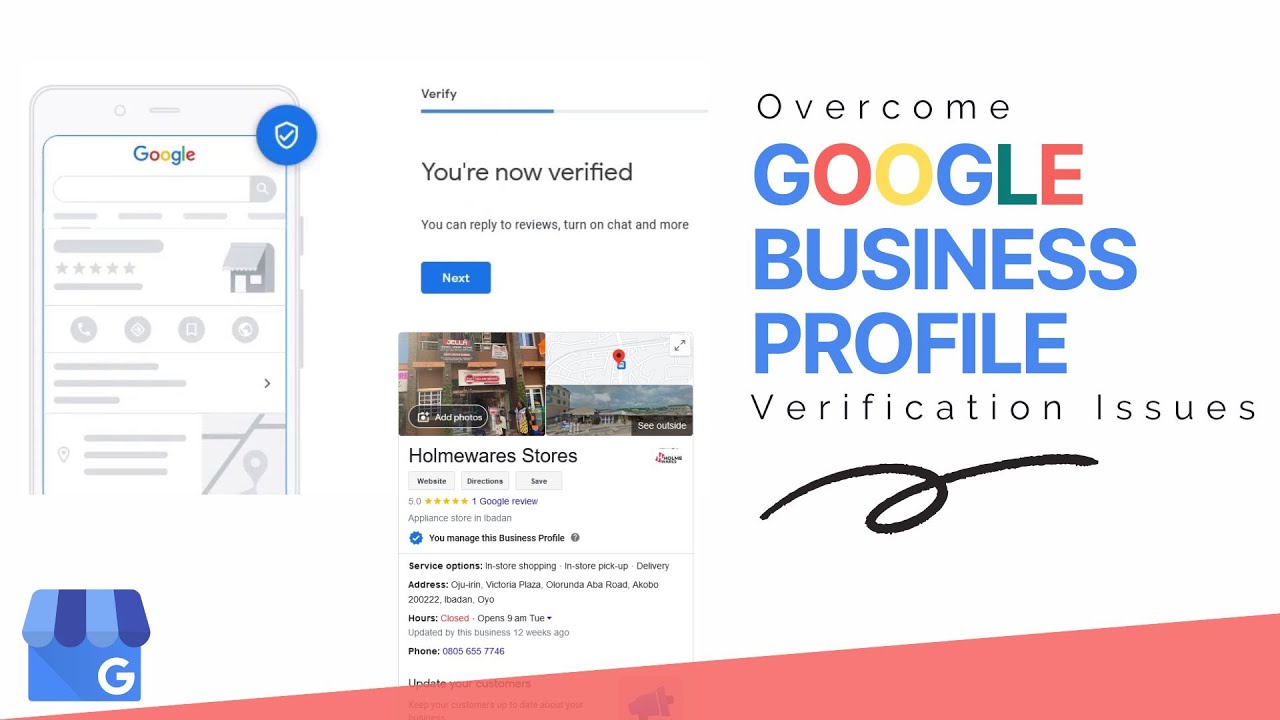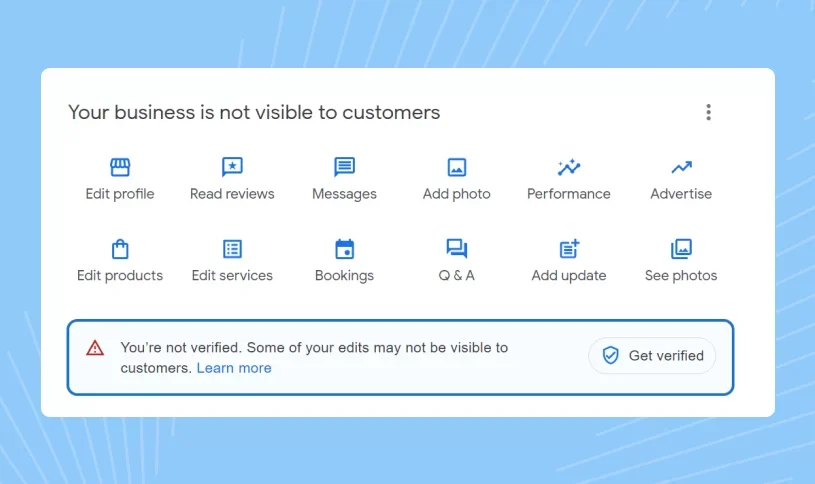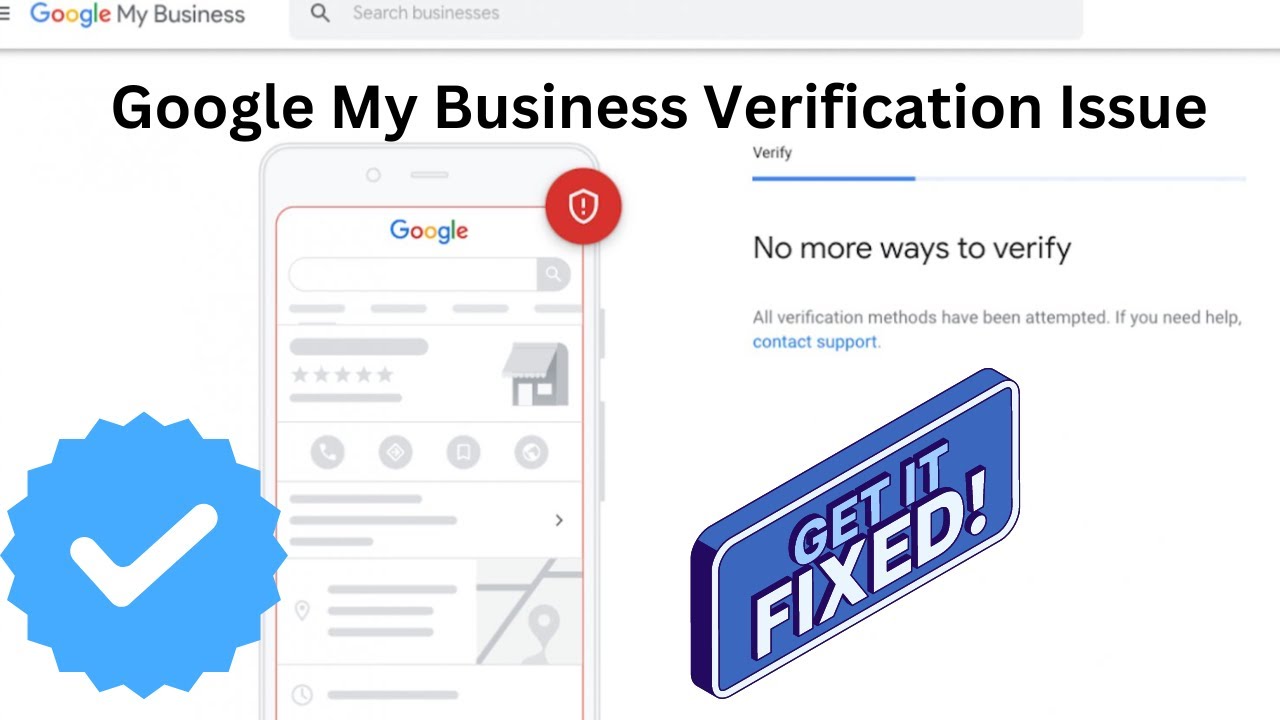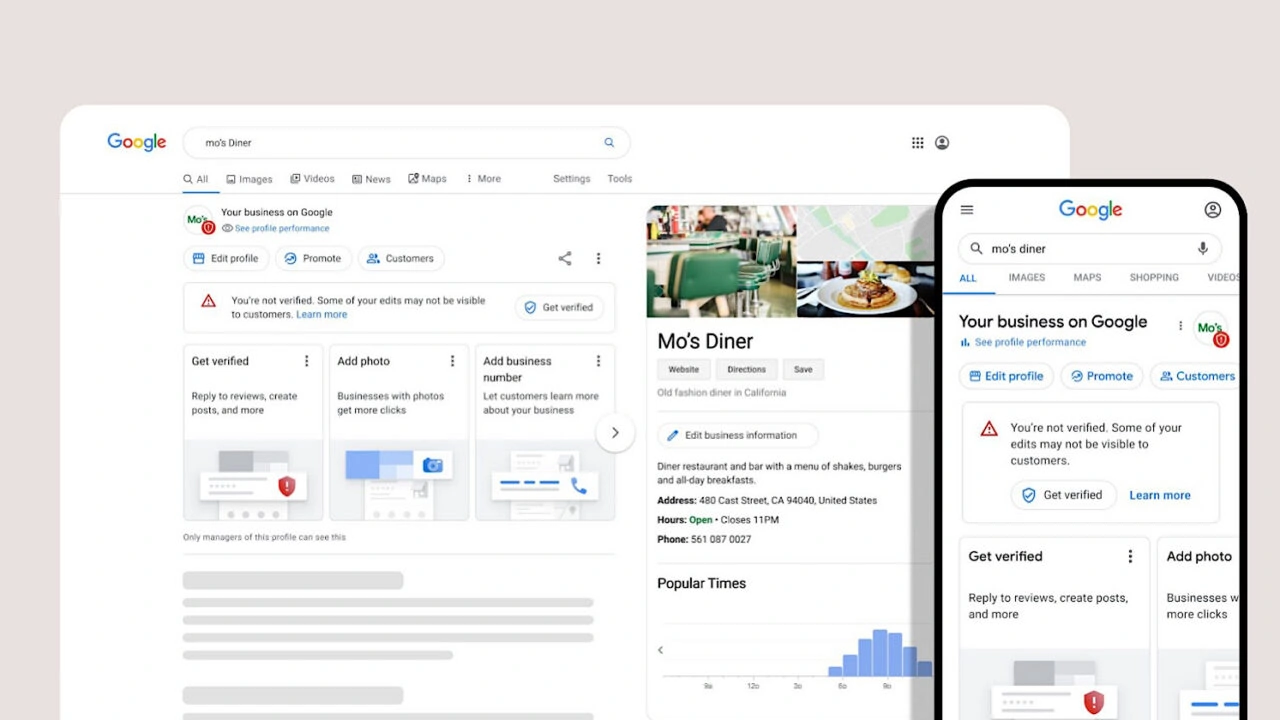
Knowing whether your Google Business Profile is live helps you confirm that customers can find your business on Google Search and Google Maps. After completing verification, many businesses want to know if their Google Business Profile (GBP) is active and visible to potential customers.
This guide explains how to check if your Google Business Profile is live, the signs that show your verification is complete, and the steps to troubleshoot problems when your Google Profile Listing is not appearing online.
Why Check If Your Google Business Profile Is Live?
A verified Google Business Profile does not always mean that your listing is immediately visible to customers. Businesses need to confirm their live status to make sure their information is available publicly on Google.
Checking your Google Listing Profile status helps you:
- Confirm whether customers can find your business online.
- Identify visibility problems after verification.
- Make sure your business appears correctly on Google Search and Maps.
- Find issues affecting your local SEO performance.
- Maintain accurate business information for customers.
🚀 Need Help with Google Business Profile Verification?
If your Google Business Profile is suspended, requires Video Verification, Live Video Verification, Contact Support verification, or you're unable to verify your business due to the lack of a physical office, business license, or any other verification issue, our team is here to help. We have successfully assisted 10,000+ businesses worldwide with Google Business Profile verification and suspension issues. Ready to get your business verified? Contact our experts today or view our recent success stories below.
How Do I Check If My Google Business Profile Is Live?
Checking whether your Google Business Profile is live is a simple process. You can confirm your listing visibility by searching for your business through Google Search or Google Maps.
Follow these steps to check your profile status:
- Sign in to the Google account connected with your business profile.
- Search your exact business name on Google.
- Check whether your business information appears in Google Search results.
- Open Google Maps and search for your business location.
- Review whether your listing is visible to customers.
If your Google Business Profile appears publicly with correct business details, it means your listing is live and available for customers to view.
Signs That Your Google Business Profile Verification Is Complete
After successful verification, several signs indicate that your Google Business Profile is active and ready to appear online.
- Your business appears on Google Maps: Customers can find your location through Google Maps search.
- Profile management options are available: You can edit business information, upload photos, and manage updates.
- Customer reviews are visible: Verified profiles can receive and display customer reviews.
- Business information appears correctly: Your name, address, phone number, and hours are visible.
- Google Search displays your listing: Your Google Profile Listing appears when users search for your business.
How Long Does It Take For A Google Business Profile To Go Live?
The time required for a Google Business Profile to become live depends on the verification method, business category, and Google's review process.
Some profiles become visible shortly after verification, while others may require additional processing time. Google may review business details to ensure accuracy before showing the listing publicly.
Factors that can affect the time include:
- Verification method used by the business.
- Accuracy of submitted business information.
- Business category and location.
- Additional quality checks by Google.
Difference Between Verified Google Business Profile And Live Google Listing
Many business owners think that once their Google Business Profile is verified, it will immediately become visible to everyone. However, verification and live visibility are two different stages of the process.
Verification confirms that Google has accepted your business ownership and information. A live listing means customers can find your business profile when they search on Google Search or Google Maps.
Understanding this difference helps businesses identify whether they have a verification problem or a visibility issue.
- Verified Profile: Google has confirmed that the business information is authentic.
- Live Profile: Customers can view and interact with the business listing publicly.
- Optimized Profile: The listing is complete, updated, and ready to attract customers.
Reasons Why Your Google Business Profile May Not Be Visible
If your Google Business Profile is not appearing in search results, several factors could be responsible. Identifying the exact reason helps you fix the issue faster.
New Profile Processing Time
Newly created Google Business Profiles may require additional time before appearing publicly. Google reviews new listings to ensure that the information meets quality standards.
During this period, businesses should avoid making unnecessary changes because frequent updates may slow down the review process.
Incomplete Profile Information
A Google Profile Listing with missing details may have limited visibility. Businesses should complete important sections including business description, services, operating hours, photos, and contact information.
A complete profile provides better information to Google and improves customer experience.
Google Guideline Issues
Google follows strict quality guidelines to maintain accurate search results. If a listing contains incorrect information, duplicate profiles, or misleading details, it may not appear publicly.
Businesses should review their profile and ensure that all information represents their real-world operations.
How To Troubleshoot A Google Business Profile That Is Not Showing
If your Google Business Profile is not visible, follow these troubleshooting steps to identify and solve common problems.
- Check that you are signed into the correct Google account.
- Confirm that your business profile shows as verified.
- Review your business name, address, and phone number.
- Remove duplicate business listings.
- Check if Google has sent any notifications or required actions.
- Update missing profile information.
These steps help businesses identify whether the problem is related to verification, profile quality, or visibility settings.
How To Improve Google Business Profile Visibility After Going Live
Once your Google Business Profile becomes live, ongoing optimization is important for maintaining strong visibility in local search results.
A live profile should not be treated as a one-time setup. Regular updates help Google understand that your business information is accurate and active.
Businesses can improve visibility by:
- Adding high-quality business photos regularly.
- Updating services and product information.
- Responding to customer reviews.
- Publishing Google Business Profile updates.
- Keeping business hours accurate.
Case Study How A Business Improved Google Listing Visibility
A local business created a Google Business Profile and completed verification successfully. However, the owner noticed that customers could not find the listing when searching on Google.
After reviewing the profile, several issues were identified, including incomplete business information, limited photos, and inconsistent details across online platforms.
The business improved the profile by updating accurate information, adding authentic images, completing services, and maintaining regular activity. After these improvements, the Google Listing Profile gained better visibility and provided customers with more reliable information.
This example shows that verification is only the beginning. Continuous profile management plays an important role in improving local search presence.
Expert Tips For Maintaining A Live Google Business Profile
Local SEO professionals recommend managing your Google Business Profile regularly instead of only checking it when problems occur.
Important expert recommendations include:
- Keep all business information accurate and updated.
- Use real business photos instead of stock images.
- Encourage genuine customer reviews.
- Respond to customer questions and feedback.
- Monitor profile status regularly.
A properly managed Google Business Profile creates stronger trust signals and improves the chances of reaching local customers.
Common Mistakes That Affect Google Business Profile Visibility
Many businesses lose visibility because of simple mistakes that can be avoided with proper management.
- Keyword stuffing in business name: Adding unnecessary keywords can create guideline issues.
- Incorrect location details: Wrong addresses can affect verification and visibility.
- Inactive profile management: Profiles with outdated information may provide a poor customer experience.
- Duplicate listings: Multiple profiles for the same business can create confusion.
- Ignoring reviews: Customer interaction is an important part of local presence.
🚀 Need Help with Google Business Profile Verification?
If your Google Business Profile is suspended, requires Video Verification, Live Video Verification, Contact Support verification, or you're unable to verify your business due to the lack of a physical office, business license, or any other verification issue, our team is here to help. We have successfully assisted 10,000+ businesses worldwide with Google Business Profile verification and suspension issues. Ready to get your business verified? Contact our experts today or view our recent success stories below.
Final Checklist To Confirm Your Google Business Profile Is Live
Before considering your Google Business Profile fully active, review this checklist:
- Your business appears in Google Search.
- Your listing appears correctly on Google Maps.
- Business information is accurate.
- Photos and services are updated.
- Customers can view and interact with your profile.
- No warnings or verification issues are showing.
Following this checklist helps ensure that your Google Business Profile is not only verified but also visible, accurate, and ready to attract customers.
Google Business Profile Live Status Checking Features
| Feature | What We Check |
|---|---|
| Live Profile Status | Whether your Google Business Profile is publicly visible on Google Search and Google Maps after verification. |
| Verification Completion | Signs that Google Business Profile verification is complete and the listing is ready for customers. |
| Listing Visibility Issues | Possible reasons why your Google Profile Listing is not appearing and steps to improve visibility. |
| Profile Accuracy Review | Business information, location details, category settings, and profile updates affecting Google Listing Profile performance. |
How Google Business Profile Live Status Affects Customer Discovery
A live Google Business Profile plays an important role in helping customers discover your business online. When users search for products or services near their location, Google uses business profile information to show relevant results.
If your profile is not live, customers may not find your business even if you have completed the verification process. This can reduce opportunities for calls, website visits, direction requests, and customer inquiries.
A properly visible Google Profile Listing helps customers quickly access important information such as:
- Business location and service area.
- Contact details and website information.
- Opening hours and availability.
- Customer reviews and ratings.
- Photos and service details.
How To Confirm Your Google Listing Appears Correctly
After your Google Business Profile goes live, it is important to check whether your listing information appears correctly to customers. Sometimes a profile may be visible but contain outdated or incorrect details.
To confirm your Google Listing Profile accuracy, review the following information:
- Business name matches your actual business identity.
- Address information is correct and complete.
- Phone number connects customers to your business.
- Business hours reflect your current schedule.
- Services and categories represent your actual offerings.
Accurate information improves customer trust and helps Google understand your business better.
Why A Google Business Profile Can Disappear After Going Live
Some businesses experience a situation where their Google Business Profile appears live initially but later becomes difficult to find. This can happen because Google continuously reviews business listings to maintain search quality.
Common reasons a live profile may lose visibility include:
- Changes in important business information.
- Violation of Google Business Profile guidelines.
- Duplicate listings being detected.
- Unusual activity or frequent profile edits.
- Incorrect business details reported by users.
Regularly monitoring your profile helps identify these issues before they affect your online presence.
Steps To Take When Your Google Business Profile Suddenly Stops Showing
If your previously visible Google Business Profile is no longer appearing, you should investigate the reason before making major changes.
Follow these steps:
- Check your Google account notifications for any warnings.
- Review whether your profile has any pending actions.
- Confirm that your business information is still accurate.
- Check if your profile follows Google's guidelines.
- Contact Google support if the issue cannot be resolved.
A careful review can help determine whether the issue is related to verification, suspension, indexing, or profile quality.
The Role Of Google Business Profile Optimization After Activation
Getting your Google Business Profile live is an important achievement, but optimization determines how effectively your listing performs in local search results.
A properly optimized profile provides Google with more information about your business and improves the experience for potential customers.
Optimization activities include:
- Adding detailed business descriptions.
- Selecting accurate business categories.
- Uploading professional business photos.
- Adding products and services.
- Collecting genuine customer reviews.
Businesses that regularly improve their Google Business Profile usually create stronger local visibility compared to inactive listings.
Case Study How A Verified Profile Became More Visible
A small local business completed Google Business Profile verification but noticed that the listing was receiving very few customer interactions. The profile was technically live, but it lacked important information that customers needed before making contact.
The business improved its Google Profile Listing by adding complete service details, updating photos, improving the business description, and responding to customer reviews.
After improving profile quality, the business experienced better customer engagement because users could easily understand the services offered and find accurate information.
This case study highlights that a live Google Business Profile is only the foundation. Continuous improvement helps businesses maximize the value of their listing.
How Local SEO Helps Maintain Google Business Profile Visibility
Local SEO plays an important role in maintaining a strong presence after your Google Business Profile becomes live. It focuses on improving how your business appears for location-based searches.
Local SEO strategies help businesses:
- Improve Google Maps visibility.
- Reach customers searching nearby services.
- Build stronger online trust.
- Improve customer engagement.
- Maintain accurate business information.
A combination of Google Business Profile optimization and local SEO creates a stronger foundation for long-term online growth.
Expert Recommendations For Managing A Live Google Business Profile
SEO professionals recommend treating your Google Business Profile as an active marketing asset rather than a one-time setup.
Experts suggest businesses should:
- Review profile information regularly.
- Update business details whenever changes occur.
- Add fresh photos and updates.
- Monitor customer reviews.
- Track profile performance and customer actions.
Regular management helps maintain profile accuracy and improves the chances of reaching more potential customers.
Important Google Business Profile Metrics To Monitor
After your listing becomes live, monitoring performance helps you understand how customers interact with your business profile.
Important metrics include:
- Search Views: How many users discover your profile through Google Search.
- Map Views: How many customers find your business through Google Maps.
- Phone Calls: Customer calls generated from your profile.
- Direction Requests: Users requesting directions to your location.
- Website Visits: Customers visiting your website through your listing.
Tracking these metrics helps businesses understand whether their Google Listing Profile is effectively attracting customers.
Final Checklist To Keep Your Google Business Profile Active
Use this checklist to maintain a healthy and visible Google Business Profile:
- Keep business information updated.
- Respond to customer reviews regularly.
- Add new photos and updates.
- Check profile visibility periodically.
- Follow Google Business Profile guidelines.
- Monitor customer interactions.
A live and optimized Google Business Profile helps businesses build credibility, improve local visibility, and connect with more customers searching online.
What Happens After Checking Your Google Business Profile Live Status?
After checking your Google Business Profile live status, you can understand whether your listing is successfully visible or requires additional improvements.
If your profile is active, you can continue optimizing your listing by adding updated information, photos, services, and customer reviews. If your listing is not visible, identifying the reason helps you take the correct troubleshooting steps.
Conclusion
Knowing how to check if your Google Business Profile is live helps you confirm that your business information is visible to customers on Google Search and Google Maps. A verified profile is an important step, but checking live status ensures that your listing is actually available for users searching for your products or services.
If your Google Business Profile is not visible after verification, reviewing profile details, checking possible issues, and following Google's guidelines can help restore visibility. A properly managed Google Profile Listing improves customer trust and supports better local search performance.
Frequently Asked Questions (FAQs)
1. How do I check if my Google Business Profile is live?
You can check if your Google Business Profile is live by searching your business name on Google Search or Google Maps. If customers can see your listing with business details, your profile is publicly available.
2. Does verified mean my Google Business Profile is live?
No, verification confirms that Google has approved your business ownership, but your listing may still require additional processing before it appears publicly.
3. How can I know if my Google Business Profile verification is complete?
You can confirm completion by checking your Business Profile dashboard. A verified status, public visibility on Google Search, and appearance on Google Maps are signs that your profile is active.
4. Why is my Google Business Profile not showing on Google Maps?
Your listing may not appear because of indexing delays, incomplete profile information, verification issues, policy restrictions, or because Google is still reviewing your profile.
5. How long does it take for a Google Business Profile to become live after verification?
Most profiles become visible within a short time after approval, but some may take longer due to additional quality checks, indexing updates, or profile reviews.
6. What are the signs that my Google Business Profile is live?
Common signs include your business appearing in Google Search, showing on Google Maps, displaying your business information publicly, and allowing customers to interact with your listing.
7. Why is my Google Business Listing not visible after approval?
A listing may not appear immediately after approval because Google may need time to process updates, verify profile quality, or complete indexing.
8. Can I search my business on Google to check if it is live?
Yes, searching your exact business name, location, and category on Google Search is one of the easiest ways to check if your Google Business Listing is publicly visible.
9. What should I do if my Google Business Profile is verified but not live?
Check that your profile information is complete, review Google's guidelines, confirm there are no restrictions, and contact Google Support if the issue continues.
10. Can missing business information prevent my profile from going live?
Yes, incomplete details such as missing categories, incorrect address information, or unavailable business details can affect profile visibility.
11. How do I check if my Google Business Profile is suspended?
You can check your Business Profile dashboard for warnings, restrictions, or suspension notices. Google may also notify you through the account connected to your profile.
12. Does updating my Google Business Profile help it appear faster?
Keeping your profile complete and accurate helps Google understand your business better, but updates do not guarantee instant visibility or ranking improvements.
13. Why can customers not find my Google Business Profile?
Customers may not find your profile because it is not live, the business information is incomplete, the profile has limited visibility, or your local ranking needs improvement.
14. Can a new Google Business Profile take longer to appear?
Yes, new profiles may require additional review and indexing time before they become fully visible in Google Search and Google Maps.
15. How can I improve the visibility of my live Google Business Profile?
You can improve visibility by adding accurate business information, uploading quality photos, collecting customer reviews, updating services, and maintaining an active Google Profile Listing.
.png)
.png)
.png)
.png)
.png)
.png)
.png)
.png)