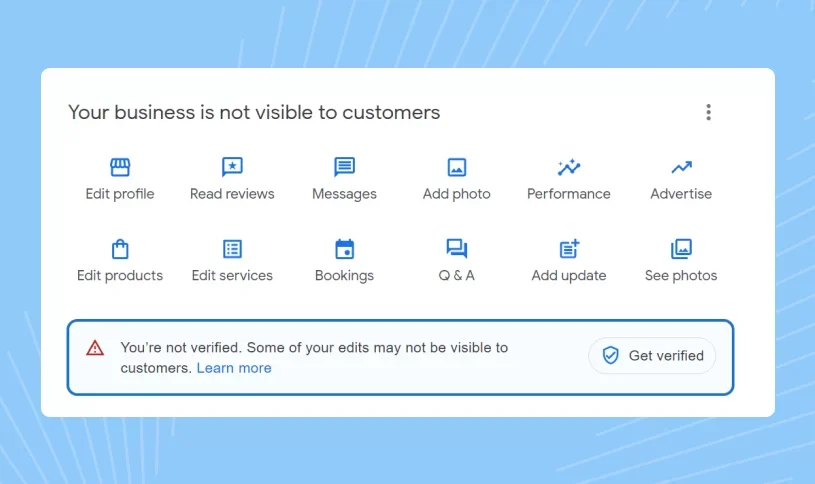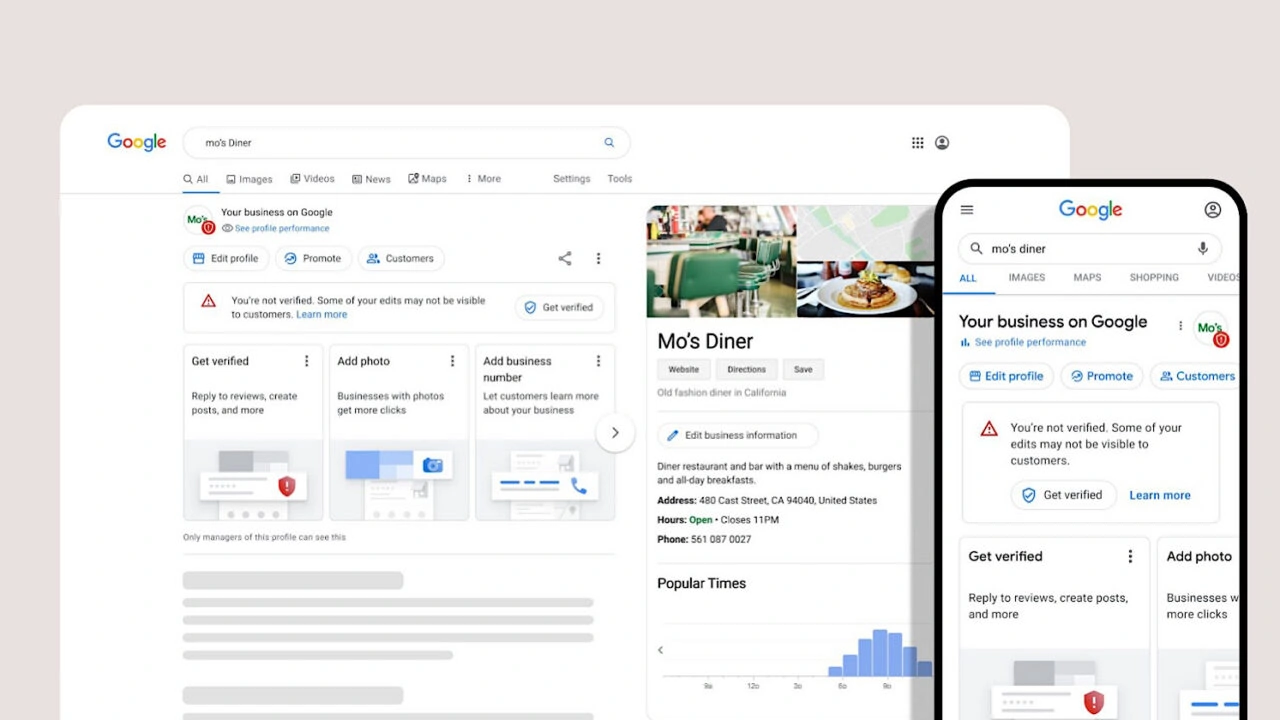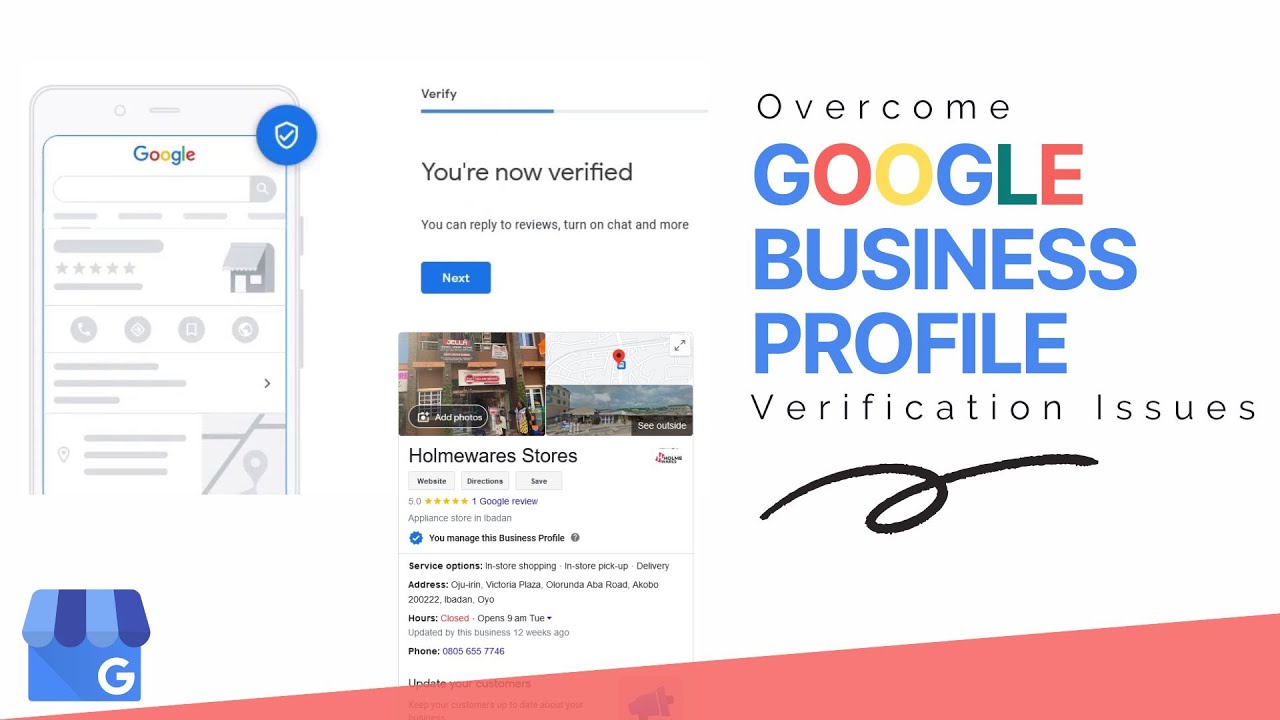
Google Business Profile video verification is an important step for businesses that need to prove their legitimacy before managing or displaying a business profile on Google Search and Google Maps. When Google requests video verification, the business owner or authorized representative needs to provide clear visual evidence that connects the business with the information shown on the profile.
This guide explains how to do Google Business Profile video verification, what businesses should prepare before recording, what evidence may be useful during the verification process, and how to avoid common problems that can delay approval. It also explains the difference between video verification and other Google Business Profile verification methods so businesses can understand what to expect during the process.
For businesses dealing with a new profile, an existing verification issue, or a Google verification request, the most important principle is accuracy. Your business information should represent the real business, and the evidence provided during verification should support the information already associated with your Google Business Profile.
What Is Google Business Profile Video Verification
Google Business Profile video verification is a verification method that allows Google to review visual evidence about a business before confirming its profile. Instead of relying only on information submitted online, Google can use video evidence to understand whether a business exists and whether the person requesting verification has a genuine connection with that business.
The process is designed to provide real world evidence about the business. Depending on the type of business, useful evidence may include the business location, entrance, signage, workspace, equipment, products, tools, vehicles, or other elements connected with normal business operations.
Video verification is not intended to be a promotional video. Its purpose is to demonstrate authenticity. Businesses should therefore focus on showing relevant evidence clearly instead of creating a polished marketing presentation.If your business is already experiencing a verification problem, it can also be useful to understand the broader Google Business Profile verification process before attempting another verification submission.
Why Google Uses Video Verification
Google Business Profiles are used by customers to find businesses, locations, services, contact information, reviews, and other local information. Because this information can influence customer decisions, Google needs ways to reduce inaccurate, misleading, or fraudulent business listings.
Video verification provides additional evidence when Google needs to establish that a business is genuine. A video can show details that are difficult to confirm from a website or other online information alone. It can demonstrate access to a location, business equipment, working areas, products, or other operational evidence.
For a legitimate business, the best approach is to provide honest and consistent information. The business name, location, services, and other profile information should accurately represent the real business. Any evidence shown during verification should support that information rather than contradict it.
Google Business Profile Video Verification Requirements
The exact verification requirements can vary because Google determines the verification process available for an individual business profile. However, businesses should be prepared to demonstrate genuine evidence of their business and its operations when video verification is requested.
A useful verification video should make it easier for Google to understand what the business is, where it operates, and whether the person completing verification has legitimate access to the business. The evidence should be relevant to the business rather than random footage that does not establish a connection with the profile.
Businesses should review their profile information before recording. Check the business name, location information, category, service details, website, phone number, and other important information. If the information shown in the video conflicts with the profile, the verification process can become more complicated.
Businesses that need assistance with general verification requirements can also review the Google Business Profile GMB service to understand the type of support available for verification related challenges.
Business Location Evidence
Location evidence can be particularly important for businesses that operate from a physical location. Depending on the business and Google's instructions, relevant evidence may include the entrance, exterior of the building, visible business signage, address related details, interior areas, or other identifiable elements connected with the location.
The objective is to demonstrate that the business exists in the real world and that the information associated with the profile is connected with the business being shown in the video.
Business Operations Evidence
Businesses can also prepare evidence that demonstrates their normal operations. A retail business may have products, inventory, shelving, equipment, checkout areas, or other customer related elements. A professional service business may have an office, workspace, tools, equipment, or materials used to provide its services.
The evidence should be relevant to what the business actually does. Showing genuine operational details is generally more useful than showing generic surroundings that do not establish the nature of the business.
Access To The Business
Where applicable, the verification process may require evidence that the person completing the verification has legitimate access to the business. This can involve showing areas that are normally accessible to the business owner or authorized representative.
Businesses should never create artificial evidence or stage information that does not represent the actual business. Verification should be based on genuine information and real business operations.
How To Do Google Business Profile Video Verification
When Google provides video verification as an available option, the process begins from the verification flow associated with the Google Business Profile. The instructions presented by Google should always take priority because the available process can vary between businesses and locations.
Before starting the recording, prepare the business environment and make sure the important evidence you may need is available. Check that the business information on the profile is accurate and that the areas you intend to show can be clearly recorded.
Start the verification process through the option provided by Google and follow the instructions displayed during the verification flow. If Google asks for specific evidence, focus the recording on those requirements rather than adding unnecessary footage.
After recording, follow the submission instructions shown in your Google Business Profile. Avoid submitting information that is inaccurate, misleading, or unrelated to the actual business.
How To Prepare Before Google Business Video Verification
Preparation can make the verification process much easier. Many businesses begin recording immediately without checking whether their profile information and physical business evidence are consistent. A few minutes of preparation can help avoid unnecessary problems.
Start by reviewing the information on your Google Business Profile. Confirm that the business name represents the real business and that the location and other details are accurate. If you recently changed important business information, make sure the profile reflects the current situation.
Next, identify the areas that demonstrate your business operations. Depending on your business type, this could include your storefront, office, workspace, equipment, inventory, products, tools, vehicles, or other genuine business assets.
Finally, check your smartphone camera and make sure the environment has enough lighting for important details to be visible. The goal is not cinematic quality. The goal is clear and useful evidence.
What Should You Show In A Google Business Verification Video
The most useful evidence depends on the business model and the verification instructions shown by Google. A physical storefront may have different evidence from a service area business, home based business, professional office, or mobile service provider.
For a storefront business, relevant evidence can include the exterior of the location, entrance, signage, interior business area, products, equipment, and other details that demonstrate the business operates there.
For a professional office, useful evidence can include the office environment, workspaces, business equipment, branding, operational materials, and other genuine elements associated with the business.
For a service area business, relevant evidence may focus more on the equipment, tools, vehicles, supplies, or operational materials used to deliver the listed services. The appropriate evidence should always reflect the actual business rather than an artificial setup.
Google Business Profile Video Verification For Storefront Businesses
Storefront businesses generally have a physical location that can provide useful verification evidence. When preparing a verification video, businesses should make sure the location is accessible and that important business details can be clearly shown.
The outside of the location can help establish the physical presence of the business. Depending on the circumstances, businesses may also show relevant signage, the entrance, customer areas, product displays, equipment, inventory, and other genuine elements of the operation.
The video should provide a logical representation of the business. Instead of moving quickly between unrelated areas, focus on evidence that helps establish the relationship between the business and the Google Business Profile.
Google Business Profile Video Verification For Service Area Businesses
Service area businesses can face different verification considerations because they may not operate from a traditional customer facing storefront. Examples can include contractors, repair businesses, cleaning companies, mobile professionals, and other businesses that travel to customers.
For these businesses, relevant evidence may include tools, equipment, vehicles, work materials, operational areas, or other genuine business assets. The objective is to demonstrate that the business provides the services represented on the Google Business Profile.
Businesses should avoid creating a fake storefront or presenting a residential location as a customer facing business when that does not accurately represent their operation. Accurate profile information is particularly important for service area businesses.Businesses with questions about physical location requirements can also review Google Business Profile verification without a physical store for additional guidance.
Google Business Profile Video Verification For Home Based Businesses
Home based businesses can have additional considerations because the business may operate from a residential environment. The evidence provided should accurately represent the business and should not mislead customers about the nature of the location.
Depending on the business, relevant evidence can include a genuine workspace, business equipment, products, tools, inventory, or other materials associated with normal business operations. The evidence should demonstrate that the business actually exists and operates as described.
Businesses should always follow the verification instructions provided by Google instead of relying on assumptions about what will be accepted. If Google requests a specific type of evidence, that requirement should receive priority.
Google Business Video Verification Example
A useful Google Business Profile video verification example starts with genuine evidence rather than a promotional presentation. Imagine a local repair business that has received a video verification request. The business owner could prepare the workspace, relevant tools, equipment, business materials, and other operational evidence before beginning the verification process.
A retail store could demonstrate its entrance, store environment, products, inventory, equipment, and other genuine business elements. A professional office could show the working environment, equipment, business materials, and areas used for normal operations.
The important principle is relevance. The video should demonstrate the real business and provide evidence that supports the information associated with the Google Business Profile.
Live Google Business Profile Video Verification
Live video verification is different from simply uploading a promotional video that was prepared in advance. When Google provides a live verification process, the recording is completed through the verification experience according to the instructions shown by Google.
This approach allows Google to request specific evidence during the verification process. Businesses should therefore be prepared before starting. Important business areas, equipment, tools, signage, and other relevant evidence should be accessible when the verification begins.
Because the process can vary between profiles, businesses should carefully follow the instructions presented in their own verification flow. Generic advice should never replace the actual instructions provided by Google for a specific profile.
Should You Talk During Google Business Verification Video
Businesses often focus on whether they need to speak during a verification video. The primary purpose of verification is to provide useful evidence about the business, not to create a sales presentation. If Google gives specific instructions about what should be recorded or explained, follow those instructions.
If speaking is appropriate, keep the explanation simple and relevant. There is no need to create a long introduction about the company or its history. Focus attention on the evidence that establishes the business and supports the profile information.
Clear visual evidence is generally more useful than unnecessary narration. Businesses should prioritize showing the real location, operations, equipment, workspace, products, or other relevant evidence.
Common Google Business Video Verification Mistakes
Verification problems often happen because businesses do not prepare their evidence properly. One common issue is recording a video that shows general surroundings but does not clearly demonstrate the business itself.
Another problem is inconsistency between the profile information and what appears in the video. If the business information has changed, the profile should accurately represent the current business before verification is attempted.
Poor lighting, unstable footage, missing business evidence, unclear locations, and irrelevant content can also reduce the usefulness of a verification submission. Businesses should focus on clarity and relevance rather than trying to make the video look like professional advertising content.
Showing The Wrong Location
Businesses should make sure that the location being shown is actually associated with the business. Showing another office, temporary location, unrelated property, or misleading surroundings can create verification problems.
Providing Inconsistent Business Information
The business name, location, services, and other profile information should accurately represent the business. If the information shown in the verification process conflicts with the profile, Google may need additional information before completing verification.
Recording Without Preparation
Starting a verification recording without preparing the business environment can result in missing evidence. Before beginning, identify the areas and items that genuinely demonstrate the business and make sure they can be shown clearly.
How To Improve Your Chances Of Successful Video Verification
There is no legitimate shortcut that guarantees approval. The strongest approach is to provide accurate business information and genuine evidence that clearly supports the profile. Businesses should treat verification as an authenticity process rather than an SEO trick.
Before recording, review every important profile detail and make sure the business actually operates as described. Prepare the relevant location, workspace, tools, products, equipment, signage, or other evidence that applies to your business.
During recording, keep the evidence clear and relevant. Avoid unnecessary footage that makes it difficult to understand what is being demonstrated. After recording, follow the submission process provided by Google and wait for the review process to complete.If the profile has a complicated verification history, professional assistance can also help identify potential issues before another verification attempt. Businesses can review the Google Business Profile service for support with broader profile and verification requirements.
What To Do If Google Business Video Verification Fails
A failed verification attempt does not automatically mean that a legitimate business cannot be verified. It means the submitted evidence did not satisfy the requirements applied to that verification attempt or that Google needs additional information.
Start by reviewing the instructions and any information provided after the failed attempt. Check your business details again and identify whether the video clearly demonstrated the relevant location, operations, access, equipment, or other evidence.
If another verification attempt is provided, prepare carefully before recording again. Correct the issues rather than simply submitting an identical video. A new submission should provide stronger and clearer evidence that accurately represents the business.If the business has broader verification problems, reviewing how to check Google Business verification status can help you understand where the profile currently stands.
Can You Verify Google Business Profile Without Video
Not every Google Business Profile uses the same verification method. Google determines which verification options are available based on factors associated with the business profile. Some businesses may see different verification options while others may be asked to complete video verification.
If another verification option is available, it should appear within the official verification process for that profile. Businesses should use the option provided by Google rather than trying to bypass a required verification method.
The availability of another method can change depending on the business and profile circumstances. This is why businesses should always check the current verification options displayed inside their own Google Business Profile.
How Long Does Google Business Profile Video Verification Take
The time required for Google Business Profile video verification can vary. Google may need to review the submitted evidence and compare it with the information associated with the business profile. The review experience can therefore differ between businesses.
Businesses should avoid assuming that every verification request will be completed within the same timeframe. The complexity of the profile, the type of business, the verification method, the quality of submitted evidence, and other factors can influence the review process.If you want to understand the broader timing and status issues associated with Google verification, you can also review how long Google Business Profile verification takes.
Google Business Verification Methods Compared
Google Business Profile verification can involve different methods depending on what Google makes available for a particular business. Video verification provides visual evidence, while other methods may rely on different types of confirmation.
The important point is that businesses should not assume they can select any verification method they prefer. Google determines the available options for each profile, and the business should follow the method presented during the verification process.
| Verification Method | Primary Purpose |
|---|---|
| Video Verification | Provides visual evidence connected with the business and its operations. |
| Phone Verification | Uses an approved business phone number when this method is available. |
| Email Verification | Uses an eligible business email address when Google provides this option. |
| Postcard Verification | Uses a verification code delivered to an eligible business location. |
Google Business Profile Verification For Multiple Locations
Businesses operating multiple locations may have additional verification considerations because each location needs to accurately represent a real business presence. Information should remain consistent while each eligible location should have genuine supporting evidence.Businesses with multiple locations can review the guide on how to verify multiple business locations on Google to understand the broader verification process.
It is important not to create duplicate or inaccurate listings simply to increase local visibility. Each profile should represent a legitimate business location that meets Google's requirements.
Google Business Profile Ownership And Verification
Verification and ownership are related but distinct aspects of managing a Google Business Profile. A business may need to establish that it is legitimate while also ensuring that the correct person or organization has appropriate control over the profile.
If ownership needs to be transferred between people or organizations, businesses should use the appropriate Google process rather than creating unnecessary duplicate profiles. Our guide on how to transfer ownership of Google Business Profile provides additional information about ownership changes.
How To Prepare For Google Business Profile Video Verification
A practical preparation process begins with your profile rather than your camera. Review the information currently displayed on the Google Business Profile and confirm that it accurately describes the real business. This includes the business name, location information, category, services, website, and other important details.
Next, prepare the evidence that genuinely demonstrates the business. A physical business can prepare its entrance, signage, interior area, products, equipment, and workspace. A service based business can prepare relevant tools, equipment, vehicles, work materials, and operational evidence.
Finally, check your recording environment. Make sure the camera is working, the lighting is sufficient, and important details are visible. A simple and clear recording is more useful than an elaborate video that does not demonstrate the required evidence.
Google Business Video Verification And Local Search Visibility
Verification is an important foundation for a Google Business Profile, but verification itself should not be treated as a complete local SEO strategy. After verification, businesses still need to maintain accurate profile information and provide useful information for customers.
A verified profile can give a legitimate business greater control over its business information on Google. Businesses can then focus on maintaining accurate details, adding relevant services, publishing useful updates, responding to reviews, and keeping their profile information current.
Local SEO success depends on the overall quality and relevance of the business profile. Verification establishes authenticity, while ongoing profile management helps businesses build a useful and trustworthy presence for customers.
How Webo Creators Can Help With Google Business Profile Verification
Businesses can sometimes encounter complicated verification situations involving video verification, ownership problems, profile issues, suspended listings, or difficulty understanding the verification process. In these situations, professional guidance can help identify the appropriate next steps.
Webo Creators provides support for businesses dealing with Google Business Profile verification challenges. The service can be relevant for businesses that need help understanding verification requirements, preparing for verification, addressing profile issues, or navigating complicated Google Business Profile situations.If your profile has been lost or access has become a problem, you can also review how to recover a lost Google Business Profile for guidance related to profile recovery.
For businesses specifically dealing with video verification, the objective should always be to establish an accurate and legitimate profile. Professional assistance should support the verification process rather than attempting to bypass Google's requirements.
Need Help With Google Business Profile Verification?
If your Google Business Profile requires video verification, live verification, ownership support, or assistance with another verification problem, our team can help you understand the process and prepare your profile correctly. Webo Creators supports businesses with Google Business Profile verification and related profile issues. Contact our team to discuss your verification requirements and the next appropriate step for your business.
Final Checklist For Google Business Profile Video Verification
Before starting your Google Business Profile video verification, take time to review the complete profile and prepare the evidence that genuinely represents your business. Verification should be approached as an authenticity process rather than a technical SEO task.
- Confirm that your business information is accurate.
- Review your business location details.
- Prepare relevant business evidence.
- Make sure important areas are accessible.
- Check your camera and lighting.
- Follow the instructions provided by Google.
- Show genuine business operations.
- Avoid misleading or artificial evidence.
- Review the submission carefully before completing the process.
Conclusion
Google Business Profile video verification is designed to help Google confirm that a business is genuine and that the information associated with its profile represents a real business. The most effective approach is to prepare accurate information, understand the verification instructions, and provide clear evidence that genuinely represents your business operations.
Whether you operate a storefront, professional office, service area business, home based business, or another legitimate business model, the verification process should be based on authentic information. Preparing the right evidence before recording can make the process easier and reduce avoidable mistakes.
Once your Google Business Profile has been successfully verified, maintaining accurate business information becomes equally important. Regular profile management, useful business information, accurate services, customer reviews, relevant updates, and consistent local SEO practices can help you build a stronger presence on Google Search and Google Maps.
Frequently Asked Questions
How do I do Google Business Profile video verification?
Open the verification process available for your Google Business Profile and follow the instructions provided by Google. Prepare genuine business evidence and submit the requested verification recording through the available process.
What should I show in a Google Business verification video?
Show genuine evidence that represents your business. Depending on the business type, this can include the location, entrance, workspace, equipment, products, tools, inventory, vehicles, or other relevant operational evidence.
Do all Google Business Profiles require video verification?
No. Google determines which verification method is available for each business profile. Some businesses may receive video verification while others may be offered another verification method.
Why does Google require video verification?
Google may use video verification to confirm that a business is legitimate and that the information associated with its profile represents a real business. It provides visual evidence that may not be available through online information alone.
How can I prepare for Google Business video verification?
Review your profile information, prepare genuine business evidence, organize the areas you may need to show, check your camera and follow the instructions provided by Google during the verification process.
What happens if Google Business Profile video verification fails?
Review the available instructions and identify what evidence may have been missing or unclear. If Google provides another verification opportunity, correct the relevant issues before submitting another recording.
Can I verify my Google Business Profile without video?
Google determines which verification methods are available for each profile. If another method is offered, it will normally appear within the verification process associated with the business profile.
.png)
.png)
.png)
.png)
.png)
.png)
.png)
.png)