Learning how to verify your business on Google is an important step when you want to manage your business information in Google Search and Google Maps. Google Business Profile verification confirms that an eligible business is legitimate and that the person managing the profile is authorized to represent it.
Whether you are trying to verify Google My Business account, complete Google Business verification, or check your Google Business Profile status verification, the process starts with accurate business information and the verification option Google makes available for your profile.
This guide explains how Google My Business verify my business requests work today, what you may need before starting, which verification methods can appear, what to do when verification is delayed, and how to check your profile after you become Google Business verified.
What Is Google Business Profile Verification?
Google Business Profile verification is Google's process for confirming that a business is eligible to manage its profile and that the business information represents a real-world business. The verification step helps protect Google Search and Maps from misleading, duplicate, or unauthorized business listings.
Google Business Profile was previously known as Google My Business, which is why you may still see searches such as verify Google My Business account, my business verification, or Google My Business verify my business.
The terminology has changed, but the purpose remains similar: Google wants to establish that the business exists and that the person managing the profile has an appropriate connection to it.
Once verification is completed, you can manage eligible profile information and interact with the profile through Google's business management tools.
Why Do You Need to Verify Your Business on Google?
Verification is more than just a technical step. It is part of maintaining an accurate business presence on Google's platforms.
A verified profile can help an eligible business:
- Manage its Google Business Profile information.
- Maintain accurate business details in Google Search and Maps.
- Respond to customer reviews.
- Add or update business information when permitted.
- Publish eligible updates and photos.
- Manage customer-facing information from the business profile.
- Establish that the profile is controlled by an authorized business representative.
Verification itself does not guarantee a particular ranking position in local search. However, having an accurate and properly managed profile provides an important foundation for maintaining your business presence on Google.
Before You Start: Check Your Google Business Profile
Before attempting Google Business verify my business, make sure you have selected the correct business profile. If an existing profile already represents your business, claiming or managing that profile may be more appropriate than creating another listing.
Check the following information:
- Business name
- Primary business category
- Business address or service area
- Phone number
- Website
- Business hours
- Business ownership or management access
Incorrect or duplicate information can create unnecessary problems during the verification process. If you still need to create your profile, review our GMB profile creation guide first.
How to Verify Your Business on Google
The exact verification process can vary because Google determines which verification options are available for a particular business profile. You should use the verification method presented inside your Google Business Profile rather than assuming that every business will receive the same option.
Here is the general process for completing Google Business verification.
1. Find or Create Your Google Business Profile
Start by locating your business on Google. If the profile already exists, make sure it represents your business and that you have the appropriate access to claim or manage it.
If your business does not have a profile yet, create one using accurate business information. Avoid creating multiple profiles for the same eligible business location simply because verification has not been completed.
2. Enter Accurate Business Information
Review your business name, category, phone number, website, operating hours, and location information before requesting verification.
Your information should accurately represent the business customers will encounter in the real world. Do not add unnecessary keywords to the business name or use information that does not represent the actual business.
3. Review Your Address or Service Area
Your business type affects how location information should be handled.
A storefront or office that receives customers at its location may need a physical business address. A service-area business may operate differently and may not display its address publicly in the same way.
If you operate a service-area business, review our service area GMB profile verification guide.
4. Select the Verification Option Google Provides
When you select verification, Google may present one or more verification options depending on your business, account, region, profile history, and other factors.
Available methods can include options such as video verification, phone or SMS, email, live video assistance, or mail where eligible. Not every business receives every option.
5. Complete the Verification Instructions
Follow the instructions shown for your specific verification method. Use current, accurate information and make sure that anything you submit relates directly to the business you are verifying.
For video verification, for example, Google may require evidence that connects the business to its location, equipment, signage, or normal operations.
6. Wait for Google's Review
After submitting the required information, the verification request may need to be reviewed. The time required can vary depending on the verification method and the circumstances of the profile.
If you are waiting for a result, read our guide on how long Google Business Profile verification takes .
Google Business Verification Methods
One of the most common questions about how to verify Google Business is which verification method will be available.
Google can provide different options based on the individual profile. Common verification methods may include the following.
Video Verification
Video verification allows an eligible business to provide a video demonstrating its connection to the business and its location or operations.
The requested evidence can vary, but a business may need to show elements such as permanent signage, equipment, tools, business premises, or other evidence connected with its operations.
For a detailed walkthrough, see how to do Google Business Profile video verification .
Phone or SMS Verification
Some businesses may receive an option to verify through a phone call or SMS. If this option appears in your profile, follow Google's instructions and enter the verification code as directed.
Do not assume that phone verification will be available simply because another business received it. Verification options are determined by Google.
Email Verification
In some cases, Google may provide email verification. If available, the verification instructions will identify the email address or account process you need to use.
Follow the instructions carefully and make sure you can access the relevant email account.
Mail Verification
Eligible businesses may receive a verification code by mail. If Google offers this method, follow the instructions provided and use the code according to Google's directions.
Do not request multiple codes unnecessarily because doing so can complicate the process or invalidate an earlier code.
Live Video Verification
Some businesses may receive a live video verification option. This can involve communicating with a Google representative while demonstrating the business and its connection to the location or operations.
If you are specifically considering Google Meet, read our article on whether you can use Google Meet for Google Business verification .
What Information Do You Need to Verify a Business on Google?
The information needed depends on the verification method Google provides. The best approach is to prepare your business information before starting.
Useful information may include:
- Accurate business name
- Business category
- Current address, when applicable
- Service-area information, when applicable
- Business phone number
- Business website
- Business hours
- Business signage
- Equipment or tools used in normal operations
- Evidence connecting the business to the location or operations
The goal is not to submit as much information as possible. The goal is to provide the information Google specifically requests and ensure that it accurately represents your business.
How to Verify a Service-Area Business on Google
A service-area business serves customers at their locations instead of receiving customers at a publicly accessible storefront. Examples can include plumbers, electricians, cleaners, mobile repair businesses, and certain professional services.
These businesses need to configure their Google Business Profile according to their actual business model.
If your business does not have a customer-facing physical location, do not invent an address simply to obtain verification. Instead, review Google's eligibility requirements and configure the profile based on how the business actually operates.
You can also read our guide on whether you can verify a Google Business Profile without a physical store .
Can You Verify Google Business Profile Without a Physical Store?
A physical storefront is not necessarily required for every eligible business. Service-area businesses can have a Google Business Profile while serving customers at their locations.
However, the absence of a storefront does not mean that any virtual address can be used. Businesses should accurately represent their real operations and follow Google's eligibility requirements.
If you are considering a virtual office address, review whether you can use a virtual office for Google Business Profile before making changes to your listing.
How to Check Your Google Business Verification Status
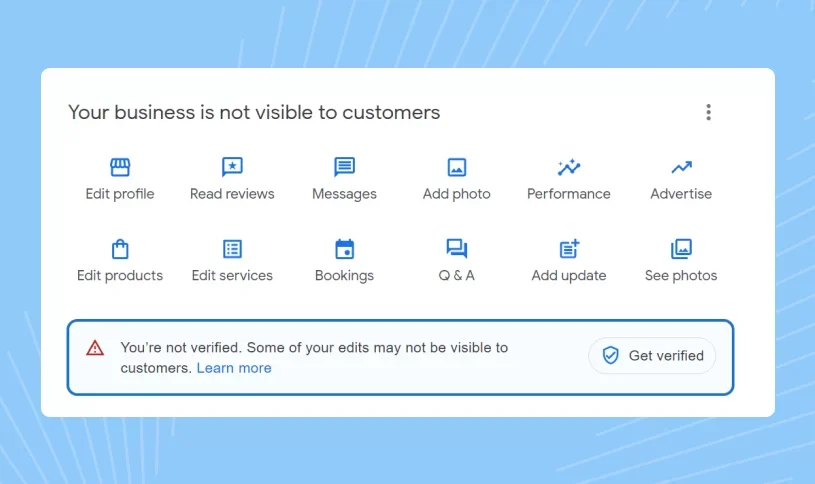
After submitting a verification request, you may want to know whether your profile is still pending, verified, or requires another action.
To check your status:
- Sign in to the Google account associated with your business profile.
- Open your Google Business Profile management area.
- Locate the business profile you are trying to verify.
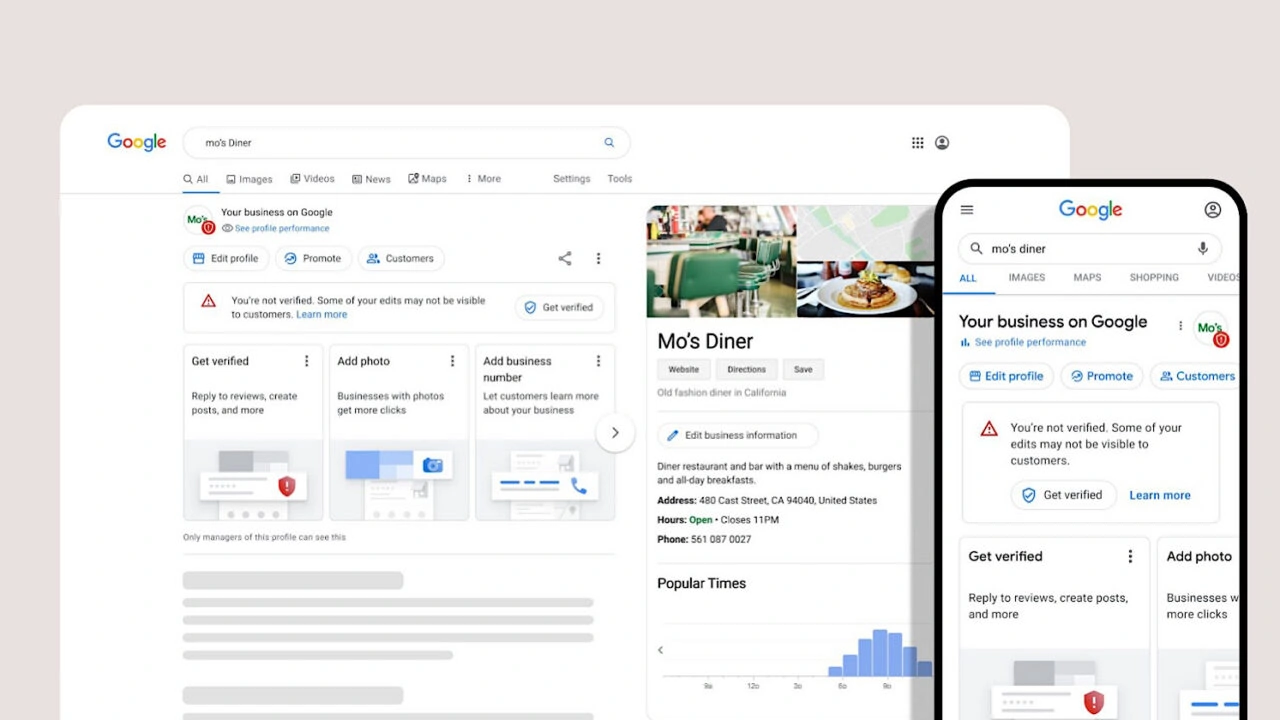
- Review the verification message or status displayed by Google.
- Follow any additional instructions shown on the profile.
If you are unsure what a particular status means, see our detailed guide on how to check Google Business verification status .
How to Know If Your Google Business Profile Is Verified
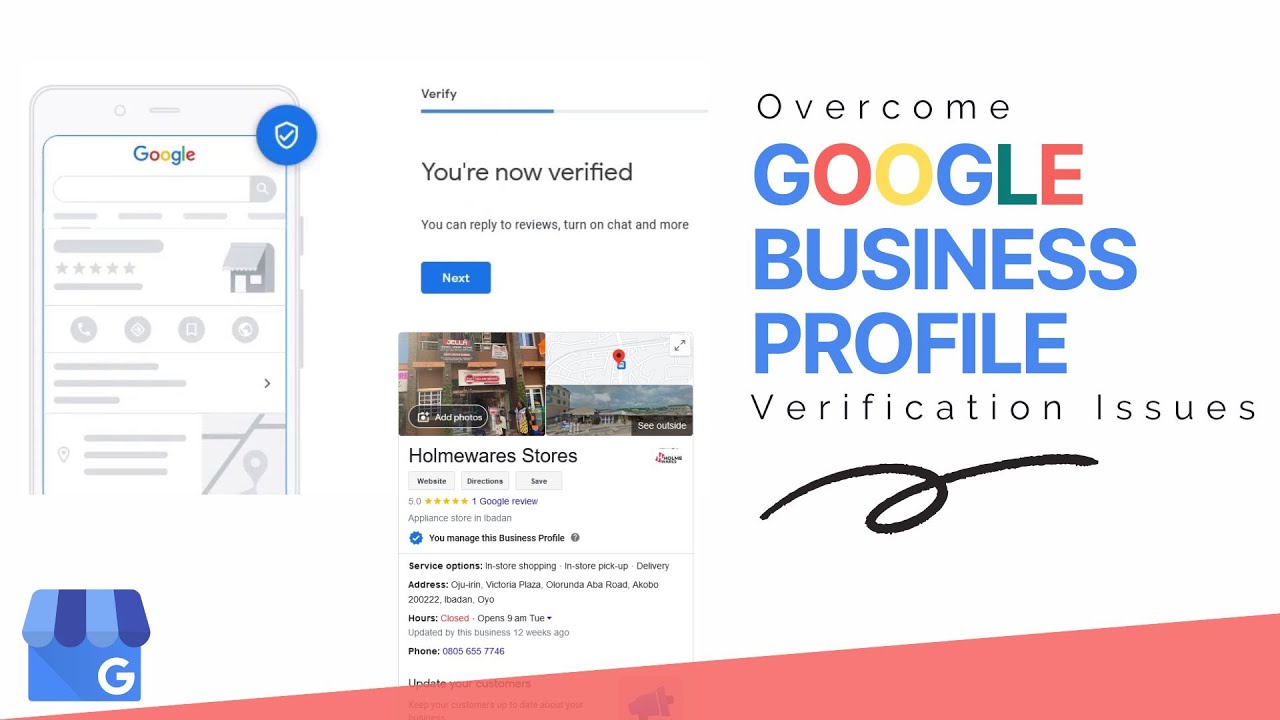
A successfully verified profile should provide access to the appropriate business management features associated with the account. You may also see changes in how Google allows you to manage the listing.
However, being able to find a business name in Google Search does not by itself prove that the profile is verified or that you have management access.
If you want to confirm whether your profile is live, visit our guide on how to check if your Google Business Profile is live .
How Long Does Google Business Verification Take?
There is no single verification time that applies to every business. The timeframe can depend on the verification method, the information submitted, and Google's review process.
Some verification methods can be completed quickly, while other requests may require additional review.
If your verification is taking longer than expected, avoid repeatedly changing your business information while a review is in progress unless a correction is genuinely necessary.
For more information, read how long Google Business Profile verification takes .
Why Is My Google Business Verification Not Working?
When a Google Business verified status does not appear, there can be several reasons. The issue is not always caused by one specific mistake.
Common problems include:
- Incorrect or inconsistent business information.
- Duplicate business profiles.
- Problems with account ownership or permissions.
- Incomplete verification evidence.
- Location information that does not accurately represent the business.
- Failure to follow the instructions for the selected verification method.
- Profile eligibility or policy issues.
Start by reviewing the information shown inside your Google Business Profile rather than repeatedly submitting new requests.
What Should You Do If Google Business Verification Fails?
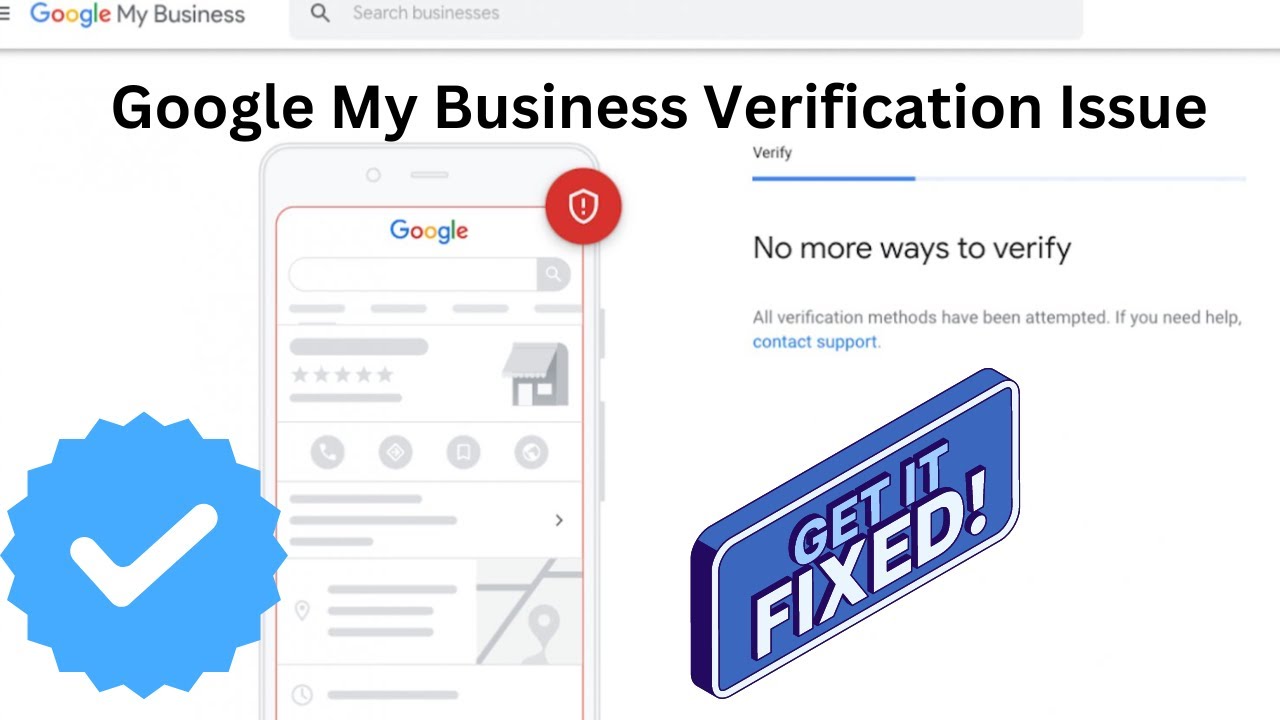
If verification fails, first identify the specific message or instruction Google provides. Correcting the underlying problem is generally more useful than repeatedly attempting the same verification process.
Review:
- Your business name
- Business category
- Address or service-area configuration
- Phone number
- Website
- Account permissions
- Verification evidence
- Duplicate profiles
If the profile has been suspended rather than simply left unverified, the situation is different. You can review our suspended Google Business Profile service page for assistance with suspension-related issues.
Common Google Business Verification Mistakes
Businesses often make avoidable mistakes when trying to complete my business verification. Understanding them can make the process easier to manage.
Using an Incorrect Business Name
Your profile name should accurately represent the real business. Adding unnecessary keywords to the name can create inconsistencies and may cause problems.
Creating Duplicate Profiles
If a profile already exists for your business, creating another one may make management and verification more complicated. Check Google Search and Maps before creating a new listing.
Using an Unrelated Address
Do not use an address simply because it is convenient. Your location information should accurately reflect the way your business operates.
Changing Information During Verification
Frequent changes to important business information while a verification request is being reviewed can create confusion. Make sure the information is accurate before submitting the request.
Using the Wrong Verification Evidence
If Google requests a video or other evidence, follow the instructions specifically provided for your profile. Generic or unrelated material may not establish the connection Google needs.
Google Business Verification for Businesses With Multiple Locations
Businesses with multiple locations have additional profile-management considerations. Each location should represent a genuine business location and contain accurate information.
Examples include:
- Restaurant groups
- Retail chains
- Franchise businesses
- Healthcare organizations
- Professional office networks
- Businesses operating in multiple cities
Managing multiple locations requires consistent information while keeping each location's local details accurate.
Businesses with multiple locations should also pay attention to ownership, user permissions, duplicate listings, and location-specific information.
Google Business Profile Verification vs. Google Business Profile Optimization
Verification and optimization are related but different processes.
| Verification | Optimization |
|---|---|
| Confirms the business can manage an eligible profile. | Improves the completeness and usefulness of profile information. |
| Uses a verification method provided by Google. | Involves categories, services, photos, descriptions, hours, and other profile elements. |
| Focuses on establishing business representation and management access. | Focuses on maintaining a useful and accurate business presence. |
Once your profile has been verified, you can work on GMB profile optimization to improve the completeness and usefulness of your listing.
How to Prepare for Google Video Verification
If Google provides video verification, preparation can make the process easier. The exact instructions displayed by Google should always take priority.
Before recording, consider preparing:
- Your business location, where applicable.
- Permanent business signage, where applicable.
- Equipment or tools used for your services.
- Work areas that demonstrate normal business operations.
- Documents or evidence specifically requested by Google.
The purpose is to demonstrate a genuine connection between the business and the information on the profile.
Do not stage a misleading business environment or present a location that does not represent your actual operations.
Can Google Business Profile Verification Be Completed Online?
Many verification processes can be started and completed through Google's online business-management experience. However, the specific method depends on what Google offers for your profile.
Some businesses may receive video-based verification, while others may receive different options. Therefore, the correct approach is to follow the verification option currently displayed for your profile.
What Happens After Your Business Is Verified?
After successful verification, you can manage your eligible Google Business Profile through the available business-management tools.
Depending on your profile and permissions, this can include:
- Updating business information.
- Managing business hours.
- Adding photos.
- Responding to reviews.
- Publishing eligible posts or updates.
- Managing services and other profile information.
- Reviewing profile performance information.
Verification is not the end of profile management. Business information should continue to be reviewed and updated when circumstances change.
How to Keep Your Google Business Profile Accurate
Once you complete Google My Business verify my business steps and obtain verified status, maintain accurate information over time.
Good maintenance practices include:
- Keep your business name accurate.
- Update hours when they change.
- Maintain the correct phone number.
- Keep your website information current.
- Update services and business information when necessary.
- Monitor your profile for unauthorized changes.
- Resolve duplicate listings instead of maintaining multiple profiles for one business.
Accurate information improves the customer experience and makes your Google presence easier to manage.
Can an Agency Help With Google Business Verification?
A business can work with an agency or authorized professional for assistance with profile management and verification preparation. However, businesses should maintain appropriate ownership and access controls.
An agency may help with:
- Reviewing profile information.
- Identifying possible profile issues.
- Preparing business information.
- Managing profile optimization.
- Helping organize multiple locations.
- Guiding businesses through available verification steps.
Professional assistance should not involve fabricating business information, creating fake locations, or attempting to bypass Google's verification requirements.
If you need help with the verification process, you can learn more about our GMB verification service.
Google Business Verification Checklist
Use this checklist before submitting your verification request:
- Confirm that the business is eligible for a Google Business Profile.
- Check that the business name accurately represents the business.
- Confirm the correct primary category.
- Review your address or service-area configuration.
- Check your phone number and website.
- Remove or resolve duplicate profiles.
- Confirm that the correct Google account has access.
- Prepare any information or evidence requested by Google.
- Select the verification option provided by Google.
- Complete the instructions carefully.
- Monitor your verification status after submission.
Frequently Asked Questions About Google Business Verification
1. How do I verify my business on Google?
To verify your business on Google, open or claim your Google Business Profile, review your business information, and select the verification method Google makes available. Complete the instructions for that method and wait for Google's verification process to finish.
2. How do I verify my Google My Business account?
Google My Business is the former name for Google Business Profile. If you search for verify Google My Business account, the current process is handled through Google Business Profile. Sign in to the appropriate Google account and follow the verification option provided for your profile.
3. What does Google Business verification mean?
Google Business verification is Google's process for confirming that an eligible business can manage its profile and that the information represents a legitimate business presence.
4. How do I check my Google Business Profile verification status?
Sign in to the Google account managing your profile and review the verification information displayed for the business. For a detailed walkthrough, see how to check Google Business verification status .
5. How long does Google Business verification take?
The timeframe varies by verification method and Google's review process. Some methods may be completed quickly, while others can require additional review. See how long Google Business Profile verification takes for more information.
6. Can I verify my business without a physical storefront?
Some eligible service-area businesses can have a Google Business Profile without displaying a customer-facing physical address. The business still needs to meet Google's eligibility requirements and accurately represent how it operates.
7. Can I use Google Meet for Google Business verification?
The availability of live video verification depends on what Google provides for your specific profile. You should follow the verification method shown by Google. For more information, read can you use Google Meet for Google Business verification .
8. Can I use a virtual office for Google Business Profile verification?
A virtual office should not automatically be treated as a qualifying business location. Whether a particular location is appropriate depends on the actual business model and Google's requirements. See can you use a virtual office for Google Business Profile .
9. What should I do if Google Business verification fails?
Review the verification message, check your business information, confirm ownership access, and follow any additional instructions Google provides. Avoid creating duplicate profiles simply because verification did not work on the first attempt.
10. Can I verify my business on Google by video?
Video verification may be available to eligible businesses. When Google provides this option, follow the specific instructions shown in your profile. You can also read our guide to Google Business Profile video verification .
11. How can I tell if my Google Business Profile is live?
Search for your business on Google and review the profile-management information available to the account that manages the listing. You can also follow our guide on how to check if your Google Business Profile is live .
12. What should I do if my Google Business Profile is suspended?
A suspension is different from a normal verification delay. Review the reason provided by Google and address the underlying profile or eligibility issue. If you need professional assistance, see our suspended Google Business Profile service .
Need Help With Google Business Verification?
Google Business Profile verification can become complicated when a business has multiple locations, a service-area model, duplicate listings, account-access problems, or difficulties with the available verification method.
If you need assistance reviewing your profile setup, verification requirements, or related Google Business Profile issues, professional support can help you understand the next appropriate step while keeping your business information accurate.
Conclusion
Knowing how to verify your business on Google starts with creating or claiming the correct Google Business Profile and making sure your business information accurately represents your real operations. Google determines which verification options are available, so the process can differ from one business to another.
Whether you are searching for Google Business verification, my business verification, Google Business verify my business, or the older term Google My Business verify my business, the key is the same: use accurate information, follow the verification instructions provided for your profile, and keep your business details consistent after verification.
Once your profile is verified, continue maintaining accurate information and improving the profile based on your business needs. Verification establishes your ability to manage the profile; ongoing management keeps the information useful for customers searching on Google.
.png)
.png)
.png)
.png)
.png)
.png)
.png)
.png)