Google Business Profile posts remain an important way for businesses to communicate updates, offers, events, products, and useful information directly through their Google Business Profile. In 2026, businesses need more than occasional posting to maintain an accurate, useful, and engaging presence across Google Search and Google Maps. This complete guide explains Google Business Profile posts best practices for 2026, including what to post, how often to publish, how to write better post content, how to use images and calls to action, and how to avoid common mistakes that can reduce the usefulness of your posts.
Whether you manage one local business, multiple locations, or Google Business Profiles for clients, a consistent posting strategy can help keep your profile information fresh and make important business updates easier for potential customers to discover. The goal is not to publish content simply for the sake of posting. The goal is to publish relevant information that matches customer intent and supports the overall quality of your Google Business Profile.
Google Business Profile Posts In 2026: What Businesses Need To Know
Google Business Profile posts allow eligible businesses to publish updates that can appear with their business information on Google. Depending on the available features and business category, posts can be used to communicate announcements, offers, events, product information, and other useful updates.
In 2026, businesses should treat Google Business Profile posts as part of a broader local search strategy rather than as an isolated SEO technique. A strong profile should combine accurate business information, relevant services, helpful updates, customer reviews, photographs, and consistent profile management.
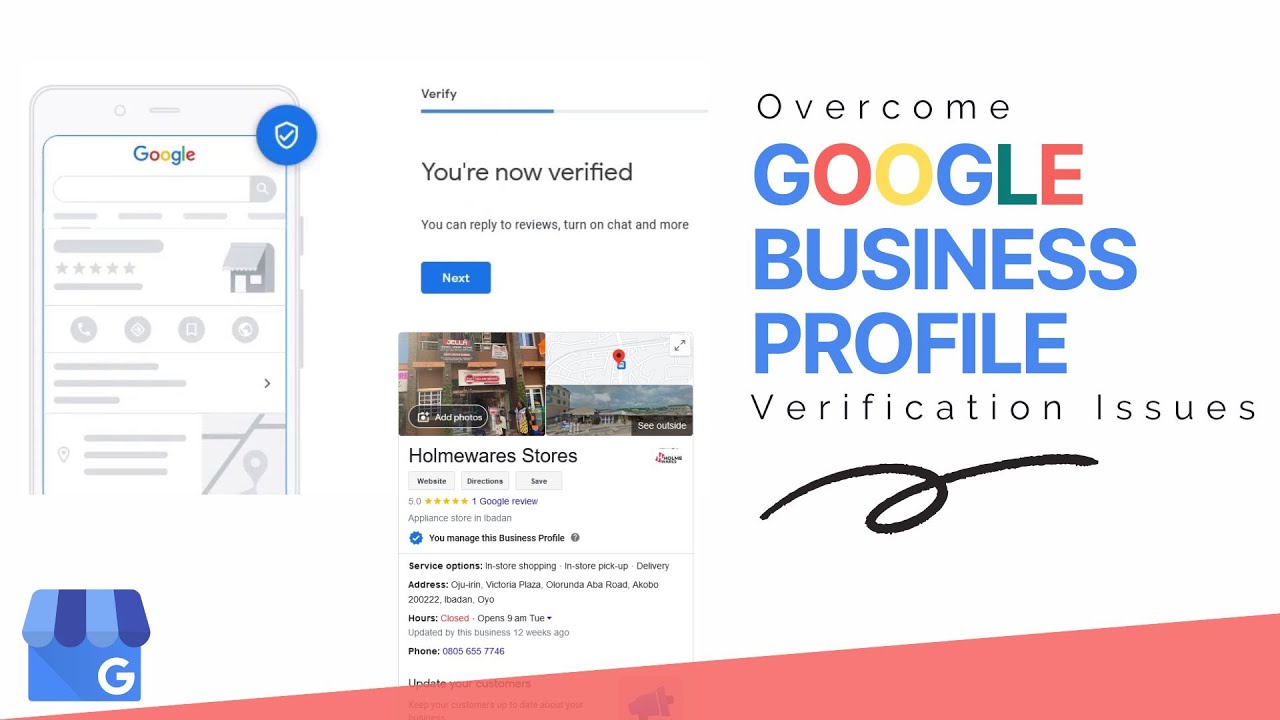
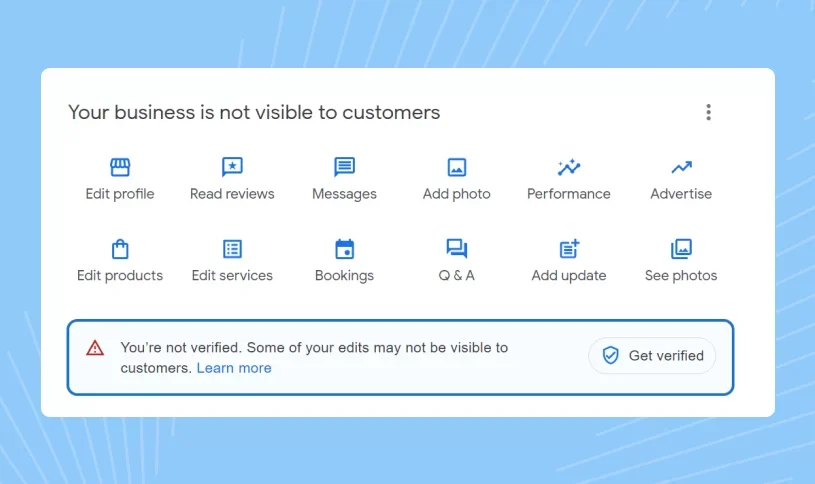
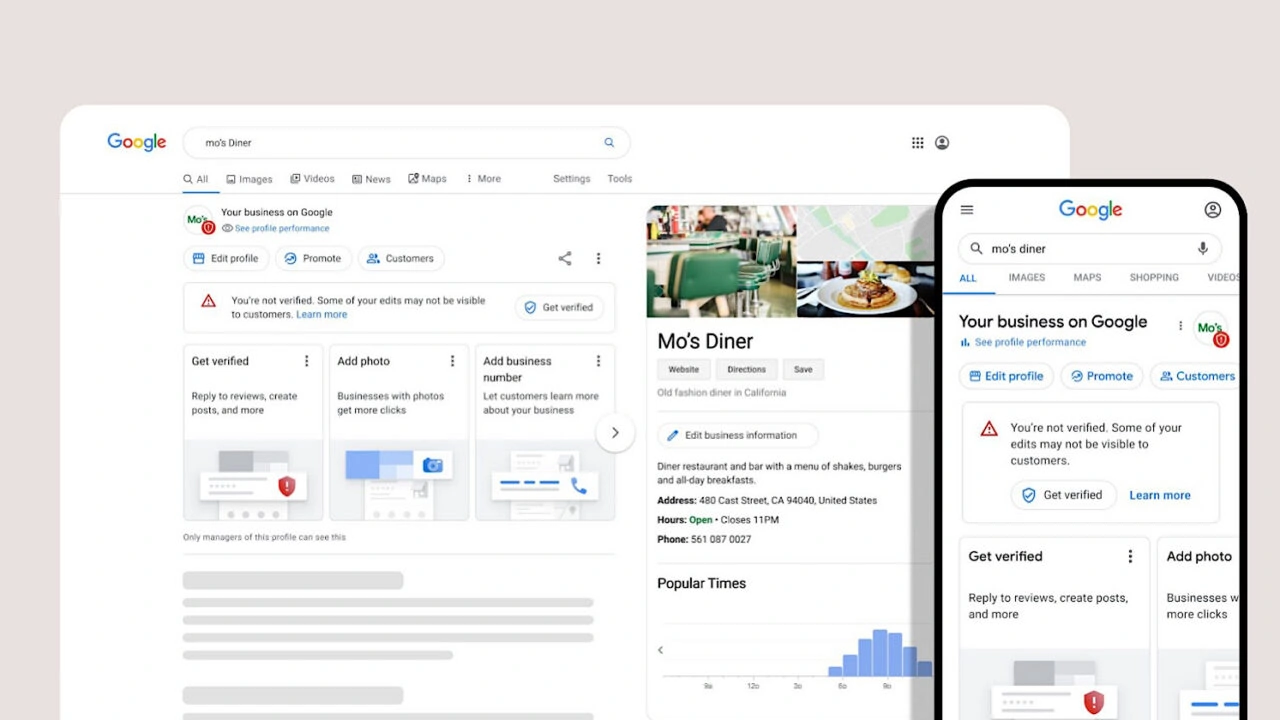
Before publishing regularly, make sure your profile is properly established and verified. If you are still working through verification, you can learn more through our Google Business Profile verification service and related verification resources.
🚀 Need Help With Google Business Profile Management?
If your Google Business Profile needs verification, optimization, content management, or assistance with a suspended profile, our team can help. We provide Google Business Profile support for businesses that want to maintain accurate listings, publish better updates, and build a stronger local search presence.
What Are Google Business Profile Posts?
Google Business Profile posts are updates published through a business profile to share useful information with people who discover the business on Google. They can help communicate what is happening at the business without requiring a customer to immediately visit the company's website.
Depending on the available post options, businesses can publish different types of information, such as:
- Business Updates: Share announcements, news, changes, and important information.
- Offers: Promote eligible discounts, promotions, or special deals.
- Events: Highlight upcoming business events, classes, appointments, or activities.
- Products: Provide information about products and services where applicable.
- Calls To Action: Encourage users to learn more, contact the business, book, order, or visit a relevant page.
The most effective approach is to select the post type that accurately represents the information being shared instead of forcing every update into the same format.
Why Google Business Profile Posts Matter In 2026
Customers increasingly use Google to discover businesses, compare options, check opening information, read reviews, view photos, and decide what to do next. A regularly maintained profile gives businesses an opportunity to provide current information alongside their core business details.
Google Business Profile posts are particularly useful when a business has something genuinely new or helpful to communicate. A seasonal promotion, new service, holiday opening update, event, product announcement, or important customer notice can all be more useful than publishing generic promotional content.
Posts should therefore support the customer journey. Instead of asking only, "What keyword should I use?", businesses should also ask: What information does a customer need before contacting or visiting us?
How To Create A Google Business Profile Post In 2026
Creating a useful Google Business Profile post starts with choosing one clear purpose. The post should communicate one primary message rather than attempting to promote every service offered by the business at the same time.
- Choose The Main Topic: Decide whether the update is about a business announcement, offer, event, product, or another relevant update.
- Write A Clear Opening: Explain the main point immediately so customers understand the update without reading unnecessary text.
- Add Relevant Details: Include dates, times, availability, service information, or other details when they are genuinely useful.
- Use A Relevant Image: Add a clear and authentic visual that supports the subject of the post.
- Add An Appropriate CTA: Direct customers to the most relevant next step.
- Review Before Publishing: Check spelling, dates, links, claims, contact information, and promotional details before publishing.
This process creates posts that are easier for users to understand and more closely connected to the actual business.
Best Google Business Profile Posts Practices For 2026
The best Google Business Profile posts are useful, specific, accurate, and written for real customers. Businesses should avoid treating every post as an advertisement. A profile can be more valuable when its updates provide a mixture of information, education, announcements, products, services, and genuine offers.
- Keep every post directly related to the business.
- Write for customers first instead of filling the content with keywords.
- Use clear and natural language.
- Make important information easy to find.
- Use relevant images instead of unrelated stock graphics.
- Use accurate dates and promotional details.
- Link users to the most relevant page when a link is appropriate.
- Review older promotional content and remove or update outdated information.
- Maintain a consistent publishing routine without sacrificing quality.
- Measure customer actions and engagement rather than relying only on impressions.
How Often Should You Post On Google Business Profile?
There is no universal posting frequency that guarantees better local rankings. Businesses should focus on maintaining useful, current information instead of publishing low-value updates simply to increase the number of posts.
A practical strategy is to create a sustainable publishing schedule based on the amount of news, offers, events, products, and customer information the business genuinely has to share.
For example, a business may plan weekly updates while another business may have fewer but more meaningful announcements. The important factor is that every post should have a legitimate purpose and should not become repetitive.
What Should You Post On Google Business Profile?
The subject of a post should depend on what customers currently need to know. Businesses can create a content calendar around recurring customer questions, seasonal demand, new services, product launches, events, and important business announcements.
Useful Google Business Profile post ideas include:
- New service announcements.
- Seasonal business updates.
- Special offers and promotions.
- Upcoming events.
- New products.
- Business milestones.
- Customer education.
- Important opening-hour updates.
- Location announcements.
- Helpful answers to frequently asked customer questions.
The strongest topics are normally those that connect directly with customer intent and the services or products represented on the business profile.
How To Write SEO-Friendly Google Business Profile Posts
SEO-friendly GBP content should sound natural. Search engines can understand the context of business content without businesses repeating the same keyword in every sentence.
Instead of repeatedly inserting an exact phrase such as GMB reporting or another target keyword, use relevant terminology naturally when it genuinely describes the topic. Related words can include Google Business Profile, local search, Google Maps, business listing, local customers, business updates, profile management, local visibility, and customer actions.
Keyword usage should never make a post difficult to read. A customer should be able to understand the message naturally without feeling that the content was written exclusively for search engines.
Google Business Profile Posts And Local SEO
Google Business Profile optimization is broader than publishing posts. Local SEO also involves accurate business information, relevant categories, services, customer reviews, photos, website signals, citations, and other factors that help Google understand the business.
Posts can support this wider strategy by keeping customers informed and reinforcing the topics that are genuinely relevant to the business. They should not be treated as a shortcut for fixing an incomplete or inaccurate profile.
If your profile needs broader optimization, you can review our Google Business Profile optimization service for a more complete profile management approach.
How To Use Keywords In Google Business Profile Posts
Keywords should describe the actual subject of the post. If a dental clinic is announcing a new dental service, for example, the service name can naturally appear in the headline and supporting text. A restaurant can mention the relevant menu item, meal, event, or promotion being discussed.
Avoid keyword stuffing, hidden keywords, unnatural city repetition, or adding unrelated search phrases. These techniques can reduce readability and make the content less useful to customers.
A strong post normally has one primary topic supported by a small number of relevant concepts rather than a long list of disconnected keywords.
Google Business Profile Posts With Images
Visual content can make a business update easier to notice and understand. Whenever an image is used, it should accurately represent the business, product, service, location, event, or announcement described in the post.
Good visual content can include:
- Actual products.
- Real business locations.
- Service-related photographs.
- Team or business activity photographs.
- Event images.
- Relevant promotional graphics.
Avoid misleading images that have no connection with the content. Authentic visuals help create a consistent experience between the Google Business Profile and the business's website or physical location.
How To Write Better Google Business Profile Post Titles
A useful post title should communicate the subject quickly. Keep the wording concise, specific, and customer-focused.
Examples of useful structures include:
- New Service Now Available
- Limited-Time Spring Offer
- Join Our Upcoming Customer Event
- New Product Now In Store
- Updated Holiday Opening Hours
These structures are more useful than generic phrases that provide no information about the actual update.
How To Use Calls To Action In GBP Posts
A call to action should tell the customer what to do next. The correct CTA depends on the purpose of the post.
- Learn More: Use when additional information is available on your website.
- Book: Use when customers can schedule a service or appointment.
- Order: Use when the post relates to an available ordering process.
- Contact: Use when speaking directly with the business is the next step.
- Shop: Use when customers can browse or purchase relevant products.
Always send users to the page that directly answers the promise made in the post. Sending every post to the homepage can create a weaker user experience than linking directly to the relevant service, product, booking, or information page.
How To Use Links In Google Business Profile Posts
Links should have a clear purpose. If a post discusses a particular service, the link should ideally lead to the corresponding service page. If the post announces an event, the link should lead to the event information or registration page where appropriate.
Avoid using links simply to generate clicks. The destination should provide useful information related to the post and should work correctly on mobile devices.
Google Business Profile Posts For Multiple Locations
Businesses with multiple branches need a different approach because each location may have different offers, events, services, opening hours, and customer needs. Publishing exactly the same update across every location can make the profiles appear less relevant to their individual audiences.
If your business manages multiple locations, create a central content strategy but customize important details for each location. This can include the local address, branch-specific services, local events, unique offers, and location-specific customer information.
Businesses can also learn more about managing and verifying multiple locations through our Google Business Profile verification resources.
Google Business Profile Posts For Service Area Businesses
Service area businesses should make sure their posts accurately represent the areas and services they actually serve. A service-area business should not create misleading location information simply to target additional cities.
If your business operates without a customer-facing storefront, it is important to understand the difference between a service-area business and a business that is eligible to display a physical address.
For additional information, review: service area Google Business Profile verification.
How Long Does Google Reviews Take To Post?
The keyword how long does Google reviews take to post relates to customer review publishing rather than Google Business Profile posts themselves. Businesses should understand this difference when planning their local content and reputation strategy.
A customer review may not always appear immediately after submission. Google can review user-generated content and may delay, restrict, or remove content when it detects issues with its policies or systems. Businesses should therefore avoid promising customers that a review will appear instantly.
Reviews and business posts serve different purposes. Posts are controlled by the business for publishing eligible business updates, while reviews are submitted by customers. Both can contribute to the information customers see when researching a business, but they should be managed as separate parts of a Google Business Profile strategy.
Google Business Profile Posts And Customer Reviews
Posts and reviews can work together as part of a complete local presence. Posts communicate what the business wants customers to know, while reviews provide customer-generated experiences and feedback.
Businesses should never use posts to manipulate customers into leaving misleading reviews or offer prohibited incentives for reviews. Instead, focus on providing a good customer experience and making it easy for genuine customers to provide honest feedback.
Common Google Business Profile Posting Mistakes
Poor posting practices can make a profile look repetitive, outdated, or less useful. Businesses should review their content before publishing and remove unnecessary promotional language.
- Publishing the same post repeatedly without meaningful changes.
- Using unrelated keywords.
- Adding misleading location information.
- Using outdated offers or expired event information.
- Writing excessively promotional content with little useful information.
- Using poor-quality or irrelevant images.
- Sending every visitor to the homepage.
- Ignoring spelling and grammatical errors.
- Making claims that cannot be supported.
- Publishing content that does not match the actual business.
How To Keep Google Business Profile Posts Fresh In 2026
Fresh content should reflect genuine changes in the business. A content calendar can help teams organize announcements and seasonal topics without forcing unnecessary posts into the profile.
A practical 2026 content calendar can include:
- Monthly business updates.
- Seasonal promotions.
- Important holiday information.
- New services and products.
- Customer education posts.
- Upcoming events.
- Location-specific announcements.
- Frequently requested information.
Before publishing a new post, check whether the information is still accurate, whether the link works, and whether the update provides a clear reason for customers to read it.
Google Business Profile Post Content Strategy For 2026
A successful content strategy starts with customer intent. Instead of producing random updates, businesses should organize posts around the questions and decisions customers make before contacting the business.
For example, a home-service company can publish educational updates explaining preparation steps, seasonal maintenance, new services, or important service information. A retail business can focus on new products, seasonal collections, store announcements, and promotions. A professional service business can publish useful explanations, service updates, and customer-focused information.
This approach creates a more useful profile while naturally covering related terms and topics connected to the business.
How Google Business Profile Posts Support Customer Experience
Local search users often want quick answers. They may want to know whether a service is available, whether an offer is active, whether an event is happening, or whether a business has introduced something new.
Well-written posts can answer these questions before the customer needs to contact the business. This reduces uncertainty and makes the Google Business Profile a more informative starting point for the customer journey.
Google Business Profile Posts And Profile Optimization
Publishing posts should be part of a complete Google Business Profile optimization process. A profile with excellent posts but incorrect business information still needs attention.
Businesses should regularly review their name, address, phone number, categories, services, hours, photos, website information, reviews, and other profile elements. For businesses dealing with profile problems, our suspended Google Business Profile service can provide additional support.
How To Measure Google Business Profile Post Performance
Measuring performance helps businesses understand which types of updates generate useful customer actions. Do not judge every post only by the number of views. Consider the action a customer takes after discovering the business.
Useful performance indicators can include:
- Website visits.
- Phone calls.
- Direction requests.
- Booking activity.
- Product or service interactions.
- Customer engagement with the business profile.
Comparing performance over time can help identify which topics are most useful to the business audience.
Google Business Profile Reporting For Post Performance
Businesses and agencies managing multiple profiles need organized reporting to understand performance across locations. A reporting process can make it easier to identify trends, compare locations, and monitor important customer actions.
If you manage multiple Google Business Profiles and need structured performance monitoring, our Google Business Profile optimization resources can help you build a broader profile management strategy.
Google Business Profile Posts Checklist For 2026
- Choose one clear topic for every post.
- Write naturally for real customers.
- Use relevant business terminology without keyword stuffing.
- Check all dates and promotional information.
- Use an authentic and relevant image when appropriate.
- Add a clear and suitable call to action.
- Send users to a relevant working destination when a link is used.
- Customize content for individual business locations where necessary.
- Remove or update outdated information.
- Monitor customer actions and profile performance.
- Keep the overall Google Business Profile accurate and complete.
Google Business Profile Posts Features And Best Practices
| Feature | Best Practice |
|---|---|
| Business Updates | Share timely announcements, important changes, and genuinely useful information. |
| Offers | Explain the offer clearly and include accurate dates and conditions. |
| Events | Include relevant event details and direct customers to useful information. |
| Images | Use clear, authentic visuals that directly support the subject of the post. |
| Keywords | Use relevant terms naturally instead of repeating exact-match keywords. |
| Call To Action | Use a CTA that matches the customer's next logical step. |
| Multiple Locations | Customize important location details instead of copying identical content everywhere. |
| Performance Tracking | Measure meaningful customer actions and compare results over time. |
What Makes A High-Quality Google Business Profile Post?
A high-quality post is clear, relevant, accurate, timely, and useful to the people who are searching for the business. It should provide information that helps the customer understand the business or decide what to do next.
Quality is more important than publishing a large number of repetitive updates. Businesses should focus on meaningful information and maintain a consistent standard across every post.
Can Google Business Profile Posts Improve Rankings?
Google Business Profile posts should not be treated as a guaranteed ranking factor or a shortcut to the top of Google Search or Google Maps. Local search visibility depends on many signals and the overall quality and relevance of a business profile.
Posts can still be valuable because they provide current information to customers and support an active, informative business presence. Businesses should therefore use posts as part of a broader local SEO and customer communication strategy.
Google Business Profile Posts For Agencies
Agencies managing Google Business Profiles for several clients need a repeatable content workflow. Instead of manually creating disconnected updates, agencies can organize content by business category, location, seasonal demand, services, and customer intent.
Each client should still receive content that reflects its actual services, customers, locations, and brand voice. Generic posts copied across unrelated businesses can reduce content quality and create an inconsistent customer experience.
Final Thoughts On Google Business Profile Posts In 2026
Google Business Profile posts remain useful when businesses use them to communicate real and relevant information to customers. The strongest strategy for 2026 is not based on publishing the highest number of posts. It is based on publishing useful updates with clear topics, accurate details, relevant visuals, natural language, appropriate calls to action, and links that lead customers to genuinely helpful information.
Businesses should also remember that posts are only one part of a complete Google Business Profile strategy. Verification, profile accuracy, categories, services, customer reviews, photos, website relevance, and ongoing profile management all contribute to the quality of the overall local presence.
By combining useful Google Business Profile posts with consistent profile management, businesses can create a stronger and more informative experience for customers searching through Google Search and Google Maps in 2026.
Conclusion
Google Business Profile posts can be a valuable part of a complete local SEO and customer communication strategy in 2026. The goal should not be to publish as many posts as possible, but to consistently share accurate, useful, and relevant information that helps customers understand your business and take the next step.
From business updates and new services to events, products, seasonal offers, and important announcements, every Google Business Profile post should have a clear purpose. Use natural language, relevant keywords, authentic images, accurate information, and suitable calls to action without keyword stuffing or repetitive content.
Businesses should also remember that Google Business Profile posts are only one part of local search optimization. A complete strategy should include profile verification, accurate business information, categories, services, customer reviews, photos, website relevance, and regular profile management. When these elements work together, your Google Business Profile can provide a more complete and useful experience for customers searching on Google Search and Google Maps.
By following these Google Business Profile posts best practices for 2026, businesses can create a consistent content strategy that is focused on customers, relevant to their services, and aligned with a high-quality local search presence.
Frequently Asked Questions About Google Business Profile Posts
1. What are Google Business Profile posts?
Google Business Profile posts are business updates that can be published through an eligible Google Business Profile. They can communicate announcements, offers, events, products, and other relevant information to customers.
2. How often should I post on Google Business Profile in 2026?
There is no single posting frequency that works for every business. A sustainable schedule based on genuine business updates is generally more useful than publishing repetitive content simply to increase posting frequency.
3. Do Google Business Profile posts help local SEO?
Posts can support the overall customer experience and provide fresh business information, but businesses should not treat them as a guaranteed ranking shortcut. Local SEO involves the broader quality and relevance of the business profile and other local search signals.
4. What should I include in a Google Business Profile post?
Include one clear topic, useful business information, relevant details, a suitable image when appropriate, and a clear call to action that matches the purpose of the update.
5. Can I use keywords in Google Business Profile posts?
Yes, relevant keywords can be used naturally when they accurately describe the business, service, product, or topic. Avoid keyword stuffing and unnatural repetition because the content should remain easy for customers to read.
6. Should every Google Business Profile post contain a link?
No. A link is useful when customers need additional information or a specific next step. When a link is included, it should lead to a relevant and working page rather than automatically directing every visitor to the homepage.
7. Can I use the same Google Business Profile post for multiple locations?
Businesses managing multiple locations can use a central content strategy, but important location-specific information should be customized. Local offers, events, services, and opening information may differ between branches.
8. How long does Google reviews take to post?
Google reviews are user-generated content and may not appear immediately after submission. Reviews can be subject to Google's automated systems and policies, so businesses should not promise customers an instant publishing time.
9. Are Google Business Profile posts the same as Google reviews?
No. Business Profile posts are published by the business to communicate updates, while reviews are submitted by customers. They are separate features and should be managed differently.
10. What type of images should I use for GBP posts?
Use clear, relevant, authentic images connected to the business, service, product, location, event, or announcement described in the post.
11. Can I promote special offers through Google Business Profile posts?
Eligible businesses can use appropriate post features to communicate genuine offers. Promotional details should be accurate, current, and clearly explained so customers understand the offer.
12. Should I delete old Google Business Profile posts?
Businesses should review older posts and make sure outdated information is not being presented as current. Time-sensitive promotions and event information should be handled appropriately when they are no longer active.
13. How can I make Google Business Profile posts more engaging?
Start with a clear customer benefit, provide useful information, use relevant visuals, keep the message focused, and provide a logical next step when one is available.
14. Can agencies manage Google Business Profile posts?
Agencies can help manage eligible business profiles when they have appropriate access. Each client's content should remain accurate, unique, and relevant to that specific business.
15. What is the most important Google Business Profile posting practice in 2026?
The most important principle is to publish useful, accurate, customer-focused information rather than creating repetitive content solely for search engines. Posts work best as one part of a complete Google Business Profile strategy.
.png)
.png)
.png)
.png)
.png)
.png)
.png)
.png)